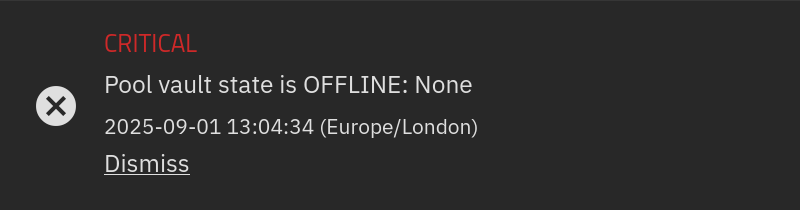
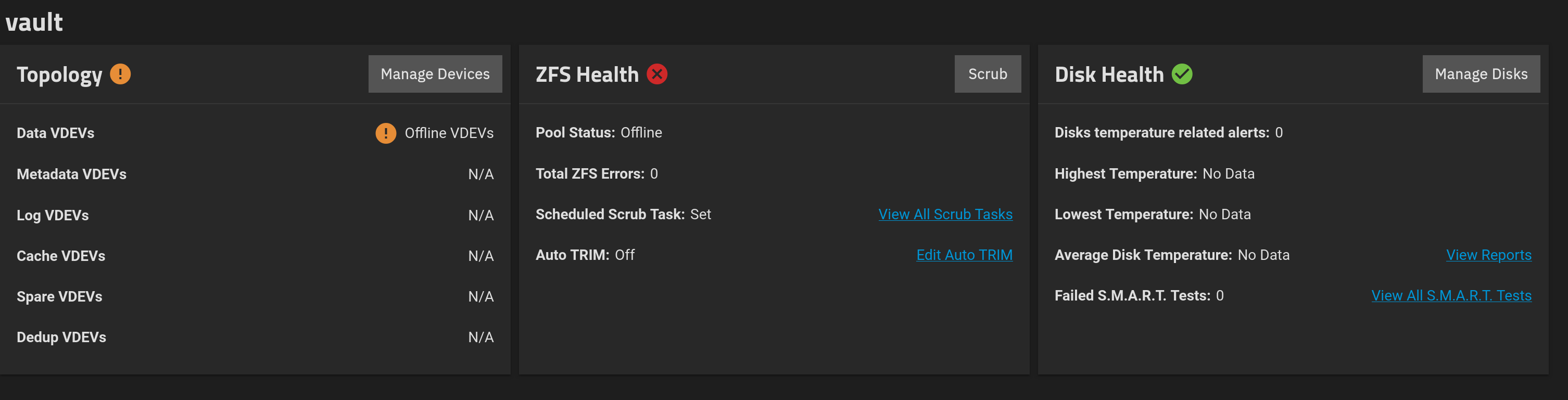
I have re-installed TrueNAS SCALE on my box on a new SSD. After the install completed I went to import my main ZFS pool, but the import list is empty. Here is the pool status I was greeted with upon booting into the new OS. It is also the same now on old install of TrueNAS.
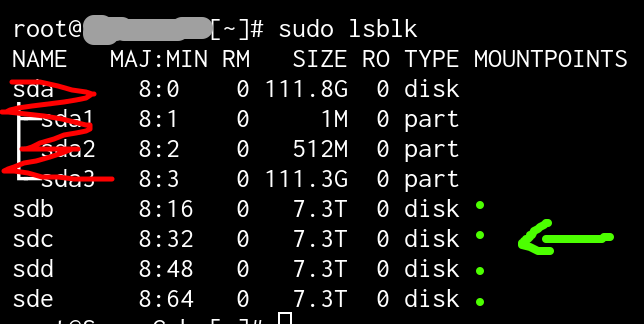
I entered the CLI and ran sudo zpool list and my pool is not there. I checked the SMART logs which show no disk errors. The disks are showing up in lsblk as well as in the disks UI.
The only thing out of the ordinary that happened during the install process was I accidentally booted into Windows 11 for a moment which was on the new SSD, the one I wanted to install TrueNAS on, as I was intentionally overwriting this SSD with TrueNAS.
Any guidance here would be greatly appreciated. Thank you.
root@truenas[~]# sudo zdb -l /dev/sdb2 ; sudo zdb -l /dev/sdc2 ; sudo zdb -l /dev/sdd2 ; sudo zdb -l /dev/sde2
cannot open '/dev/sdb2': No such file or directory
cannot open '/dev/sdc2': No such file or directory
cannot open '/dev/sdd2': No such file or directory
cannot open '/dev/sde2': No such file or directory
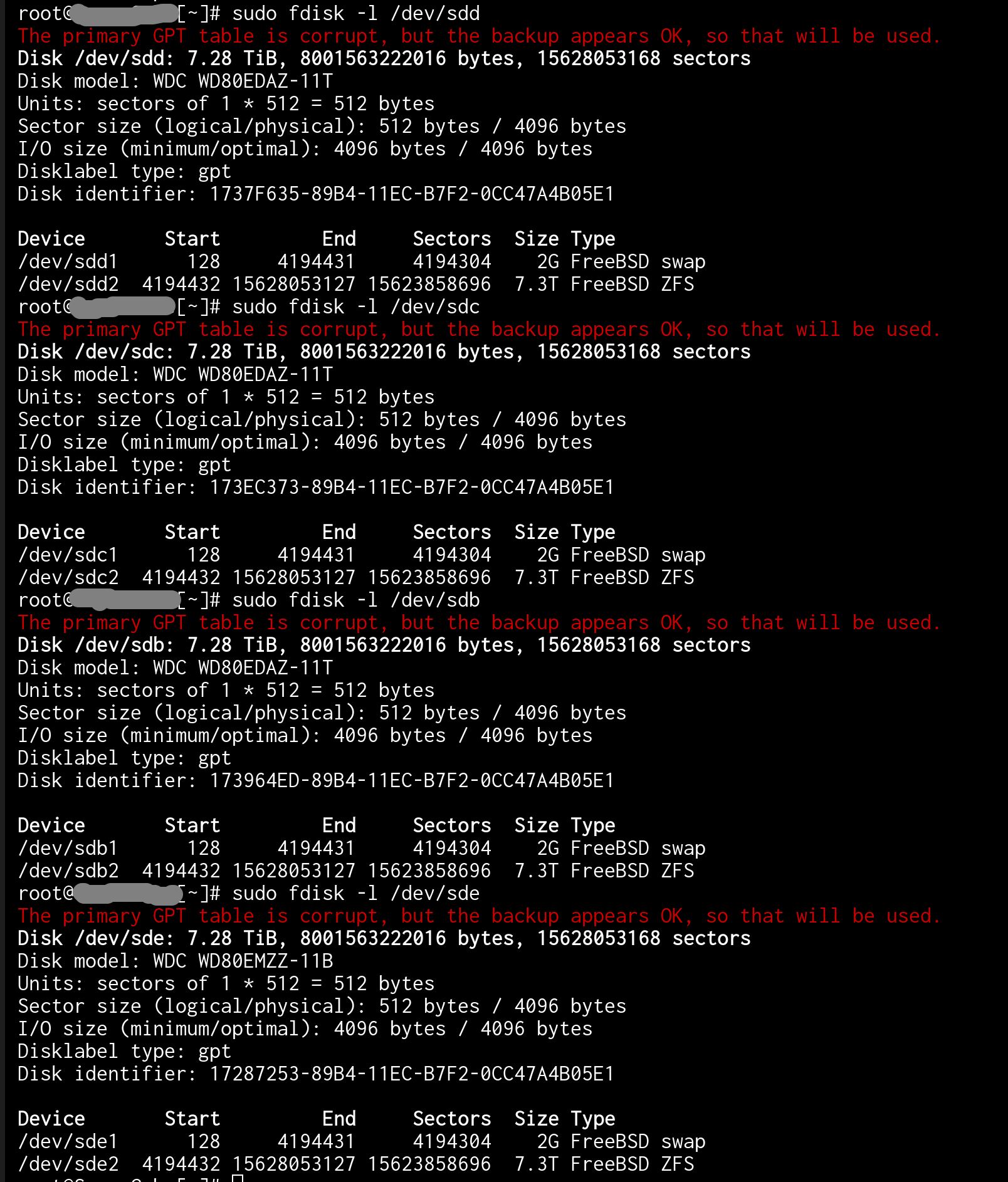
Is fdisk able to see the partitions only because it’s using the backup GPT table? If so, would the solution be to promote the backup GPT table to primary so that the base OS can read it too?
That makes sense to me. I have never done it before.
Do you know how I can backup the corrupt GPT table and also backup the presumably OK GPT table before this operation?
This output might provide more details. All 4 disks in the pool are like this.
root@truenas[~]# sudo gdisk /dev/sdd
GPT fdisk (gdisk) version 1.0.9

Caution! After loading partitions, the CRC doesn't check out!
Warning! Main partition table CRC mismatch! Loaded backup partition table
instead of main partition table!

Warning! One or more CRCs don't match. You should repair the disk!
Main header: OK
Backup header: OK
Main partition table: ERROR
Backup partition table: OK

Partition table scan:
  MBR: protective
  BSD: not present
  APM: not present
  GPT: damaged

****************************************************************************
Caution: Found protective or hybrid MBR and corrupt GPT. Using GPT, but disk
verification and recovery are STRONGLY recommended.
****************************************************************************

Command (? for help):
Sorry, I have never fixed or seen fixed this problem before.
However, loss of the primary partition table does appear to be the problem.
I don’t know for sure, but you mention that MS-Windows 11 was booted after the pool was known to work, and before you found the problem. Thus, I guess that MS-Windows did not like something and prepped the disks for it’s self.
As for where to go now, you could read the help or manual for fdisk or gdisk about restoring the backup partition table on just 1 disk.
Or you could take ONLY 1 disk and manually re-create the partition table exactly like your fdisk -l /dev/sdX output showed. This was a first, small swap space and second large partition for the ZFS pool. But, it must be exact, at least for the ZFS partition.
Whence that is done, you could then run zdb -l /dev/sdX2 against the ZFS partition and see if it now shows being part of a ZFS pool. If this disk now looks good, you could possibly do the same to the other 3 disks.
The reason I say doing just 1 disk, is that if something goes wrong, you may still be okay because of any redundancy you have in the pool.
To be clear, I think this may fix your problem, but I don’t know. And it could make things worse. So, Caveat Emptor.
A big thank you to @Arwen and @neofusion for getting me on the right track with this scary issue. I really appreciate your guidance and I was able to recover my pool fully without losing any data.
Here is the solution I carried out:
Backup the GPT
sudo gdisk /dev/sdX
Entered b to back up GPT data to a file (I set the filename to the drive’s serial number)
Run for all affected disks.
Repairing the GPT
sudo gdisk /dev/sdX
Entered r to access the recovery & transformation menu
Entered b to use backup GPT header (rebuilding main)
Entered w to write data. Use this command to save your changes.
Run for all affected disks, but check the disks UI between each run in TrueNAS because it should now detect the disk is part of a pool.