Thanks to a network user error, I needed to clone a snapshot to retrieve a set of files that had been deleted. I was able to clone the snapshot no problem, and recover the necessary files with no issues.
I wanted to leave the clone there for a bit in case other files were found to be missing. Today, when I went to delete the dataset clone, it gave me this error:
Filesystem has dependent clones use '-R' to destroy the following datasets:
The dataset listed is my actual dataset (or so I thought). When I do a zfs list this is what I see:
Clearly, the clone has a ton of data and the actual dataset vol1/nextfcloud_files does not have all of the data.
When I go to the dataset properties, I do see the PROMOTE option and after reading up I THINK that I just need PROMOTE my nextcloud_files dataset and everything should be OK. At that point I should be able to delete my clone.
But before I do that, I just wanted to make sure I am not going to blow something up.
I should note that this is on my primary scale server. I am also replicating vol1\nextcloud_files to a secondary scale server every 15 minutes.
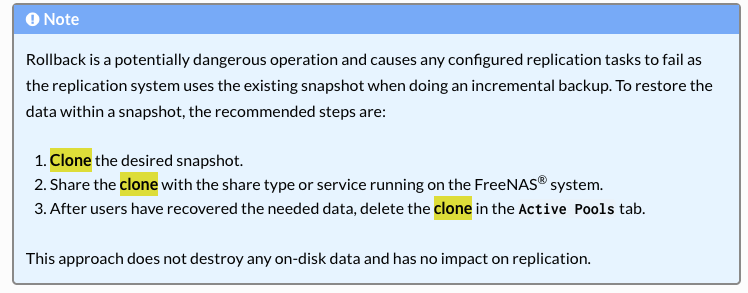
Actually, I got the instructions right here out of the TrueNAS manual, not from AI, if there is an easier way, I could not find it. I was simply following the instructions right out of the manual.
Recovering files from a snapshot is easy. It can be done by navigating with a desktop’s file browser to the hidden folder named “.zfs/snapshot” and then browse the snapshots as if they are normal folders with all available files within each one.
You don’t need to clone, promote, mount, or create any new SMB shares.
That advice from the TrueNAS guide is questionable, especially if they don’t lead with the easier method.
According to that, the dataset vol1/nextcloud_files is actually a clone that depends on a snapshot of another dataset named vol1/nextcloud_files-auto-2024-12-17_06-30-clone. Ironically, the dataset with “-clone” in the name is not actually a clone.
There are Inception levels of cloning and promoting going on. I’m not really sure how you ended up with that, unless it was by mistake.
You can try to promote vol1/nextcloud_files and then report the results of the above command again.
Wow, I wish someone would have told me this sooner I am going to try this out a bit. If it is that easy, why clone at all?
In theory, if I PROMOTE vol1/nextcloud_files, that should fix the fact that it is actually a clone of the snapshot and I will just be left with vol1/nextcloud_files?
Thanks for the heads up on creating a checkpoint as well, I will definately do that before attempting the PROMOTE.
OK, I just want to be sure I understand what will happen when I PROMOTE the vol1/nextcloud_files, it will contain all of the data from both it and the clone it is based on, correct?
Right now a zfs list shows it with only 67GB but the one marked as a clone has 877GB, when I promote vol1/nextcloud_files it will now be ~960GB?
I just don’t want to make a stupid mistake and have to rely on the checkpoint to fix it.
It appears that you cloned from a snapshot of the original dataset, named it with “-clone”, but then promoted that.
Did you reconfigure your shares to the path of the “-clone” named dataset?
This is where things diverge.
If you promote the original dataset (which ironically is now a clone), and then delete the no longer needed “-clone” named datasets, you might lose any new data that was saved on them since their birth.
This is why I recommend stopping any usage of the NAS and create a checkpoint right before you attempt anything destructive.
I created a new share pointed at the clone, grabbed all of the files I needed, and then shut down that share. The main share does, and always did, point to vol1/nextcloud_files. It sounds like I did what you said, I cloned the snapshot and promoted that snapshot. I can’t see any other way it is the way it is.
I am not sure it is of any relevance, but on my backup system, I only show the vol1/nextcloud_files and not any of the clones, and it has the correct size as expected.
This is what I would expect. Maybe not the exact numbers, but something close to your original usage.
67GB is kind of high for a fresh clone. This tells me that you possibly wrote 67GB worth of data into vol1/nextcloud_files ever since it became a clone.
To play it safe, create a checkpoint right before you try any of this. If a checkpoint already exists, discard it first with the -d flag, and then create a new one.
Thank You for your patience and help. I created the checkpoint as you recommended.
I then promoted vol1/nextcloud_files and its size immediately grew to the entire full size of them both, and the other one went to almost zero. I was then able to delete the clone without losing anything.
I have been playing around creating tests with just basic files:
dd if=/dev/random of=test.11 bs=1M count=100
Saving them, making snapshots, cloning snapshots, promoting snapshots, adding more files, snapshots again, promoting back, and then deleting. Worked exactly as you said.
Don’t forget to discard the checkpoint with -d once you feel that you’re safe and won’t need to rewind the entire pool. I wouldn’t let a checkpoint sit for more than a couple days.

 That’s not a good look.
 I would
  I am going to try this out a bit. If it is that easy, why clone at all?