Help with install - hanging (Asrock Rack X570DU based)

Hey all,
So I got the hardware and installed it (well all but the pool disks).

Asrock Rack X570D4U
AMD Ryzen 5 Pro 3400G
2x Kingston KSM26ED8/16ME Server Premier - DDR4-16 GB
Patriot P310 240GB M.2
Thermaltake Toughpower GT 850W

I also have an old Samsung 840Pro 512GB SSD which will be for the apps, but not connected yet.

I’m waiting on the hard drives because they are out of stock and their prices went up after Christmas. I figured i could boot this up and start getting familiar with the settings.

Well, I downloaded version 25 and it seemed to work, but it took a few reboots for some reason. Once it booted it couldn’t get an IP address. I did some googling and saw a recommendation to run memtest.

Ran that, took a few hours for the 32 gigs and it passed.

I tried rebooting and no luck. Motherboard gave me a B2 error “DXE_LEGACY_OPROM_INIT”
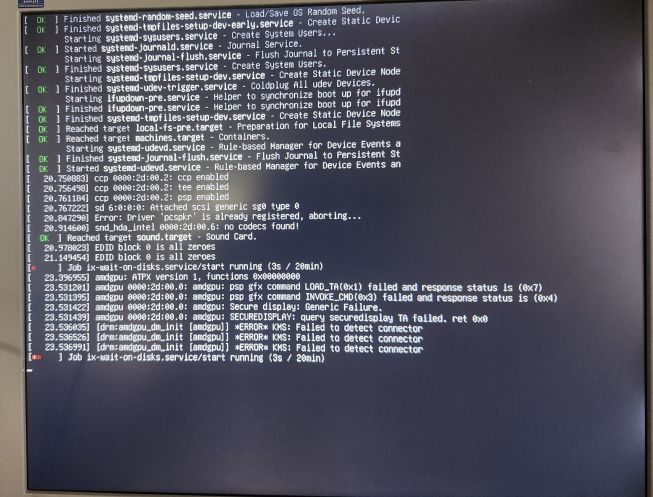
During boot it would hang with a flashing prompt for a few minutes before beeping and then allowing me to get to the boot menu. If I select the OS, then it hangs with this as the last screen:
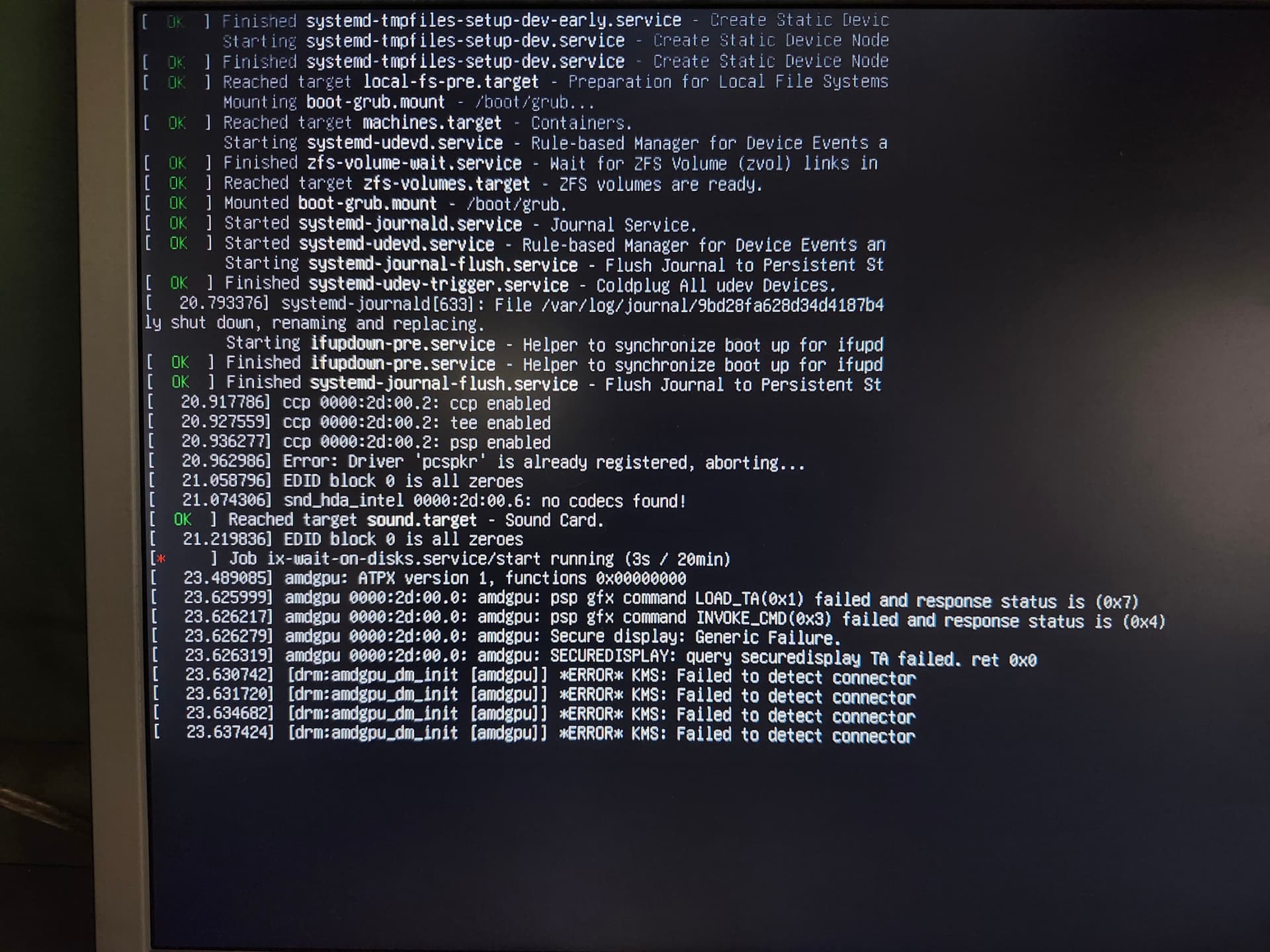
Did more googling, saw a recommendation to flash the bios, so now it’s up to date.

It still hangs for a few minutes then gives me the boot menu and results in the same error.

I feel I’m grasping at straws. There’s little info on the web about this board. I’m not sur why it takes so long to get to a place where I can get to the bios and not sure why it won’t boot.

I could try Truenas Scale 24, but I just don’t think that’s the issue.

Seems like some kind of GPU issue.
Try booting a live Linux version to see if it works or try Windows. If you think it may be GPU, you need to rule that out as a bad CPU/GPU unit

Thanks SmallBarky.

But maybe I/we need to start at the beginning.

What’s causing the bios to hang.

It sits there with the blinking prompt for 1.5 minutes (I timed it) before beeping and presenting me with the Asus logo, some options, then progressing to the boot options.

Once I figure out the bios issue, then I’ll start digging into the OS booting more.

Anyone with a AsrockRack X570D4U have this experience?

I mean mine takes a solid minute or two to boot if it was total power loss because the ipmi innitializes first (slowly), before going into the OS.

Edit: this is fairly normal server bevahiour as booting isn’t something that is expected often. Once again though, this is only on a cold boot; rebooting the OS is relatively painless.

Try getting the latest bios & ipmi from asrock; they’ll be in the ‘beta’ section - I can confirm they work fine from personal experience. Don’t keep any settings when flashing the ipmi, set them back manually. I remember I had an issue when I tried to save config & it’d have some broken ui elements that drove me crazy until I flashed it again.

Edit 2: did you try configuring gpu in bios? The board some with a very basic igpu, maybe it is causing conflict with the built-in igpu of your processor?

probably want to establish first that your computer is working: can you install other OS on it? like dos, linux, win/win pe…

if the computer is fine, you will need to show that your installation devices (thumb drive, cd…) are working…

then you can begin to diagnose.

2 Likes

If it’s taking you a few minutes to hit GRUB then I’d be scrutinising the NVME. Those GPU logs seem like red herrings, they aren’t causing a boot failure. It looks like boot is probably spending a long time waiting on the ix-wait-on-disks service.

Like the others have recommended, stick another OS on it and see if you hit the same issue.

1 Like

Hey all, some great suggestions. I need to research the IPMI thing more

it seems like so far things are ‘normal.’ I.e. the time it takes to get to the boot menu is not abnormal. So that’s good, thanks @Fleshmauler

@essinghigh : Yeah, I did more research on the video issues and it seems like there are multiple accounts of Linux working even wtih those same video errors.

And you all will have to be patient with me. I’ve been a solid Windows user since v3.1. I tried Ubuntu once for fun years ago, but it just didn’t have the same software available for my use case at the time (namely 3D modeling/CAD and photo/video editing for home projects).

I downloaded Ubuntu since it’s a Debian-based linux system and figured that it might emulate the TrueNAS install (and it’s the one Linux OS that I’m kind of familiar with although they are all about the same I think).

So I downloaded the ISO and broke it out using on a USB stick using Rufus and went to install it. (which is also what I did for TrueNAS)

I did not make any changes to the BIOS. For that matter, after updating it to v1.50, the only thing I changed was the time and date.

I removed the M.2 drive and plugged in the SSD drive (which I plan to use for apps) to install it on.

But…

I missed the install choice. And the system began booting to windows 10 which is still on that hard drive from a computer I just replaced.

It booted up just fine. I plugged in a network cable into one of the ethernet ports and got on the interwebs. Heck, windows didn’t even report any hardware driver issues after moving the hard drive to a completely different system (the old computer was an Intel i7 based computer with a separate Nvidia GPU vs this AMD based system with built in AMD graphics)

So how 'bout them berries?!?! (sorry for the southern, US saying).

Anyway, I might try the Ubuntu install later tonight, but from what I can tell everything is working properly for a TrueNAS install.

So what’s next?
Maybe try using TrueNAS v24 instead of 25?
Maybe put that on the SSD and see if it works?
Then try on the M.2 drive?

Any insights/recommendations at this point will be welcome.

Clean install could be a good next step, up to you for changing boot drive or not. I like v24 personally for many reasons, but imo no reason why v25 shouldn’t work.

I remember I’ve had a failed clean install or two when I forgot to chose a specific option in rufus; I can ever remember wtf that setting is though…

Well, tried it again. This time I downloaded 25.10.1 (instead of 25.10.0.1…which coulda been a typo I guess).

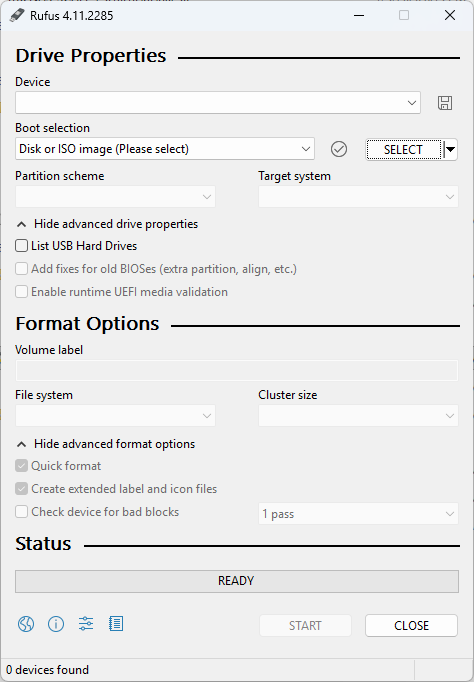
used RUFUS, but there didn’t seem to really be any options that I could mess up. Here’s a screenshot with the advanced options visible:

I didn’t change anything except naming the USB stick to something similar to the name of the program. File system and cluster sizes were chosen automatically and I didn’t try to change them since the installation seemed to work previously.

Reinstalled the M.2/NVME drive, booted the computer, and reinstalled TrueNAS on the NVME drive.

Rebooted, and it froze with pretty much the same errors as my first post.

I’ll try removing the NVME drive and installing on the SSD drive another night. Probably Thursday night due to personal engagements.

Other than which drive I’m using, any other thoughts?

Thanks in advance.

I want to say that when you actually click ‘start’ it gives another page of options & the first one never works for me.

Page 77, Disable the OPROMs. Or maybe boot UEFI instead of in CSM mode.

Sorry it took so long to get back to you all. Kiddo is still home from college, so focusing on family.

Anyway, just installed on a SATA SSD, and it hung again.

@Fleshmauler, I started to re-run the RUFUS installer and the second page only offers the option to ‘write in ISO Image MOde (recommended)’ or “Write in DD Image Mode”

I kept it on ISO Mode.

  • Edited to add this paragraph later: Oh, I was going to install v24 to give it a try and another option box showed up about Grub and that the image uses Grub 2.06 but the application only includes the install files for Grub 2.12. I selected ‘Yes’ to have Rufus look for the right Grub install file.

@NickF1227: I’m not familiar with those modes/options. Will that speed up booting or is there other things that it will do so get this to boot or install properly?

  • I disabled CSM since it seems only useful for Windows OS.
  • Do I disable OpROM or use EUFI or each slot? The options are PCIE 4, 5, 6, and M.2_1 and _2.

Looking at the photo I took of the screen. Would the fact that I don’t have any hard drives for the pool stop the OS from booting up? I assume it wouldn’t, but figured I’d ask.

As @essinghigh said, it still seems to be hanging on the ix-wait-on-disks.services. I have not idea what that is.

Should I try a linux variant even though an old version of windows booted up ok?

Thats the one! Never had success with first one.

So you think that could cause it to uninstall in such a way that it would result in a bad install…even though the install completes successfully (or at least the installer thinks it’s done it’s job successfully).

I’ll try it. I tried to install V24 but it failed to even complete installing. So I decided to do a bad block check on the USB stick to make sure there wasn’t something funky going on. Looks like it might be a while. But tonight I’m relatively free except for pizza with the family and maybe watching a couple episodes of Brooklyn99.

I’ll stick with V25 since it seems to get close. Not sure why 24.10.2.2 failed. It said the installer was unrecognized or something (shoulda taken a photo).

Thanks Flesh.

You would disable it on each, but disabling CSM solves that problem so its a moot point on my part. Your newer screenshot looks like it just indicates the iGPU just isn’t plugged in to a monitor?I dont know why that would stop it from booting.

It looks like its still running and initializing disks after that error. What happens next in the sequence?

EDIT: Actually, I think I see the problem? It’s stuck waiting to initialize disks, it waits for 20 minutes before it times out. Since you ACTUALLY have no disks in the system, this may be expected behavior. It’s waiting on disks that don’t exist to surface, and they never do. Can you either wait the 20 minutes…or plug in a single disk (even if you dont want to keep it in the system permanently)?

Sone of a…

Ok, I’ve got a couple old drives that are fully functional that had removed due to space limitations on my current workhorse computer. I’ll throw one or two in the new box and see if that overcomes the pause. Guess I’ll need to reinstall the OS first since that last install (using V24) failed.

I’ll keep the CSR disabled since it’s not needed.

I’ll go back to V25 since it seemed to work whereas v24 didn’t. I’ll also try the DD Image mode (in Rufus). Then if something fails I’ll go back to ISO mode.

I’m also going to go back to the NVME drive.

Maybe 30 minutes out from now.

still the same. Freezes at the same place.

I actually installed it using both ISO and DD modes.

I have both the SSD and a 2TB SATA HDD drive (with the NVME still the install drive).

bootup is a bit quicker with the CMS disabled. That’s nice. But still no booting.

Not sure where to go now.

1 Like

Have you tried waiting the 20 minutes? We should be able to get to a shell prompt at least if you do. Maybe we can gather some clues so we can get next steps.

Ugh, I was going to wait 20 minutes…it’s been an hour and 20 minutes and it’s still stuck.

What now?!

What does the screen say?