Hi There! I have a supermicro 847 chassis server. And my pc is running windows 11, with a asus x670 motherboard. I got the new NICS installed in both machines.
server has the SuperMicro AOC-S25G-i2S Dual Port SFP28 25GbE Low Profile Network Adapter
pc has the SuperMicro AOC-STGN-i2S Dual Port 10Gb Ethernet Controller
I download all the drivers for the pc NIC and hoping that its all good there.[ Would be glad for any tips on making supermicro NIC work in a pc. still not sure its gonna work.]
I’m wanting to switch my old ip address to both the new NICS.
How do I go about switching the old Ip address to both new NICS while server is running? I’m just worried I might lock myself out of server
The Console has text options for resetting or changing the network. Be prepared to access it with keyboard, mouse and monitor or through IPMI, etc. If you lock yourself out, use that.
Otherwise follow the online documentation for the version of TrueNAS you are using. You have to do the Test and Accept when making changes.
You didn’t give details on your entire setup so we can’t guess if your plan will work or not.
what details would you like?
I’m accessing nas directly to pc with a etherent cable. no router involved. Old NICS are 2.5 gbe in both server and pc.
And I want to do the same thing with the new NICS. Connect directly to pc and server without a router.
I’m using truenas scale.
So if I set up keyboard and monitor connected to server and then reset the server IP address on the NIC I’m currently using, and use that same IP address in new NIC will that work?
And then do the same thing with pc IP address? Reset the old NIC IP and use that same IP in New NIC?
And then set default gateway on both?
Or could it lock me out? If things don’t configure right
Are you keeping both networks going at once?
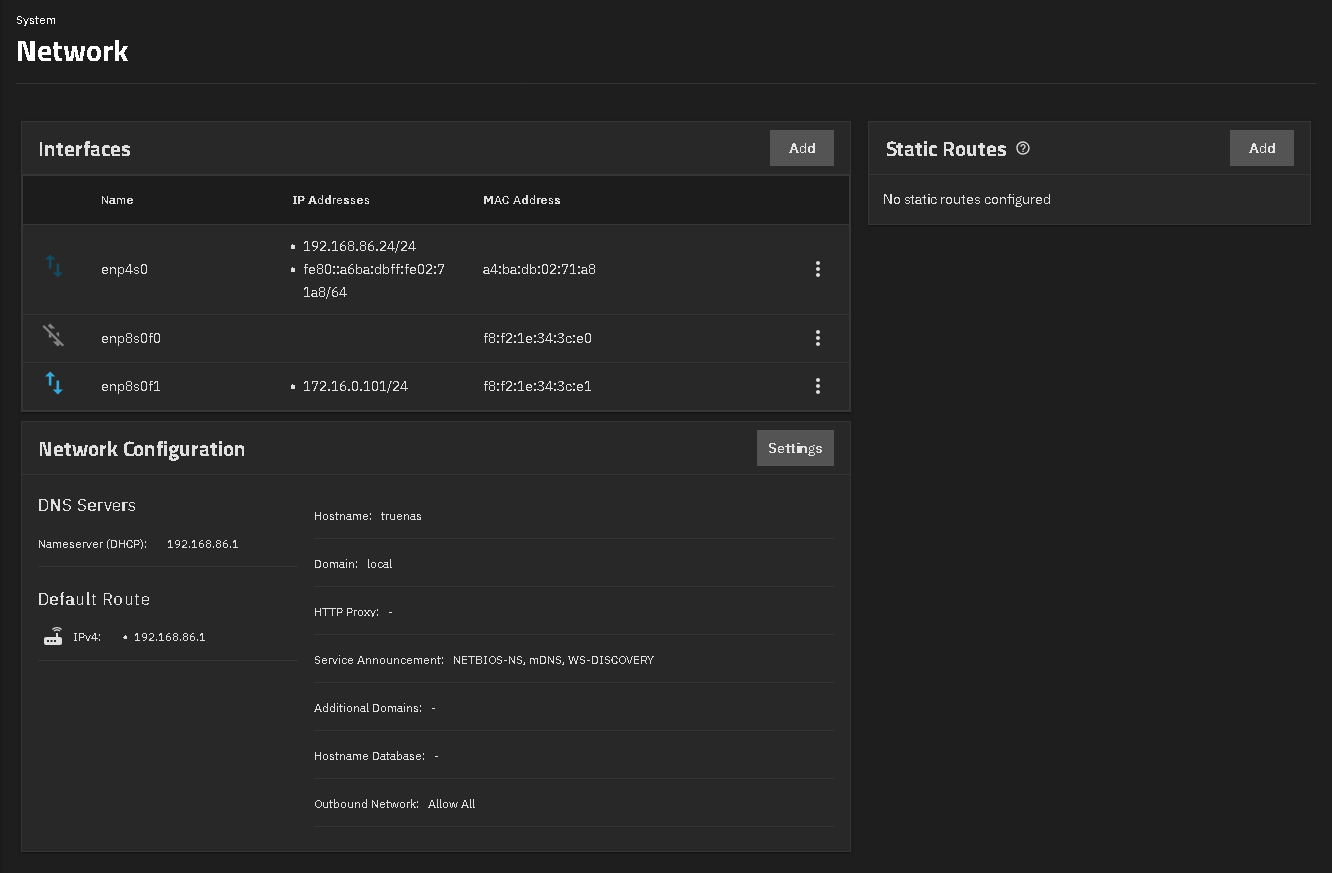
Here is my info. 1GBps network is using DHCP and connects to a TP-Link TL-SG108 eight port switch. That is connected to a Google Nest Wifi Pro router and that connects to my cable modem. This give internet access for the Windows PC and the TrueNAS (for updates)
I have Intel x520 10GBps fiber cards in TrueNAS and a Window 11 PC. Those are connected directly with transmitters and multi mode fiber, and are on the 172.16.0.101 and 172.16..0.102 (windows). I map my SMB shares with the ip address of the 10 GBps network address.
I just checked and I can access the GUI off both subnets. 192.168.86.xxx & 172.16.0.xxx You could lock it to one or the other, I think.
Mixing 25GbE on the server and 10GbE on the PC is totally fine as long as expectations are clear. I’d focus first on PCIe lane availability, proper drivers, and supported chipsets, especially on TrueNAS. Direct attach works well for short runs, but switches add flexibility later. Jumbo frames and MTU settings need to match, otherwise performance gains disappear fast.
Thank you guys for your help!! I was able to get my pc connected to server through the ethernet ports directly connected with the new NIC cards. I simply reset the old ip address on both the server and pc, inserted the new NICS, set them to the same IP address as was used on old NICS and it worked.
I am having trouble with getting the full speeds from the new cards. It holds transfer speeds of about 200 mb/s. it starts out at 1 gb/s and slows down to 200 mb/s. I will go check the jumbo frames and mtu settings.
I believe that’s my issue
My server has 64 gb ram
I have 2 12tb sas drives in raid 0 configuration
No I’m not I unplugged the old ethernet ports.
I’m using static IP addresses
what you saying exactly about locking it?
Use iperf3 to test the networks speed and verify. File transfers are a different thing.
You can lock the GUI to an ip address, if you didn’t want it accessible on all of your ip addresses