when i’m trying to install any app i got this error
File “/usr/lib/python3/dist-packages/middlewared/schema/processor .py”, line 183, in nf
return func(*args, **kwargs)
^^^^^^^^^^^^^^^^^^^^^
File “/usr/lib/python3/dist-packages/middlewared/plugins/apps/crud .py”, line 203, in do_create
return self.create_internal(job, app_name, version, data[‘values’], complete_app_details)
^^^^^^^^^^^^^^^^^^^^^^^^^^^^^^^^^^^^^^^^^^^^^^^^^^^^^^^^^^^^^^^^^^^^^^^^^^^^^^^^^^
File “/usr/lib/python3/dist-packages/middlewared/plugins/apps/crud .py”, line 248, in create_internal
raise e from None
File “/usr/lib/python3/dist-packages/middlewared/plugins/apps/crud .py”, line 241, in create_internal
compose_action(app_name, version, ‘up’, force_recreate=True, remove_orphans=True)
File “/usr/lib/python3/dist-packages/middlewared/plugins/apps/compose_utils .py”, line 57, in compose_action
raise CallError(
middlewared.service_exception.CallError: [EFAULT] Failed ‘up’ action for ‘netdata’ app, please check /var/log/app_lifecycle.log for more details
Something is causing it fail to startup, that log it says probably will give more information. But it’s probably a setting you have set on the app config that is incorrect or has a conflict blocking it.
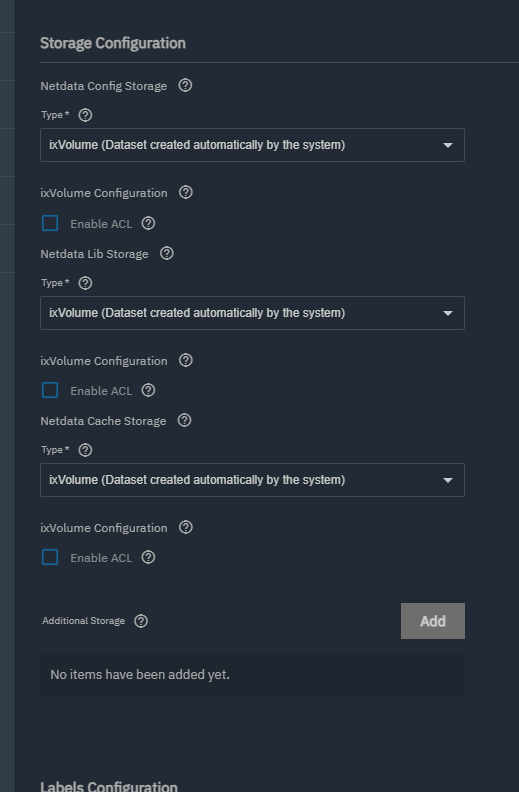
When you’re installing it, to test with make sure the storage is set to this if it isn’t to see if it helps.
cat the log without using grep, then find the entire list of data in the log from the install. “Failed action up” is the system saying “Something happened”. No information to help you with.
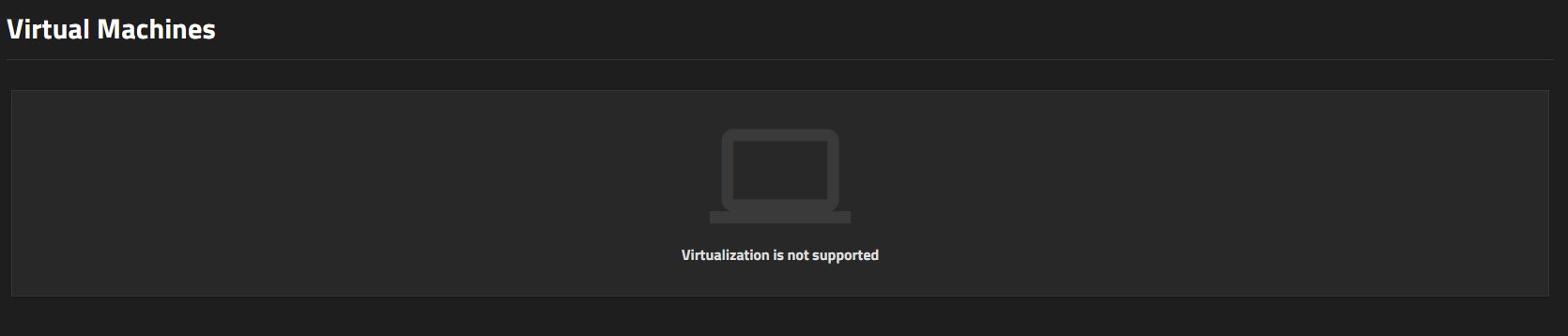
It says your hardware is not supporting virtualization there, can you enable virtualization in your BIOs and try again. I’m pretty sure docker requires it.