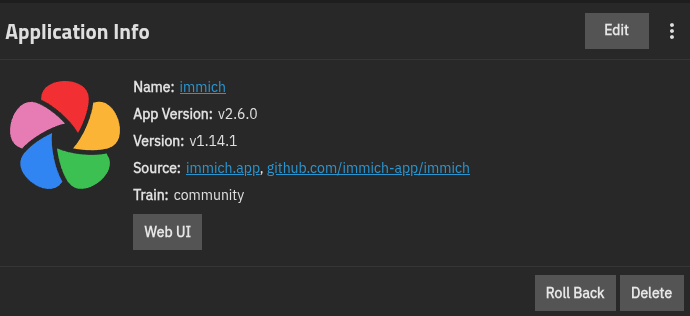
When trying to update Immich to 2.6.0 it errors out with…
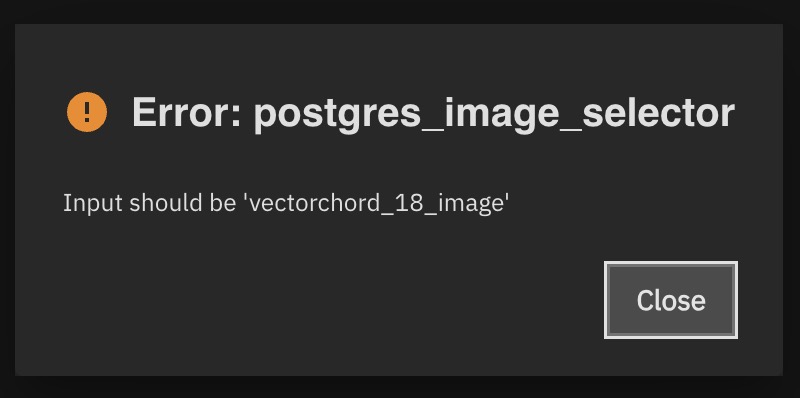
Any ideas what may be causing this? Its the first Immich update that has given me issues. I can restart the Immich again but it will not upgrade.
I’m on TrueNAS 25.10.2.1
Thanks!
When trying to update Immich to 2.6.0 it errors out with…
Any ideas what may be causing this? Its the first Immich update that has given me issues. I can restart the Immich again but it will not upgrade.
I’m on TrueNAS 25.10.2.1
Thanks!
Immich has been nothing but trouble when updating via community apps for me, haha. First I will say, take my advice with a grain of salt because I am a noob. Hopefully someone smarter comes along and gives better advice.
What you need to do is edit the app and change Postgres Image (CAUTION)* dropdown to Postgres 18 from Postgres 15. However this still caused problems for me because the database migration failed when I peaked at the logs. I tried rolling back via a snapshot and tried again to no luck. So I ended up just deleting my pgData folder and recreated it. I have no idea if that is a good or bad thing to do, but my photos are stored via a host path vs the integrated ix-volumes. So the way I look at it: as long as my host path isn’t getting deleted I don’t really care. Keep in mind though you will have to reset up Immich when deleting the Postgres folder because that’s where Immich keeps all of it’s information.
As I’ve said elsewhere, I did the migration in Immich’s default container on a different PC then copied the database back to truenas. The default container uses postgress 14, so you need to change that to 15 or 18 depending on your database. Then be careful with permissions when you copy it back.
I have immich in a host folder rather than ix-apps.
But as others said, check the correct postgres version is set, and that the database is where the container expects.
When you edit the app there should be a drop-down menu where you can choose the postgres version. Choose 15 or 18, redeploy the app and it should auto migrate
Postgres 15 has been deprecated but a “bug” allowed to upgrade to later versions without forcing the user to upgrade Postgres first. So you will need to get Postgress Updated first. Have a look here for details: Immich pgvecto_upgrade fails when upgrading PostgreSQL from 15 to 18 with ERROR: Old PostgreSQL [15] binaries not found at [/usr/lib/postgresql/15/bin] · Issue #4628 · truenas/apps
FYI, there is a deprecation notice on Immich | TrueNAS Apps Market about Postgres 15. These deprecation notices are automated once the dev sets the deprecation flag in the repo, so the apps.truenas.com catalog is a good place to check when troubleshooting something like this.
I know there has been some talk about displaying deprecation notices in the UI since we have the backend in place now, but I’m not sure if there’s been any progress in that direction
would love to see the deprecation notices in the UI. however my take is, that usually you are not able to update the app when the version is deprecated, so all failsaves in place and this one with immich is a one-off.
When you edit the app there should be a drop-down menu where you can choose the postgres version. Choose 15 or 18, redeploy the app and it should auto migrate
I just tried this and now my app is crashed and won’t recover. 
Try the YAML edits in this procedure?
EDIT: Removed link, reddit post was updated with correct commands
Try the YAML edits in this procedure?
Ah, thanks! Those other instructions looked hastily typed and incomplete. This makes much more sense. I’ll try it shortly. Thank you!
Just an update, I just followed these instructions and it doesn’t work. The app comes back up but the server container crashes and the web UI is unreachable.
check using dozzle or review the logs. in case you have a backup i’m happy to help, there are a few guide out there. you an also have a look at mine Immich Disaster Recover Guide for TrueNas Scale – “Common Mistakes and How to Avoid Them” – Infrastructure Blog
I’ve been looking for such guidance. Thank you!
you can PM me in case you’ve further questions
I just had to deal with this myself.
I rolled back a version from the drop down (roll back) - scroll to the bottom to find your latest previous version. The advice from @DjP-iX pointed me in this direction. I think it was 1.13.4 (app version) for me.
Once I verified Immich works okay on the older version - upgraded postgress to 18 (many notes in the post and also the depreciation notice in the edit section)

Once Immich started - applied the upgrade - it completed okay.
Hope this helps somebody.
Thank you!
Here is a full summary of the solution that worked for me:
If you already switched to PG18 and it’s failing, edit the app and set the Postgres Image dropdown back to Postgres 15. Save and redeploy. Confirm Immich is running.
Open the TrueNAS Shell and run:
sudo docker exec ix-immich-pgvecto-1 pg_dumpall -U immich > /mnt/<your-path>/immich_db_backup.sql
Replace /mnt/<your-path>/ with a location on your pool (e.g. alongside your Immich data). The username (immich) may differ on your setup. You can check with:
sudo docker exec ix-immich-pgvecto-1 env | grep POSTGRES_USER
Verify the dump file is a reasonable size (likely hundreds of MB if you have a lot of photos):
ls -lh /mnt/<your-path>/immich_db_backup.sql
Stop the app from the TrueNAS UI.
sudo rm -rf /mnt/<your-postgres-data-path>/db/*
This is wherever you configured “Postgres Data Storage” in the Immich app settings. Do NOT delete the db folder itself if it’s a ZFS dataset, just its contents.
Edit the Immich app, change the Postgres Image dropdown to Postgres 18, save and start. PG18 will initialize a fresh empty database. Immich will show the first-time setup screen. That’s expected.
sudo docker stop ix-immich-server-1
sudo docker stop ix-immich-machine-learning-1
sudo docker exec ix-immich-pgvecto-1 dropdb -U immich immich
sudo docker exec ix-immich-pgvecto-1 createdb -U immich immich
sudo docker exec -i ix-immich-pgvecto-1 psql -U immich immich < /mnt/<your-path>/immich_db_backup.sql
This will take a while depending on database size. Let it run until you get your prompt back. You should see clean output (CREATE TABLE, COPY, CREATE INDEX, etc.) with no errors.
Important: Make sure the Immich server and machine-learning containers are stopped before running the restore. If other sessions are connected to the database, the dropdb command will fail.
Stop and Start the app from the TrueNAS UI. Open Immich in your browser. All your photos, albums, users, and face recognition data should be back.
Once everything is confirmed working, you can delete the old backup:
sudo rm /mnt/<your-path>/immich_db_backup.sql
In my Postgres Data Storage I have a data folder which is empty and a 15 folder which got stuff in it. I tried deleting the content inside it but still got an error in the container ix-immich-pgvecto_upgrade-1 :
[ix-postgres-main]      - [2026-03-21 10:22:53] - Starting entrypoint with migration and upgrade handling
[ix-postgres-main]      - [2026-03-21 10:22:53] - No migration needed from old data location.
[ix-postgres-main]      - [2026-03-21 10:22:53] - Checking directory [/var/lib/postgresql/15_backup/docker]
[ix-postgres-main]      - [2026-03-21 10:22:53] -   - Found database: PostgreSQL [15]
[ix-postgres-main]      - [2026-03-21 10:22:53] - Using highest version found: PostgreSQL [15] at [/var/lib/postgresql/15_backup/docker]
[ix-postgres-main]      - [2026-03-21 10:22:53] - Starting timezone migration for /var/lib/postgresql/15_backup/docker
[ix-postgres-main]      - [2026-03-21 10:22:53] - Parameter [timezone] is already canonical - [Europe/Paris]
[ix-postgres-main]      - [2026-03-21 10:22:53] - Parameter [log_timezone] is already canonical - [Europe/Paris]
[ix-postgres-main]      - [2026-03-21 10:22:53] - Timezone migration complete
[ix-postgres-main]      - [2026-03-21 10:22:53] - Current version: 15
[ix-postgres-main]      - [2026-03-21 10:22:53] - Target version: 15
[ix-postgres-main]      - [2026-03-21 10:22:53] - Already at target version 15