I recently got one of the Ugreen NAS units with the Intel N100 chip. After doing some digging I discovered that a number of Alder Lake chips support something called In-Band ECC (not to be confused with On-Die ECC).
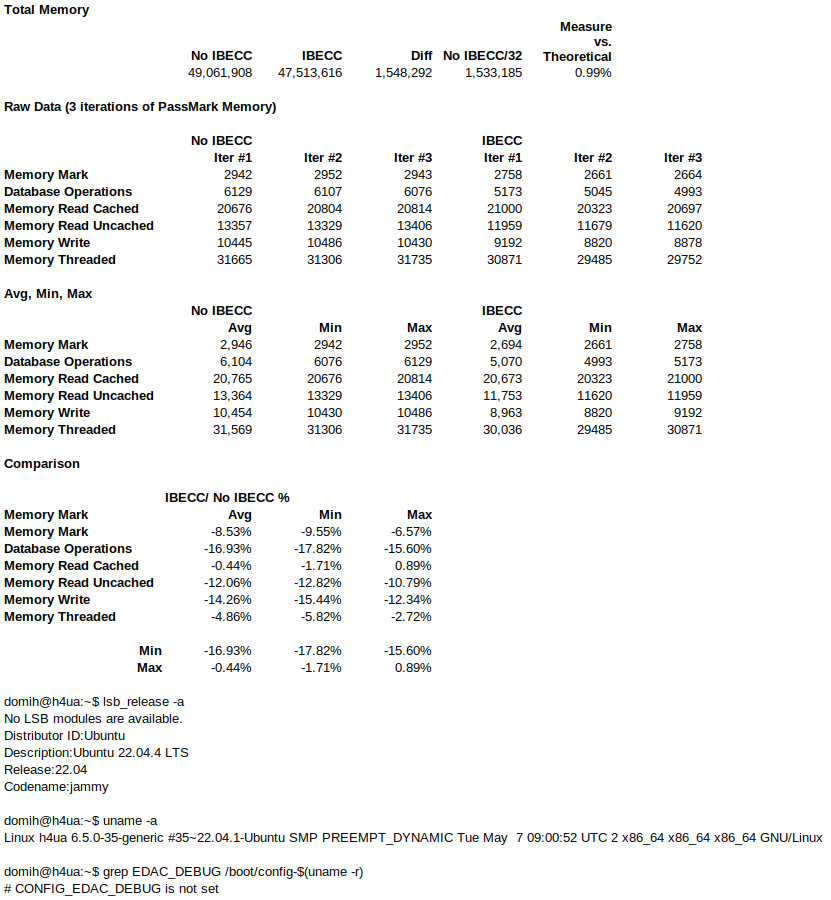
This feature essentially uses 1/32 of the RAM capacity to mimic how ‘normal’ ECC works with non-ECC RAM. I think this could be an interesting compromise in the search for the low-power/low-cost/ECC unicorn machine. I am not suggesting this is a replacement for ‘normal’ ECC but I’m curious if anyone has any specific knowledge about IBECC or has done any in-depth testing?
As far as I understand it, IBECC works at the hardware level and doesn’t require the OS to do anything. The only caveat is that it a custom kernel might be required to enable the CONFIG_EDAC_DEBUG function for debugging.
Documentation is sparse but so far I’ve found the following (unable to post links as a new user):
-
The relevant EDAC driver has been in the Linux kernel for a while (
/drivers/edac/igen6_edac.c) -
Odroid H4 IBECC implementation - the Odroid team enabled the IBECC option in BIOS and did some testing with monitoring. There is a general discussion about how it works on their forums if you Google ‘Odroid H4 IBECC’
-
LattePanda are one of the few vendors actively advertising this feature and they have a testing guide for IBECC - if you search for ServeTheHome LattePanda Sigma review, there is a screenshot of it with some conceptual and practical details.
On my Ugreen, dmesg | grep -i edac gives the following output:
[ 0.543462] EDAC MC: Ver: 3.0.0
[ 5.825954] caller igen6_probe+0x160/0x870 [igen6_edac] mapping multiple BARs
[ 5.826000] EDAC MC0: Giving out device to module igen6_edac controller Intel_client_SoC MC#0: DEV 0000:00:00.0 (INTERRUPT)
[ 5.826024] EDAC igen6 MC0: HANDLING IBECC MEMORY ERROR
[ 5.826025] EDAC igen6 MC0: ADDR 0x7fffffffe0
[ 5.827966] EDAC igen6: v2.5.1
It appears that the relevant EDAC driver is ‘working’. The IBECC MEMORY ERROR appears to be some kind of test done each time on boot to see if it can catch an error rather than an actual error.
Checking for the available RAM gives MemTotal: 7904156 kB, which roughly accounts for the 1/32 capacity hit mentioned earlier. Interestingly there is are no IBECC options in the Ugreen BIOS so it seems to be enabled by default under the hood.
Curiour to hear people’s thoughts and experiences with this.