
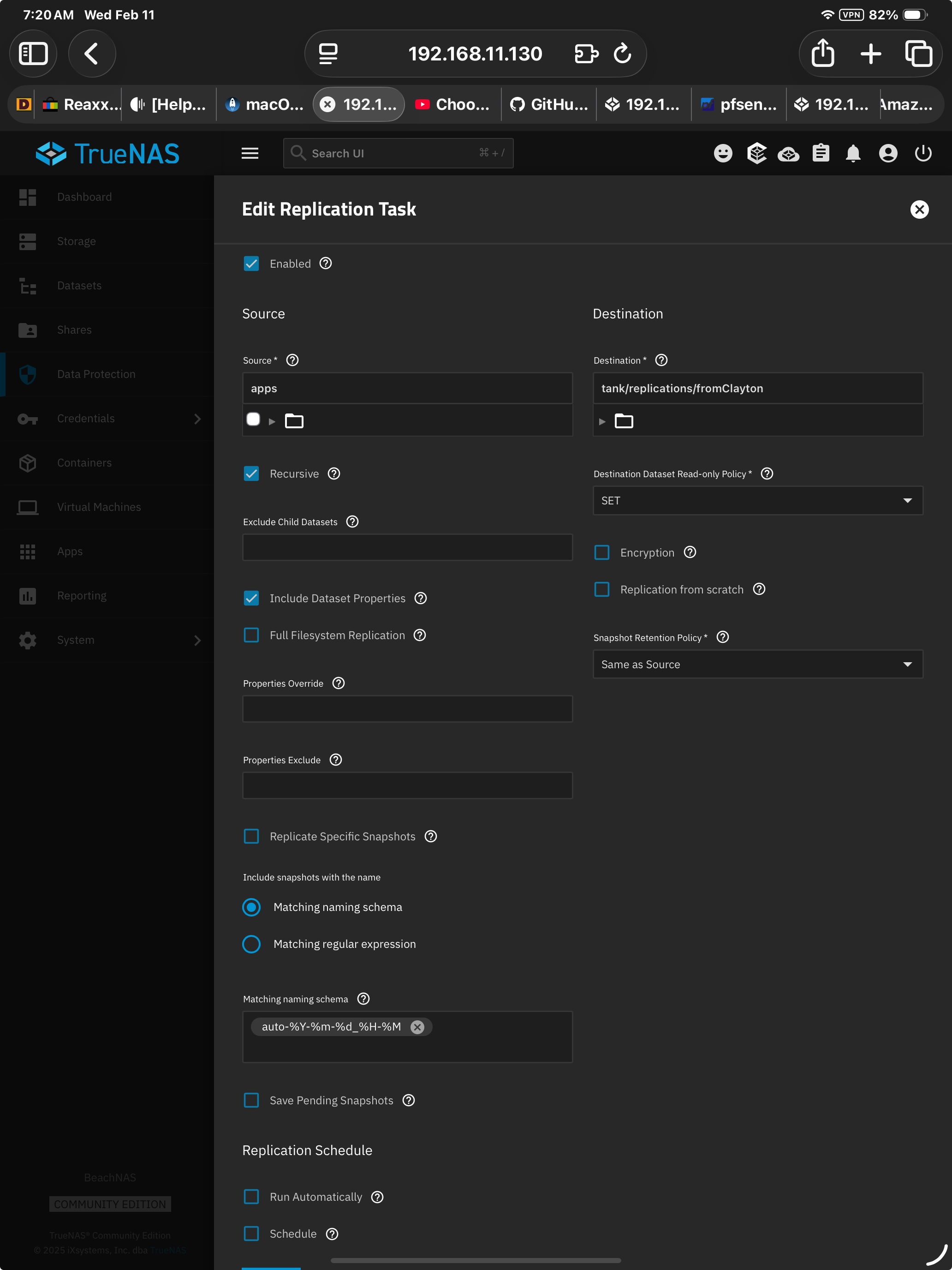
Thx for reaching out Chris. Attached is an screenshot image captured from v25.10.1 on an iOS M4 iPad 11” screen. This screenshot is from the DataProtection > selected existing Task > Edit. Look at the lower left edge of the image you should see a blue single pixel line. That is the top edge of the ‘Save’ button. It’s possible to gesture the ability to see that entire button but not gesture and execute the button. Once the gesture releases the Save button snaps back to being hidden. I’ve been in the process of getting multiple devices linked up as redundant servers in multiple locations. So this particular location in the UI is painfully familiar. I’m pretty sure I’ve seen similar UI behavior elsewhere (not only in TrueNAS). Meaning this may be an Apple constraint, not just TrueNAS. Regardless it’s infuriating to have to abandon the iOS device and go back to a desktop to save changes.
Thanks for the ping! Have to ask the obvious, but does the scrolling behavior change if you rotate to a landscape orientation?
This might be related to how iOS presents its web canvas - it likes to claim the entire screen resolution as usable (divided by two, 834×1210px in your case) but then you lose a certain amount of vertical real estate to the status bar and bookmarks tab, which means web pages that scale to the available size might have their bottom elements cut off.
Can you try the “full screen” or “Hide Toolbar” option in the browser and see if this makes the button clickable?
original screenshot was in full screen mode (portrait). Landscape = identical behavior.
THANK YOU - taking it out of Full Screen mode does allow me to see about 4 or 6 pixels of the Save button. Which IS enough to execute the command. So, there’s one work around.
“Swipe” to show/hide Menu Bar appears to be the only iOS option. It’s a toggle. With the browser (Safari) in full screen mode the behavior of the hidden Save button is identical in both toggle positions.
Just a work around suggestion for future releases: What about migrating the Save button to the upper right corner of the Edit pane?
Thx for the useful and quick response! Greatly appreciated.
I’ve logged https://ixsystems.atlassian.net/browse/NAS-139786 with the team to track this one - the easier solution would be to pad the UI element so that it allows for the scrolling when that sidebar is open (or prompts the creation of a scrollbar).
Relocating the Save button would definitely be a big change, as right now everything “flows downward” - we’ll see what the UI/UX team thinks.
Thanks for the details and confirming that the Fullscreen workaround toggle seems to do it, although that’s hardly ideal.