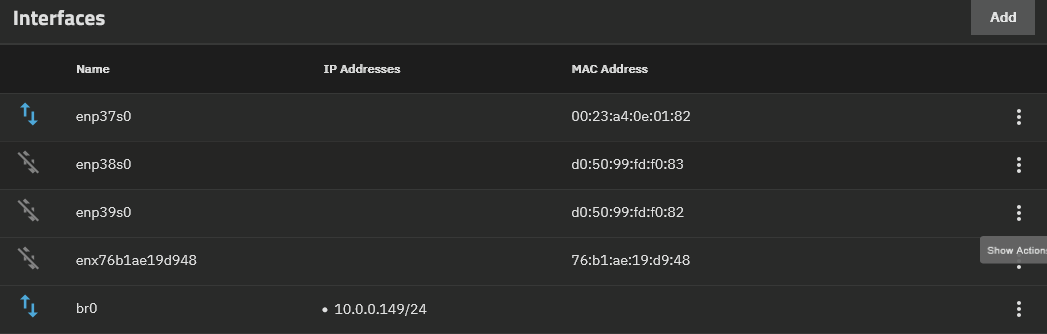
I’ve been having a weird problem for the last week I’m not sure what brought it on or where to even check. Initially i though it was a network look since my Qnap switch was rebooting every minute displaying a red light on the network loop led. I was able to narrow it down to the TrueNAS system. But that’s where I’m stumped i have a super basic use case for it and its a plex media box and twitch recoding storage. So i have 0 fancy things going around in the background
I swapped ethernet ports and about 12 hours later it started doing it again. I decide to bypass the 10GB NIC and use onboard. Same issue, i bought a new switch, same issue. I reformatted the system and installed goldeye over fangtooth same thing. Now the issue that makes this very hard to figure out is this will lock up the system and I wont even be able to access the GUI on the device itself. The menu when you have all 10 options to configure network reboot shutdown and other stuff is completely frozen. I though i might have been getting DDoS’ed but my router isn’t saying I am. I even ran a memtest just to see if maybe that was causing it, it passed.
I’m stumped at this point i have a spare motherboard i can use but I’m not sure if that’s going to do anything. I’m stumped the only thing i haven’t tried is swapping the router.
TLDR: Truenas server keeps locking up after a network loop that i have no idea where it’s coming from.
Network Config: Router → Unmanaged Switch → Server
Only one ethernet is plugged in and reservation is done via the router (it was done through the server as well but it didn’t change anything)
You might want to draw out a little network map & give us some hints on what you have configured for network settings on TrueNAS. Otherwise all I can do is sympathise.
The only thing i have configure is Router → Unmanaged Switch → Server
I put in place IP reservations for the one port its connected too but that’s it. It’s setup as easy as possible. i’m not using the dual nic ethernet since i don’t have redundancies setup.
Alright, fair enough - anything else connected to the switch? Like another switch by chance?
Any chance you can share a bit about the network config on TrueNAS? If you’re very sensitive about your lan configuration you can change your 192.x.x.x/24 to 10.x.x.x/24 in the reply and we’d never know.
By any chance, do you have the auto-overclocking enabled in the BIOS? TrueNAS is known to be unfriendly to overclocking, which can result in these sorts of issues. Also, have you implemented these BIOS settings known for increasing stability for Ryzen processors?
I added the dmesg I also do not have another switch hooked up.
There 4 other pcs on that switch and that’s it, which with the new switch i bought are no longer affected by the loop (the qnap would reboot every minute)
I’ll double check that all the values are good but i had an uptime of almost 100days before this started happening so i’m not sure what happened. I’ll grab another ethernet cable just incase as well.
I don’t see anything crazy in there… Uhh - kinda at a bit of a loss. No chance that there is a duplicate IP address on the network or something else stupid?
nop i’ve checked the routers and all objects have their own IP’s.
and the only thing that “disapears” from the router is the server.
I might be leaning towards mobo/cpu at this point. I do have a spare 5900x and b550 mobo i can use. if that still doesn’t fix the problem im yeeting it(not for real)
That’s the only apps i use. I’ve disabled Tautulli thinking it might have been the culprit as there was an update recently so far im almost 17 hour up which is actually more then it has been so far.