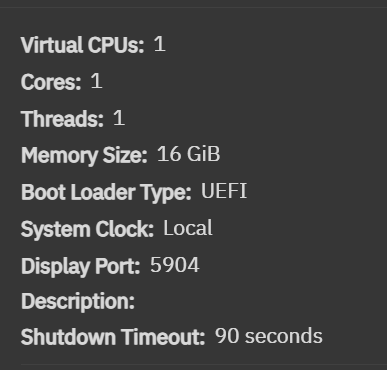
I wanted to follow up with what actually worked for me on TrueNAS SCALE 25.10.1 (Goldeye), both for completing the macOS install and for the original goal that led me down this path: local iPhone backups backed by ZFS. I also want to clarify the current state of Apple Content Caching in this setup.
Keyboard input during install (Goldeye-specific)
On Goldeye, I was able to boot the macOS installer cleanly via OpenCore and reach Setup Assistant, but I had no keyboard input at the account creation screen. Mouse input worked, the installer progressed, and CPU and disk activity were clearly visible, but I could not type anything to finish setup.
What ultimately solved this was passing the entire USB controller through the PCI bus to the macOS VM.
Once I:
- Passed through a complete USB controller (not individual USB devices)
- Completed initial macOS account creation using a physical USB keyboard
- Enabled Remote Management / Screen Sharing inside macOS
…the issue disappeared entirely.
After that first login, I now have complete VNC control from any machine on my network. Keyboard and mouse input typically works over VNC, and USB controller passthrough is no longer required for day‑to‑day use.
iPhone backups to ZFS (primary use case)
With macOS up and stable, I attached a dedicated ZFS‑backed dataset to the VM and redirected iPhone backups to it.
Specifically:
- I attached a dataset from my SSD pool to the VM (mounted as /Volumes/mac_cache)
- Moved Finder/iTunes backups off the VM boot disk
- Symlinked the MobileSync directory to ZFS:
mkdir -p /Volumes/mac_cache/MobileSync
mv ~/Library/Application\ Support/MobileSync/* /Volumes/mac_cache/MobileSync
rmdir ~/Library/Application\ Support/MobileSync
ln -s /Volumes/mac_cache/MobileSync ~/Library/Application\ Support/MobileSync
Finder now backs up my iPhone directly into ZFS, with:
- No iCloud dependency
- No VM boot disk growth
- Snapshot and replication support on the NAS side
Backup growth is visible immediately in the dataset, and restores work normally.
Apple Content Caching (current status)
Content Caching was part of my original goal, but I want to be explicit about the current behavior.
Even with a valid Mac mini SMBIOS, stable networking, and SIP in a custom/disabled configuration, Apple Content Caching will not activate inside the macOS VM. AssetCacheManagerUtil consistently reports that it is running in a virtual machine and refuses to register or start.
This appears to be an intentional Apple restriction. Disabling SIP alone is not sufficient to make Content Caching work in a VM. The only known ways around this involve patching or hooking Apple system binaries to bypass VM detection, which is unsupported and brittle across OS updates.
For now, I am leaving Content Caching disabled and treating this VM strictly as a reliable, long‑term iPhone backup target backed by ZFS.
Key takeaways for Goldeye (25.10.x)
- macOS installer can stall at Setup Assistant due to unreliable HID input
- Legacy QEMU input devices are no longer exposed in the UI
- Full USB controller passthrough provides a reliable path through initial setup
- Once Remote Management is enabled, VNC input works normally
- Redirecting MobileSync to ZFS works cleanly and supports full‑device iPhone restores
- Apple Content Caching does not work in a macOS VM without unsupported system patching
This combination—USB controller passthrough for the first boot, then VNC-only operation with ZFS-backed iPhone backups—wasn’t apparent from existing guides, so I wanted to document what actually worked and what didn’t.