
It’s almost as if using the excuse of “.0 releases are for the adventurous” doesn’t make sense and shouldn’t be an excuse for this pattern with previous “stable” releases.
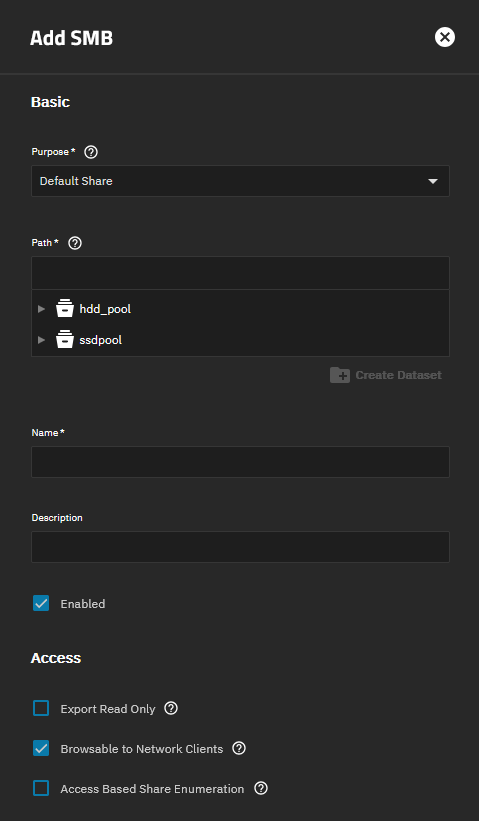
The names are confusing, but Access Based Share Enumeration is an entirely different and unrelated feature.
1 Like
I guess that makes two of us getting confused then. 
As a quick summary:
Access Based Share Enumerationhides entire shares based on the share ACL (which is unrelated to file system ACL). It’s not evaluated on a per file or per folder basis.Hide unreadable,Hide unwritableare Samba features which hide individual files depending on their access rights. These features are off by default.ixnas:truenas_abethis is a new 25.10 feature which is truenas exclusive, but is similar toHide unreadable. It’s enabled by default.
The new ixnas:truenas_abe feature was added to mimick truenas core behaviour.
It fixed the issue for me. Thanks.

Agreed it does seem coincidental at best.
1 Like
I have same issue. Didn’t have it on RC1 but do now.
if that would be the case then the files and folders wouldn’t show, not show and then show again in random success.
Why TrueNAS realses un-tested stuff is wild to me
SMB is one of the most used protocols out there and the issue can be seen immediately.
QA is very bad
1 Like
We are the QA! Speak for yourself 
6 Likes
Just wanted to report that I am also experiencing this exact same issue, content in SMB shares sometimes come up as empty and when transferring files to TrueNAS via SMB the connection speed will sometimes drop to 0 just for it to recover by itself.
Ill be reverting to 25.04.2.5
Are you serious? TrueNAS GoldEye is currently in Early Adopter phase which means that we are the QA.
If you want to use TrueNAS versions that have been properly QA’ed then use the General or Even Mission Critical release trains
1 Like
Was able to confirm downgrading to 25.04.2.6 has resolved all my issues. I’m going to just stay on there for now while everyone else sorts this out. Thanks.
3 Likes
I also downgraded to 25.04.2.6 and everything is working as expected
1 Like
Thanks everyone, I noticed this problem this morning and quickly found the solution in this forum. Interestingly, I was only able to observe the problem in Total Commander, not in Windows Explorer. The following command fixed the issue for me on 25.10.0:
midclt call smb.update ‘{“smb_options”: “smb3 directory leases = Yes”}’
2 Likes
The following command fixed the issue for me on 25.10.0:
Again, this is not the fix to the SMB share problem. Enabling this flag makes it less “visible”…
The bug is tracked here: Jira
And it seems it is not progressing that fast…
3 Likes
Understood. For me, this workaround effectively resolves the issue in my setup, so I consider it “fixed” on my side. However, I agree that it does not address the underlying problem itself. I assume that that the root cause is related to how directory change notifications and metadata synchronization are handled on the SMB server side. Total Commander seems to rely more strictly on these notifications compared to Windows Explorer, which may explain why the issue was only visible there.
Another victim of this SMB issue in 25.10. I thought it was because my SMB share was operating in “Legacy” mode because some of those shares were set up when I first set up my system, but then I switched it over to “Default” mode, and the issue is still occurring…. most noticeably with Directory Opus on Windows 11.
Reversion back to 25.04 is going to be a problem as I already replaced the 1080 video card with a 5060 video card for transcoding purposes.
1 Like
I haven’t had time to start investigating the issue yet. This is next up on my list (probably next week).
1 Like