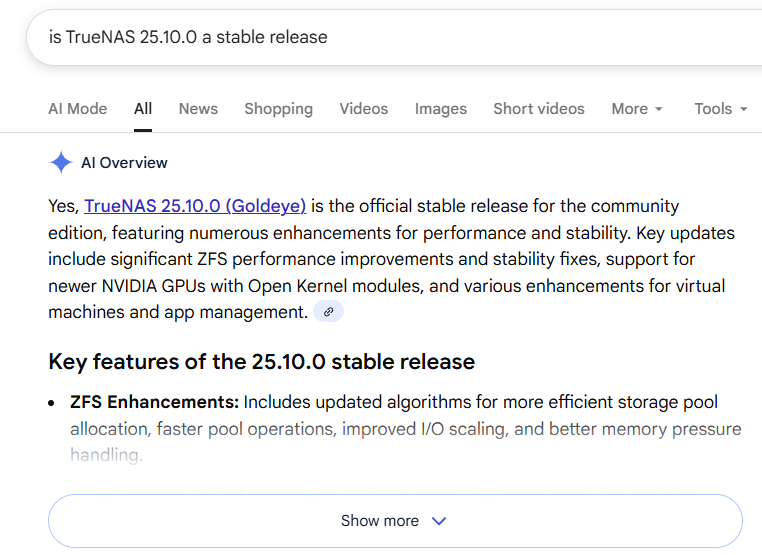
Mate, its a stable release
SMB issue isnt even listed in Known Issues on website :
Pathetic from TrueNAS company
Mate, its a stable release
SMB issue isnt even listed in Known Issues on website :
Pathetic from TrueNAS company
Enabling caching kind of made it liveable for awhile, frustration finally got me and I reverted last night. All issues are now resolved.
I will wait for the .1 release to see if this is resolved before updating again.
I’m not seeing this in my lab with default settings for 25.10.0. I’ll need explanation of minimal test case for this, or someone to PM me for a teamviewer session some time next week (I’ll probably have to install development tools and debug symbols so that I can gdb attach to the SMB session).
Examples of relevant information:
midclt call sharing.smb.query | jq and select out relevant share configgetfacl <path> or nfs4xdr_getfacl <path> depending on underlying ACL type.off topic:
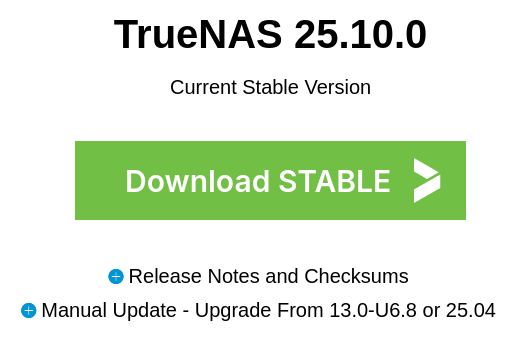
Well, this is true. It is there on the official website with big bold text. 25.10.0 is the STABLE release.
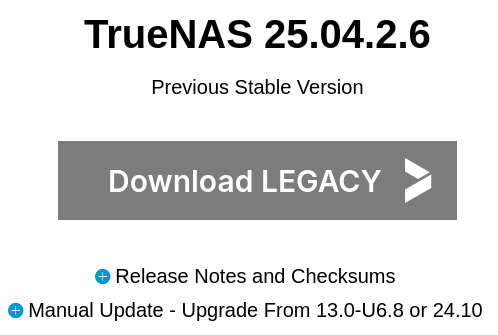
And the 25.04.2.6 version is “LEGACY” now.
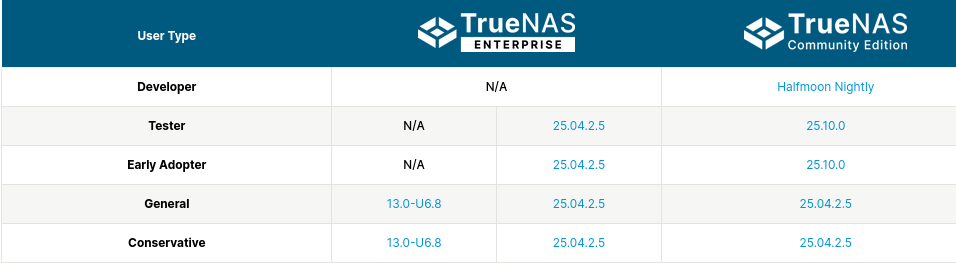
This is interesting, because in my humble opinion, 25.04.2.6 is the STABLE release, and 25.10.0 is experimental/beta. Even the software status page puts 25.10.0 into the “tester” category, which contradicts “stable”.
Whatever the writing is on the download page, I stick to the “Conservative” version from this table.
This is off-topic from this thread and cluttering it up. I’m asking for details here about the actual issue users are having. If you want to complain about this, feel free to do it in the release thread or start your own new one for it. Right now it’s not contributing anything useful here.
I encountered the issue when I upgraded my server to 25.10.0, I quickly reverted back to 25.04.2.
I can reproduce the issue with fresh-installed 25.10.0 (in a VM).
(the mapping isn’t necessary for this issue to be reproduced)
Enabling the directory leases kinda works, but it creates another issue: the file creation over SMB become “slow” and can block the share. (this is perhaps upstream samba’s problem)
Just write a script that create files in a loop with your favorite language and see the share goes unresponsive. Since TrueNAS disabled this option by default, this is not an issue, but it’s not a viable fix for the “empty share” issue.
That happens when the network drive is indexed and monitored by Everything 1.5 Alpha.
However, I tried to create a SMB share in Proxmox VE (from the host itself) with directory leases enabled, it doesn’t have this problem.
And this should be put in Known Issues as soon as possible. Please.
In my case (Creator of this thread..)
DS shared via SMB and NFS4, not used in container nor VM, used in one app
midclt call sharing.smb.query | jq
[
  {…}
  {
    “id”: 2,
    “purpose”: “MULTIPROTOCOL_SHARE”,
    “name”: “X”,
    “path”: “/mnt/POOL-ZFS01/DS-X”,
    “enabled”: true,
    “comment”: “”,
    “readonly”: false,
    “browsable”: true,
    “access_based_share_enumeration”: false,
    “locked”: false,
    “audit”: {
      “enable”: false,
      “watch_list”: ,
      “ignore_list”:
    },
    “options”: {
      “aapl_name_mangling”: true
    }
  },
  {…}
]
getfacl /mnt/POOL-ZFS01/DS-X
getfacl: Removing leading ‘/’ from absolute path names
# file: mnt/POOL-ZFS01/DS-X
# owner: root
# group: smb
user::rwx
group::rwx
other::r-x
nfs4xdr_getfacl /mnt/POOL-ZFS01/DS-X
# File: /mnt/POOL-ZFS01/DS-X
# owner: 0
# group: 6000
# mode: 0o40775
# trivial_acl: false
# ACL flags: none
     owner@:rwxpDdaARWcCos:fd-----:allow
     group@:rwxpDdaARWcCos:fd-----:allow
  everyone@:r-x---a-R-c--s:fd-----:allow
I should’ve checked the forums sooner. I’ve just spent the last 2 days wondering why ‘Beyond Compare’ was struggling to see files in my smb share that were definitley there.
I’ve literally re-installed 3 different versions of Windows 11 and it’s still the same issue. I’ve changed every single permission and share/permission I can think of, but it still fails to see files when doing a folder compare.
Fangtooth had no issuse with Beyond Compare at all. I even downloaded FreeFileSync to see if that worked, but it is failing to find the exact same files on the truenas share.
edit: it does work after pressing refresh once, where it correctly see the files. then another press of the refresh toggles the ‘missing’ files back to invisible suggesting there are differences between the compared folders. another press of the refresh button makes them visible again (so no differences in compared folders) and i can repeat this on/off each time i press refresh in Beyond Compare.
I wasn’t able to rollback the boot, but I’ve re-installed the last Fangtooth iso and all is good again.
The easiest way to show the issue is to eg wrote and echo files form a small batch onto the SMB share. I was wondering why most files seem getting inaccessible during the batch commands I use to convert movies on my share until I realized the SMB share was gone for some second and even sometimes empty refreshing my explorer.
Stuff like this should lead to get 25.10 removed form the stable branch until fixed, it’s a major issue.
Are you using TrueNAS local account when connecting to the share?
Hello awalkerix,
I’d like to share my experience with my new TrueNAS 25.10 system, which I just migrated to from an old QNAP device.
My setup is rather simple: on the server store I have a root dataset called ssd (yes, I know that’s very creative). Under ssd I created a dataset named castler, and beneath that four child datasets: Documents, Downloads, Music, and Pictures. My idea was that I want to set different block sizes and run different snapshot schedules on these different datasets.
The castler dataset and each of those child datasets is shared via SMB and was accessed from my Windows 11 client. I created a local smb user castler on Truenas with the same password as my windows user.
As you can guess, my Windows folders (Documents, Downloads, Music, Pictures) are mapped to SMB shares like \store\Documents, etc., and I also map the castler dataset as drive Z: (\store\castler). Immediately after setting this up, issues surfaced:
The mapped folders sometimes appear empty.Firefox cannot download files into the Downloads folder. Occasionally there’s no connection at all; other times the folder goes offline mid‑download, and sometimes a file that does get saved is corrupted (or fails to open due to CRC errors).
I tried various ACL adjustments, but the only partial relief came from mapping the Windows folders directly under Z: (Z:\Documents instead of \store\Documents, and therefore using only one SMB share: \store\castler instead of five).
This largely resolves the problem, so it could be related to the “don’t share parent and child datasets” issue. I read somewhere here that sharing the root dataset isn’t recommended, so I’m wondering if that might be causing problems.
However, when I tried to use the mapped drive Z: in Windows Terminal (regardless of administrative rights), it showed up as empty. Only running the following command makes the contents visible again and allows me to use Z: in a terminal:
midclt call smb.update ‘{“smb_options”: “smb3 directory leases = Yes”}’
Actually I can replicate this on my system, if I set the directory leases back to No all contents of z:\ disappears shortly after in the terminal using “dir” until I set it back to Yes.
So overall I’m a bit surprised that I got problems with SMB shares of all things with my new setup. With my changes and the midclt command it works for me now but ideally, I’d downgrade to 25.04, but reinstalling that over a fresh 25.10 install isn’t really possible, right?
Best wishes,
Castler
Posted fix candidate in jira ticket: Jira
Testing feedback would be appreciated. This is for our more technical userbase, if you aren’t familiar with steps involved then please don’t monkey with it  (instead wait for a hotfix release).
I am experiencing the same issues. New 25.10 install. Just made a post about this myself.
I have applied this test fix and so far it’s a major improvement. No bugging out yet.
Awesome. Fixed it for my setup too using OneCommander. The shares just kept disappearing or not showing at all. Fingers crossed it lasts. Been tearing my hair out windows side.
I also applied this fix and it seems to have solved the issue. Thank you very much 
i have applied the fix and everything is work correctly .Thanks
What date is being targeted for this hotfix release?