As soon as I updated to 25.10, guest shares stopped working, and there is no longer an Allow Guest Access option in the UI
I suppose this have been done on purpose, but I’m surprised it is not mentioned on the release notes. Is it intended to no longer being able to allow guest access to SMB shares?
There is no such option. The only option related to guest access is choosing the guest account, but I’ve tried to set it up to another account with permissions on the share without any success.
I couldn’t find any mention of this in the 25.10 release notes but I can confirm that “guest” access to SMB shares no longer works. The option to select which user account should be used for guest access is still in the UI but granting any access to the dataset for that user doesn’t allow them to access the dataset. I’m guessing that the guest feature was silently disabled in 25.10, either explicitly or as part of an update to the SMB subsystem being used in 25.10.
The fastest way to get things working again is to create a new user account in TrueNAS for “SMB Access”. Then grant that user “Read” access to the dataset (and it’s child datasets, if desired). You can use that username and password in any client you want to have access to the dataset going forward.
Personally, I don’t like this change since I just use it for my media server. I’m not deploying this in a a production environment of any kind so having to add a user for every person who might be visiting my network is super overkill. Yes, you can just give them the new user account credentials you created but it’s a very unnecessary step for personal use, IMHO.
I’m having odd issues with SMB, which is why I was looking… However, I cannot get guest access working under a quick test and deleted cached creds etc, so it might be broken.
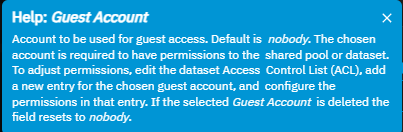
@madmalkav when you configure the guest account it states in the help bubble:
Help: Guest Account
Account to be used for guest access. Default is nobody. The chosen account is required to have permissions to the shared pool or dataset. To adjust permissions, edit the dataset Access Control List (ACL), add a new entry for the chosen guest account, and configure the permissions in that entry. If the selected Guest Account is deleted the field resets to nobody.
Like you describe, I read that as select an account and give it access. But its also not working for me.
Plenty do, I see it being discussed on Discord as well. I would imagine it is only picked by peeps that have automated systems that depend on it, like scripts, media library scans that sort of thing, as it isn’t “always” broken, only “sometimes”.
I doubt engineering would have accepted the Jira ticket if there wasn’t a problem. Anyhow, it is an easy fix for now, just revert.
I’m a going out on a limb here, but I’ll bet reverting fixes the guest access as well.
It just baffles me how can guest access be disabled without even being mentioned in release notes. Are these truenas devs out if mind, reallly?
Yes, anyone reading this can say that “this is a free software and you’re free to use or not use it”, but come on, I am just asking to be real and listen to what people need and not what developers think they need.
I am supporting a small company and now everyone will have to use a password to connect to the share just because some “right minded” person has decided so. Ridiculous.
Well, I found it is not yet completely disabled
However, this is completely f$%^d up as it creates a new dataset, but I already have terabytes of data in existing datasets that I am neither capable of nor willing to move. Shame!
My use case is not compatible with this change. Even with the “Private Dataset Share” hack, client configuration is required. (And copying the info into a new dataset is not feasible in my case, either.). I’m trying to make a read-only share discoverable. i.e. I want some rando who gets ahold of my server after I’m long gone to be able to access some of the files. That goes counter to any normal security design, I know. But that’s my decision, and justified in this case. There is plenty of the system that is secured properly, but I need this one share to be accessible without client configuration or special instructions. The normal SMB guest access mechanism is exactly that, and it’s core to my use case. As others have noted, it’s ridiculous to make a change like this without at least a release note. I’m going to have to revert until this is worked out. Sigh.
The only mention of guest access i found in 25.10 is in the advanced options of the smb service where you can select an account for guest access (default is nobody) and the tooltip says
I found a small potential “workaround” as I stumbled upon this yesterday.
After I found out that some of my shares didn’t work anymore after upgrading to 25.10 I found one share that still worked with anonymous guest access. The properties showed “Legacy SMB” and a red warning. Using this share and changing the directories for that share worked and I could access the folder with a guest account.
I don’t know how to create new “legacy” shares but once changed from legacy to default you cannot revert. Will try to find out how to convert shares back to legacy


 completely disabled