
That is not the reason for it being removed. If it were included, even if disabled, this it would still need to be maintained. That is work for the company. While I understand it, I don’t particularly like it.
Just made an account to vote on this. The ease of use of the smart monitoring for both drive health and for temperature monitoring are invaluable to me. Also the recommendation to use cron jobs and 3rd party solutions seems to make setting up a reliable NAS even more tedious than it has to be.
No, their suggested alternative app to download gives me false “failed drive” errors for one of my drives due to a historic connection failure, which is far from ideal. Thankfully your scripts are still around which got me out of trouble only last week when a very new drive failed.
There’s an old pull request to ignore historical errors, but as mentioned several times, this app — which iXsystems heavily favors instead of developing a proper native integration — is no longer actively maintained.
Honestly, with the number of systems out there, they could easily enable anonymous drive data collection to actually challenge the Backblaze reports and turn it into a killer feature for their appliances.
Couldn’t agree more. I’m refusing to upgrade until this gets sorted.
COme on! How hard can it be to generate a cron task from a webUI page input?
Yes, especially, considering, that almost all TN manuals tell you to ONLY use the WebUi and NOT CLI…
I dont thin, that in case of a NAS, proper and reliable SMART monitoring is only a “nice to have” option.
SMART is monitored in 25.10, but it does not actively run SMART Short or Long tests. If a SMART error occurs, TrueNAS should report it, and I suspect it will.
And they will remain as long as they are not blocked from executing, which TrueNAS (the company) has indicated they would retain that functionality, just not calling out my scripts specifically.
Put smart back in the UI. Came here to vote on it. Give me more options not less. I don’t want to have to download or install 3rd party for something that should be in Truenas (which it is currently) and no, I don’t want have to deal with a cron job. Fix this. Waiting before I upgrade.
The bigger question is, if smart testing is not reliable but users want it, then why is iXsystems not investing in making SMART testing more reliable, useful, better integrated into the UI, etc.?
To me, a lot of this is painfully close to the abject UI failure that is a failed pool import. The user is helpfully told to go jump in a lake. OK, so I am exaggerating a bit but the error message along the lines of “Your pool is cooked, destroy and rebuild from scratch” without any further info is not terribly helpful either.
So actually, it would be helpful if we were told to jump in a lake first, since that might make us reflect on what might have gone wrong. Plus, we’d be refreshed before destroying the pool and rebuilding it from scratch, even if the only problem was just a loose electrical connection.
Had the same problems with K9 version 12.1. Other mail clients worked fine. Updating to the latest version 13.0 fixed the layout.
They have no involvement with SMART or its development. They’ve decided to remove a Web GUI interface flr SMARTd/SMARTctl for scheduling and testing and displaying data that existed in their previous releases because it’s unreliable sometimes. Literally the functions are all still present, SMART is still installed by default, it just has to be done via commandline. Apparently removing the GUI solves the issues they claim to have with SMART since all the functionality is still there, just a removal of the GUI aspect.
How? If so, fix it. What is it that is unreliable?
If S.M.A.R.T. itself is unreliable, and Scrutiny (an unmaintained third-party app) is being recommended, how does that get around S.M.A.R.T. being unreliable?
If it’s the TrueNAS GUI that is unreliable or not parsing the test results correctly, then it should be fixed, not removed.
How? All it accomplishes is that someone now needs to use custom cron jobs instead of a menu in the GUI if they want to schedule S.M.A.R.T. tests. (For a NAS appliance of all things!) They will also need to resort to the command-line (or a third-party app) in order to review said test results.
Whom does it benefit to remove these from the GUI? When was it such a problem that it harmed the product? If it is a problem, why not fix it?
I find it odd that a NAS appliance made shifts towards these duct-taped alternatives of apps and resorting to custom scripts and commands, yet at the same time the exact opposite is done elsewhere, e.g, removing Auxiliary Parameters.


Because this way, they aren’t responsible for it.
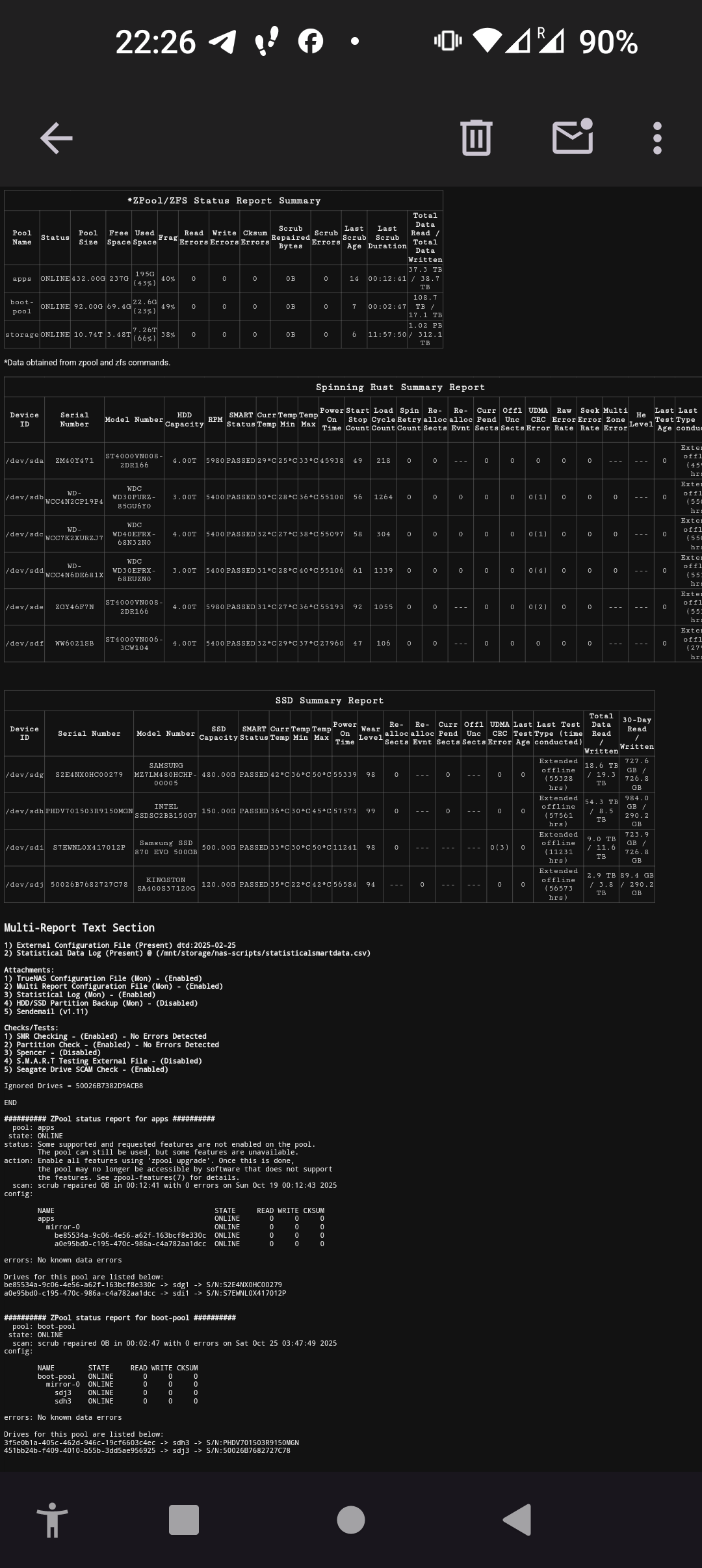
My little script is maintained and the data displayed “should” be accurate, at least I try to make it that way. But the data that counts, that is accurate. I’m kind of surprised the script wasn’t recommended as Scrutiny does not test, at all as far as I know. I suspect my script was not mentioned because it requires a brain to make it work, it is not a cool looking GUI (yet). And I’m fine if people prefer Scrutiny, but it is not a replacement for what was removed.
You do realize that whatever issues exist with SMART re: false positives will continue regardless of whether the GUI allows SMART tests to get executed or not? The GUI never supported well-parsed explanations of the resultant data, that was always a CLI thing unless @joeschmuck ‘s excellent Multi-Report was put to use. All too often, Joe and other volunteers on this forum are asked to help interpret SMART results.
If there are issues with false positive SMART results, then the source of those issues should be investigated, be they inside the smartctl software tree or somewhere inside the TrueNAS middleware. Pointing folk to a allegedly quasi-abandoned App for SMART monitoring is counterproductive, such monitoring should be considered a core capability for a storage App whose claim to fame is not corrupting data.