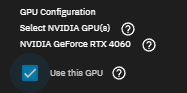
I had a problem with my old gpu (nvidia 5060) andI returned it now I have a new one. I installed the new gpu (also nvidia 5060) and now it is not showing as a viable gpu for hardware acceleration, I have done multiple restarts as well as installing and removing the drivers. I’m really stuck here and dont know what to do, someone please help if you know anything. Thank you
MB: ROG STRIX Z370-E
CPU: Intel(R) Core™ i7-8700K CPU @ 3.70GHz
GPU: ASUS Nvidia 5060 8gb OC
Storage: 10ct 3tb SAS drives connected via HBA card LSI 9300-16i IT Mode
Ethernet: Dell Intelx540-T2 Dual port Copper RJ-45 NIC (two cat6 ethernet cables are plugged in running with a bond)
I am guessing your have a firmware or hardware version on that requires a newer NVIDIA driver. Browse through the following thread and look for the posts talking about it. Sorry, long thread. You would be checking your current system to make sure the video card is seen by the system and verifying the driver is loading with sudo nvidia-smi
You can try upgrading to 26 Beta and see if that works. You might consider waiting for the 26 release later this year if you don’t want to try the Beta.
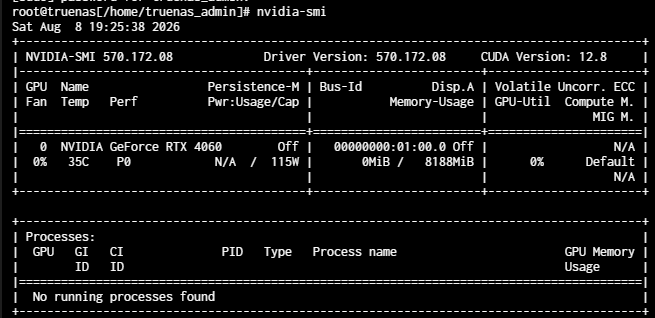
I think that is showing the NVIDIA card isn’t recognized by the driver included with your version of TrueNAS.
Do you have a spare boot device? You could download your current system configuration, power down and swap boot devices, install the 26 Beta 2 and reload your system configuration. That would allow you to just swap the boot devices back to where you are now.
Another option is to switch your update train to the Early Adopter status and upgrade to the 26 Beta 2. I don’t know how far along they are with development of either the next Beta or a Release Candidate. I expect the updated driver in the 26 Beta 2 should work for you but, then again, it is a Beta 2 with items that need to be fixed.
There is also trying to update the driver version, as mentioned it that thread, but I don’t know if that makes your system sort of like Developer Mode, unsuported.
@HoneyBadger Do you have any updated advice for users that may have trouble with 5060 versions? Any updates on how the 26 series is coming along?
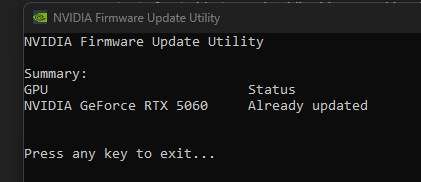
I have swapped the gpu out with a 4060 that I used in my main system with the 5060. I ran my windows pc with the 5060 as well as ran the firmware updater, the result was everything was up to date on the 5060.
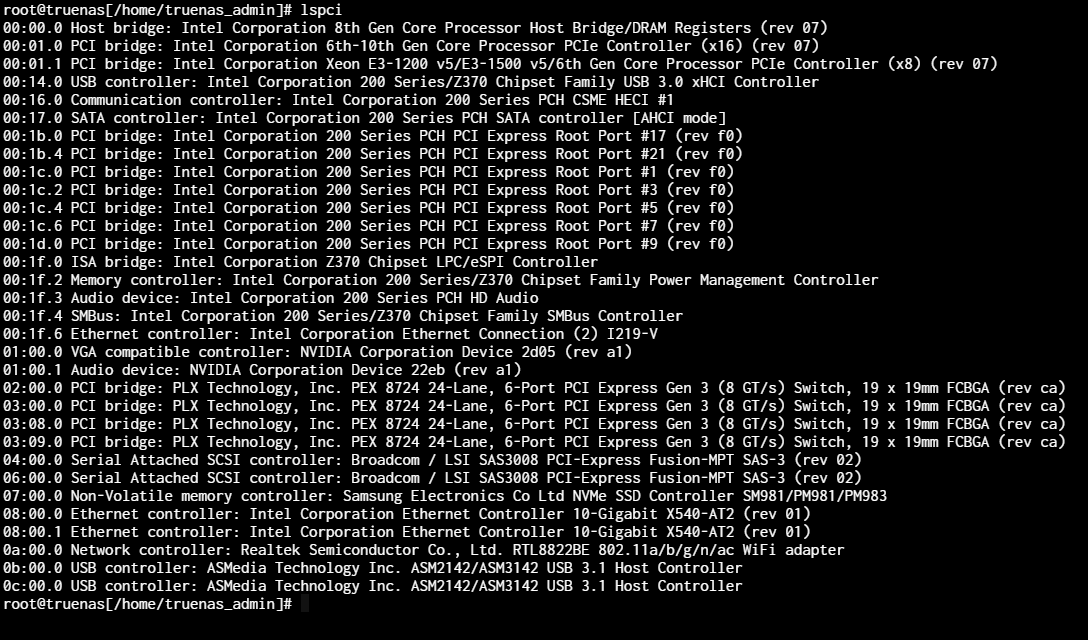
Now with my 4060 in truenas I still get the same output of not able to read nvidia drivers and lspci comes out as
I believe it might have been my doing that caused this error. You can check my first topic post, I had errors with a different 5060. I’ll admit I’ve been testing some scripts I dont fully know what they do. One recently was the
“Download your nvidia.raw file and upload to your target TrueNAS system in SSH.
If you checked Install NVIDIA Drivers on the settings panel
sudo systemd-sysext unmerge
You need to make the /usr dataset writable
sudo zfs set readonly=off “$(zfs list -H -o name /usr)”
as well as some commands in the past trying to solve the previous 5060 errors
I’m thinking it might be better to just do a fresh install of truenas and reconfiguring everything. Is that plausable?
It might be okay to download your current system configuration, do the fresh install and then upload the system configuration and see if the NVIDIA drivers load for your 4060
The LSPCI results look more normal for your 4060 as it recognized the model number where your 5060 didn’t show it.
If you want, you can power down and completely disconnect all your data drives and work with just the GPU and the boot drive. You should be able to confirm the drivers loading and you can test it before attaching everything and uploading a system configuration.
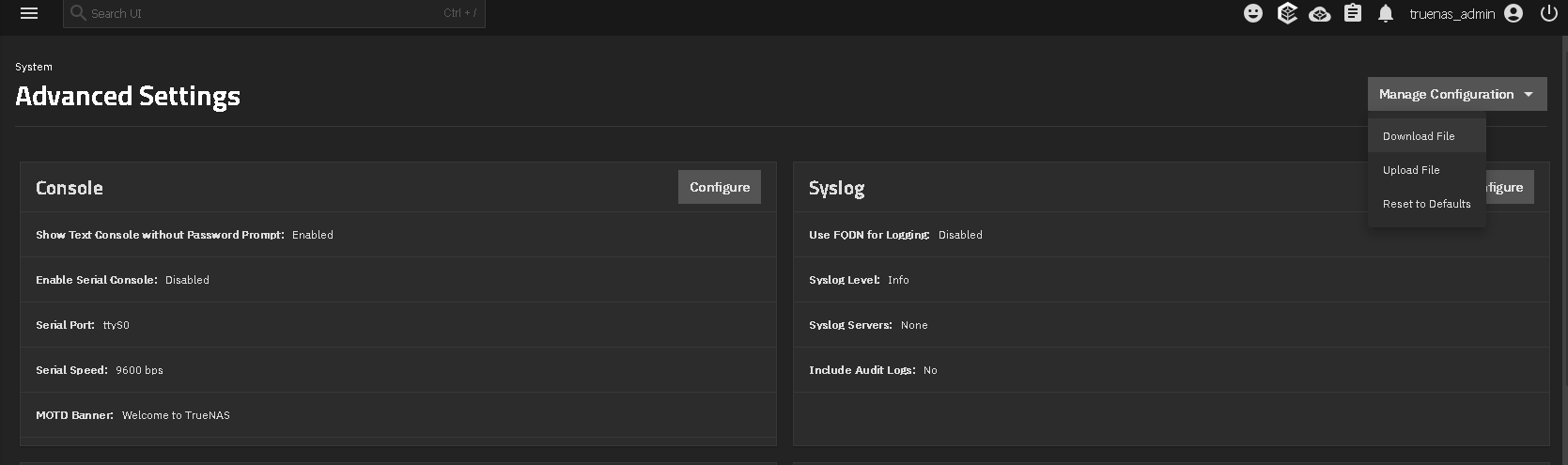
It should be System, Advanced Settings and then the Manage Configuration drop down on the upper right. I hope that is what you are asking about. Make sure to save any secret seeds if you have encryption.
Would resetting the config to default in that same menu, basically be a fresh install? If I don’t have to reinstall Truenas ontop of the already installed version I would rather not. I’m just wondering if that would work as well? kind of in place of a fresh install.
That wouldn’t correct anything that may have broken with trying to update the driver files like you posted. I think you need to do a fresh install over the boot pool to correct that, if that is the problem.
Do you have a spare boot device you could try a fresh install over while keeping the original disconnected and in its current state?
Uh I did, I cannot find it right now for some reason, that does make sense I was mostly just asking for more info on how it works, I’ll keep looking for an available usb drive to boot from to the fresh install and I’ll let you know anything new.
I think that is good, at least for your 4060 card. You can try installing the 5060 and see if you can get the same results. If it doesn’t come up, my guess is it needs a newer NVIDIA driver for that, specific card.
I can try that if you would like to see, but I’ve also thought I might as well keep the 4060 in the nas and use the 5060 in my main pc, because it’s better and I’d rather use it there. The major reason I got the 5060 was to have access to all the transcoding options in jellyfin but I don’t think I’ll really need that. I’ll just use the ones the 4060 can do.
As well as thank you so much for your help man, you do so much and it might be just basic things but you really help a lot. I appreciate your insight and help
I would keep the 4060 in the nas as it’s working. These NVIDIA cards are so annoying lately and the slow and steady pace with TrueNAS 26 isn’t helping as we don’t have an updated driver yet.
There’s a bit of a bonus to the latest 25.10.6 release - it packs in the 580.173.02 NVIDIA driver. While this doesn’t help anyone who needs the non-open kmod, it might address the 5060/5060Ti not being detected issue for those of you not wanting (or unable to) hope on the TN26 BETA train now.