
I have swapped the gpu out with a 4060 that I used in my main system with the 5060. I ran my windows pc with the 5060 as well as ran the firmware updater, the result was everything was up to date on the 5060.
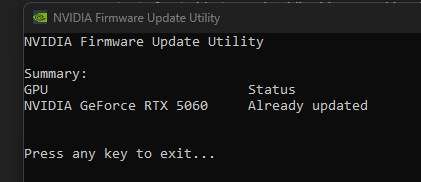
Now with my 4060 in truenas I still get the same output of not able to read nvidia drivers and lspci comes out as

I believe it might have been my doing that caused this error. You can check my first topic post, I had errors with a different 5060. I’ll admit I’ve been testing some scripts I dont fully know what they do. One recently was the
“Download your nvidia.raw file and upload to your target TrueNAS system in SSH.
- If you checked Install NVIDIA Drivers on the settings panel
sudo systemd-sysext unmerge
- You need to make the /usr dataset writable
sudo zfs set readonly=off “$(zfs list -H -o name /usr)”
- Backup the old one and copy the new one.
sudo mv /usr/share/truenas/sysext-extensions/nvidia.raw /usr/share/truenas/sysext-extensions/nvidia.bak

sudo cp “~/nvidia_580.105.08.raw” /usr/share/truenas/sysext-extensions/nvidia.raw
- Then, set the /usr dataset back to read-only
sudo zfs set readonly=on “$(zfs list -H -o name /usr)”
- After you’ve copied the file, simply run
sudo systemd-sysext merge"
from NVIDIA Kernel Module Change in TrueNAS 25.10 - What This Means for You - #105 by amoeller
as well as some commands in the past trying to solve the previous 5060 errors
I’m thinking it might be better to just do a fresh install of truenas and reconfiguring everything. Is that plausable?