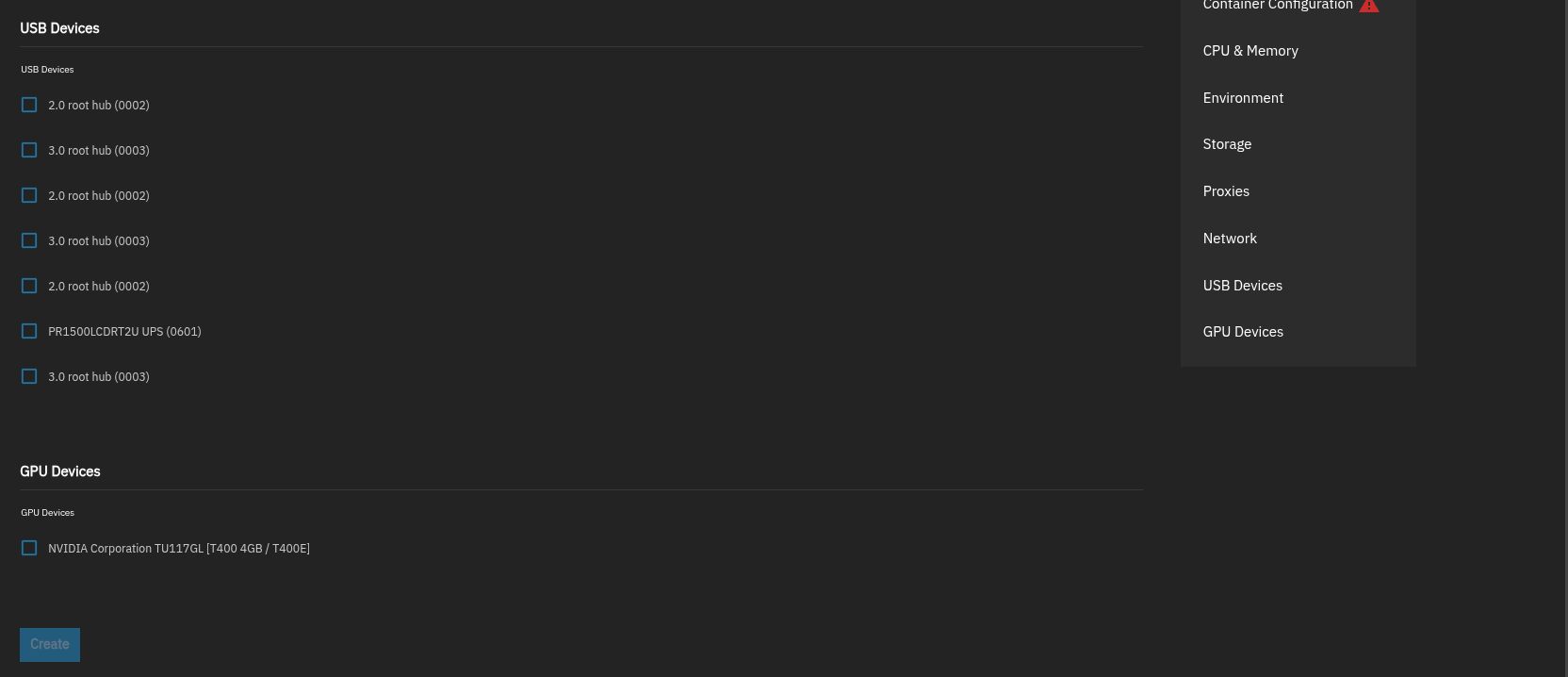
Nvidia in Containers not available as Device

Hi all,

according to documentation I should be able to select my Nvidia in the device section in order to be able to utilize it within a linux container (not docker, not apps).

  1. (Optional) Configure GPU devices in the GPU Devices section

/docs/scale/scaletutorials/containers/#managing-devices

I do not have a GPU Section at all and I do not have the possibility tossing a GPU in the general device section.

The driver is installed through apps and I am able to utilize the GPU in apps (docker).

Any ideas or hints what I am doing wrong / misunderstanding?

TrueNAS 25.10.1 - Goldeye

Nvidia 4060 TI

I just tested this on 25.10.1 and my Create Container screen initially loaded without a GPU Devices section and then after a moment it appeared, so I’d guess it that it only includes that section when it detects an available GPU option.

Have you already installed NVIDIA drivers from the Apps screen as indicated in the admonition under that step you quoted from the documentation?

Yes, and I am able to use the GPU in Docker Containers, but not in Linux Containers.

You have to edit the incus config file and add the Nvidia runtime.

Edit:
To edit the config file use ssh or the webshell and

sudo incus config edit nameofyourlxc

Under the config section add

nvidia.driver.capabilities: compute,graphics,utility,video
nvidia.runtime: "true"

save and restart the lxc. Now you should be able to query your gpu with nvidia-smi from inside the lxc.

That was the right hint!

After adding the gpu through the incus command + your commands I can see the device inside the lxc

incus config device add nameofyourlxc gpu gpu

thank you

1 Like

Been there myself when i migrated from jailmaker to an lxc for my docker stack when 25.10 released and saved the steps in my lxc setup wiki. Documentation for the win :rofl:

Edit:
But you shouldn’t have to add the gpu through cli. For me there’s a checkbox to do that in the gui wizard