Up front I have to admit that my confusion is probably due to not fully understanding how Docker is implemented on TrueNAS. I am running 25.10.4 (Goldeye) and the Docker Plex app 1.43.2.10687-563d026ea.
The relevant configuration of the Plex app showing the selected datasets are:
The paths are a bit hard to read above. They are
/mnt/Primary/PlexMedia
/mnt/Primary/PlexConfig
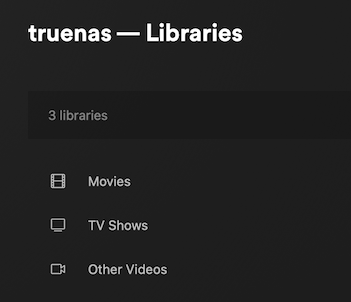
Accessing the Plex server through its web interface I set up three libraries:
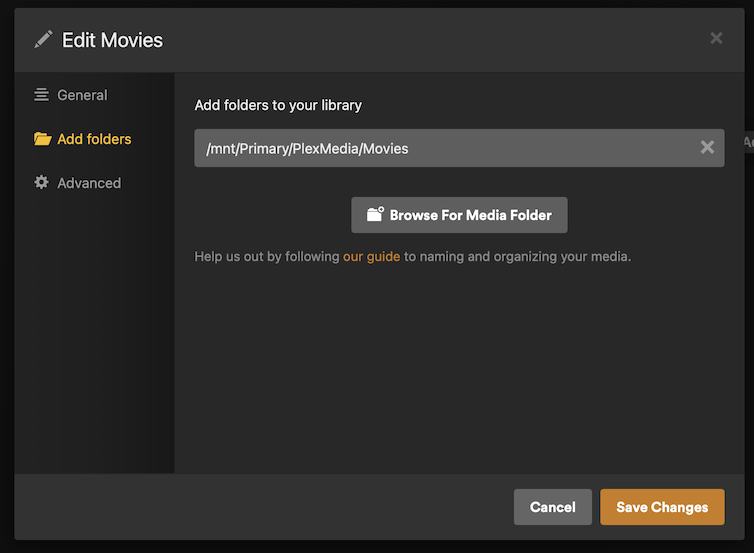
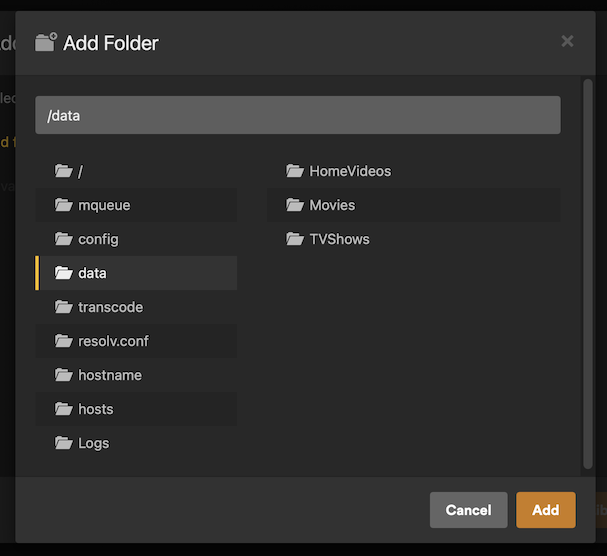
As for the location of the directories, I had set it up like this:
I have uploaded a bunch of MP4 files to that folder from a Mac. Plex does not see them:
One question that has occurred to me is whether the datasets for Plex have to have the user and group ID of 568 assigned to them for things to work properly.
You can customize the UID/GID for Plex using environment variables PLEX_UID/PLEX_GID in the app build screen. The app will redeploy after changing these values; otherwise, the app defaults to 568 for the apps UID and 568 for the apps GID.
Not a plex user, but is that in-app path really correct?
Are the Host Pathed storages really mounted at /mnt/Primary/PlexMedia/Movies inside the container? That part looks suspicious to me.
That’s in addition to the already identified permissions issue.
I know what the UID and GID are. I have no need to change them. I just would like to know, whether I need to chown those locations to those UID and GID, respectively.
So, I set the UID and GID for my media directories to apps:apps, and now they show up:
Thanks to you both for nudging my mind in the right direction!
1 Like