
I installed apps in my truenas 25.10.1 server
But when I launch the Plex GUI and try to add the contents of movies or TV series I have in the \media folder, it doesn’t see anything. Is this a known bud of 25.10.1? or did I do something wrong in the plex app configuration? the \media (multimedia content is contained here in the film and TV sub-folders) because in the media plex gui it has no subfolders and is empty?
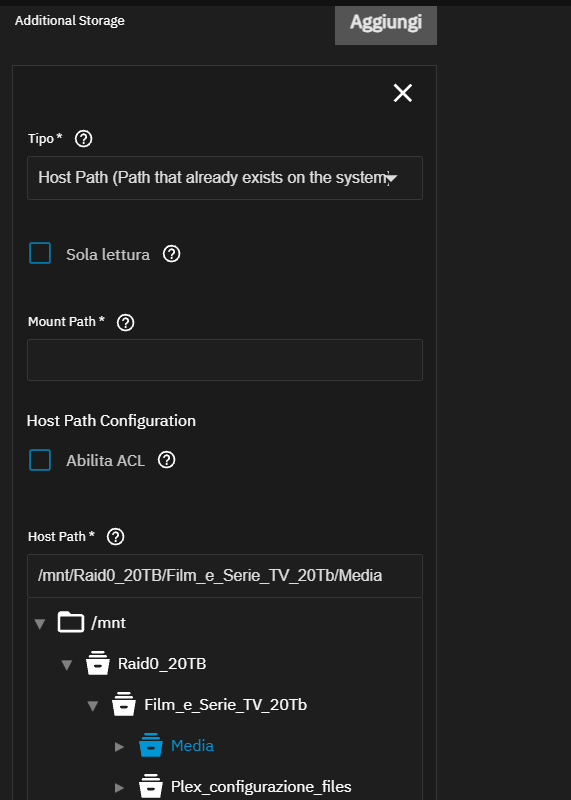
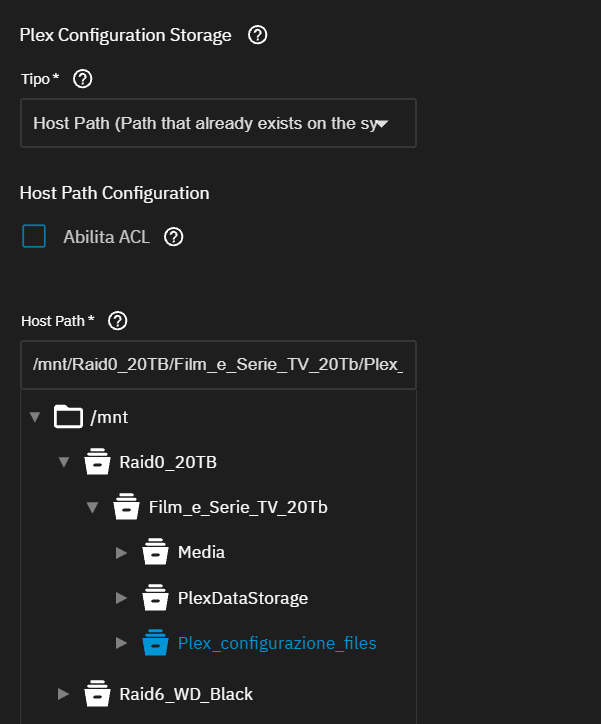
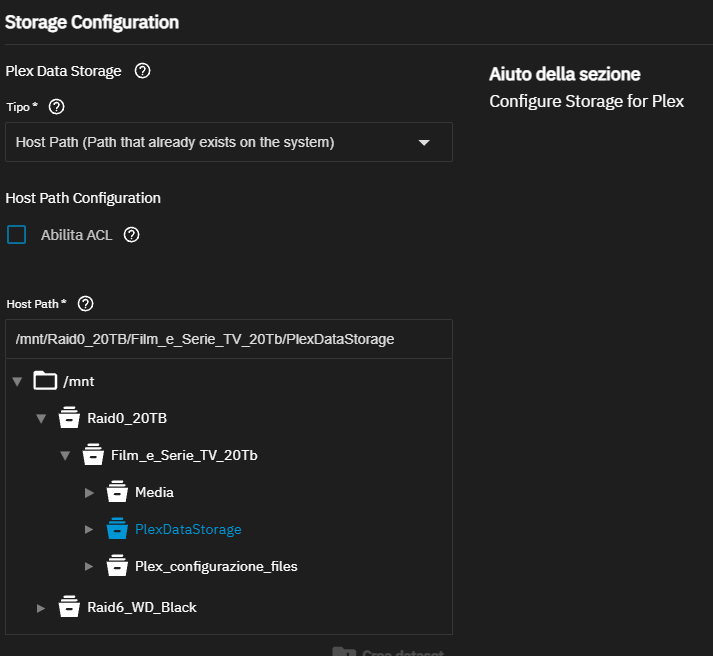

There’s a couple of possibilities:
- Permissions. Did you specify user and group IDs when you installed the app? If not, Plex is using the default UID/GID of 568, and your libraries need to be owned by this UID/GID.
- Incorrect folder structure for Plex. See https://support.plex.tv/articles/naming-and-organizing-your-movie-media-files/
Hi, thanks for your reply. Yes I left 568 as default, is that wrong? what should I put?
is the fact that it has \media and inside “media” \film and \tv a problem? it’s more convenient for me for my management
it might work the same maybe the problem is elsewhere
is the rest of the setup okay? it’s done as per the screenshot
What are the permissions for your Media dataset? You may need to recursively change the owner/group to 568.
the “Luca” group is 3000 and set as SMB
while the Raid0_20TB/Film_and_TV_Series_20TB/Media dataset
has Owner:
root:root and is in POSIX Permissions with ACL
User object – root
Reading | Writing | Execution
Group objects – root
Reading | Writing | Execution
Group – Luca
Reading | Writing | Execution
Mask
Reading | Writing | Execution
Other
Nobody
User object – default – root
Reading | Writing | Execution
Group objects – default – root
Reading | Writing | Execution
Other – default
Nobody
please help me
Like I said, change the owner and the group of your Media dataset to 568.
It doesn’t make me change the group from 3000 to 568 but I can change the 568 in plex app to 3000. Could it work anyway?
Yes, the permissions and Plex need to match.
great, you’re a genius!!! everything works now!!! just put 3000 instead of 568. One last question if I may ask. Plex Data Storage I left ixVolume by default (at the beginning they thought the media files were going here) instead I understood that the media files should be put in Additional Storage and mounted the volume corresponding to the folder containing the media files which in my opinion is /media
but I don’t understand what goes inside Plex Data Storage
The configurations (such as meta data posters and files, etc.) don’t go there, because there is a dedicated folder in Plex Configuration Storage
Plex data storage should be the host path to your media.
I thought so too but it doesn’t mount (from what I understand by default it mounts \config or something else that doesn’t make me choose) that I provide it with the path to the media files the only way I have to mount \media(in when it makes me choose) and use the path dedicated to additional storage that the box has to fill in what volume to mount as well as give the box where to indicate the path
The APPS user (568) and APPS group (568) do not need to be the owner of the dataset that holds the media, they only need read/write permissions.