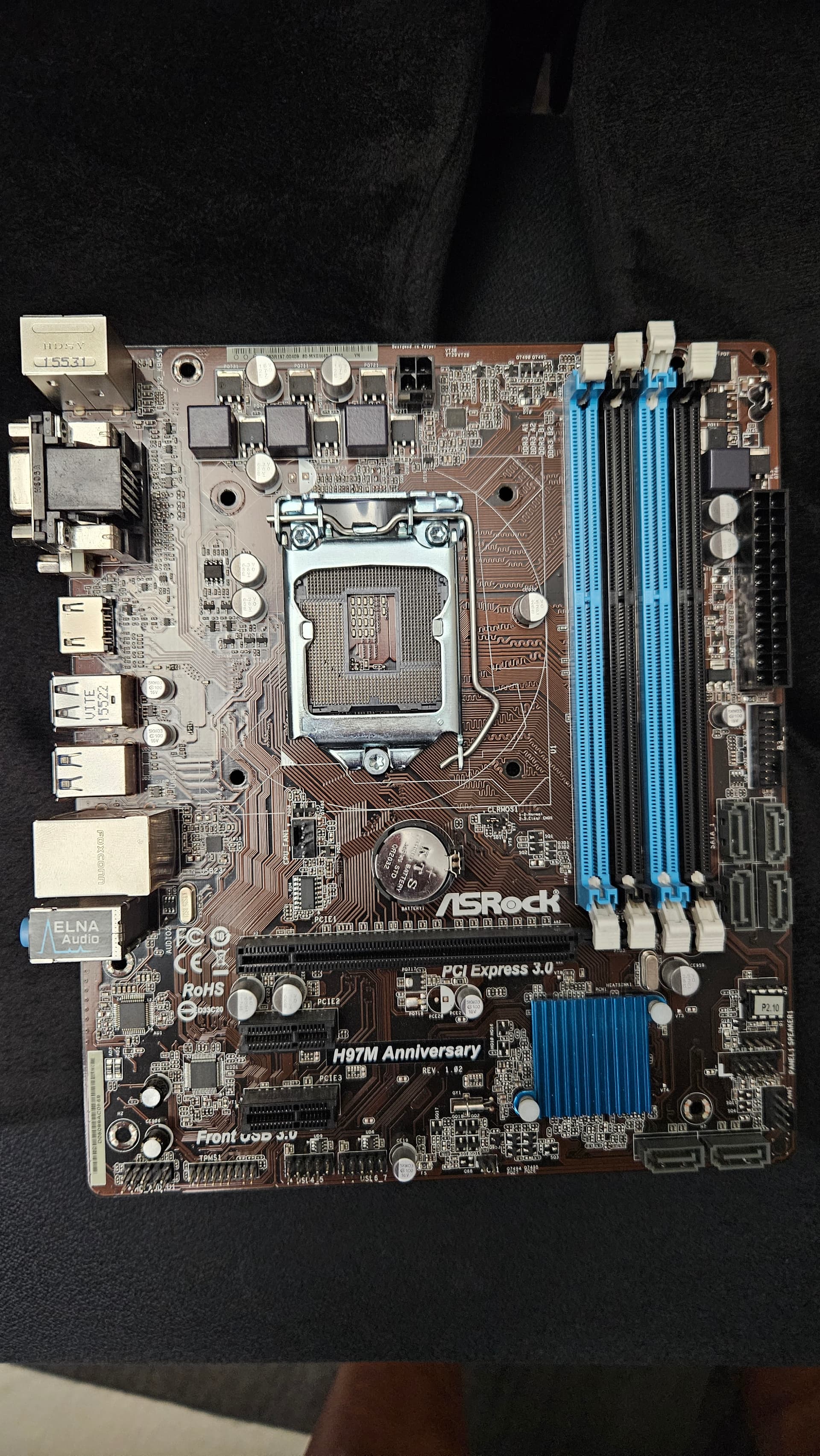
I have a new power supply it is a Corsair CX750M that has a eight pin CPU connection, the problem in my mother only has a four pin CPU connection can I still make this work or do I need some sort of adapter
Thank you
I have a new power supply it is a Corsair CX750M that has a eight pin CPU connection, the problem in my mother only has a four pin CPU connection can I still make this work or do I need some sort of adapter
Thank you
Should be a 4+4, separable, to fit mainboard like yours with only 4 pin. Be careful, don’t confuse the 8 PIN for pciex (that Is at max a 6+2) with the one for the 12v CPU
One unfortunate way one can end up with a CPU power cable that’s not 4+4 on the motherboard facing side is if you managed to plug it in backwards…
Umm backward trying to picture how I would do that
Thank you
What I mean by backwards is that the cable isn’t (meant to be) reversible.
One end is specifically meant to go into the PSU and the other is motherboard facing.
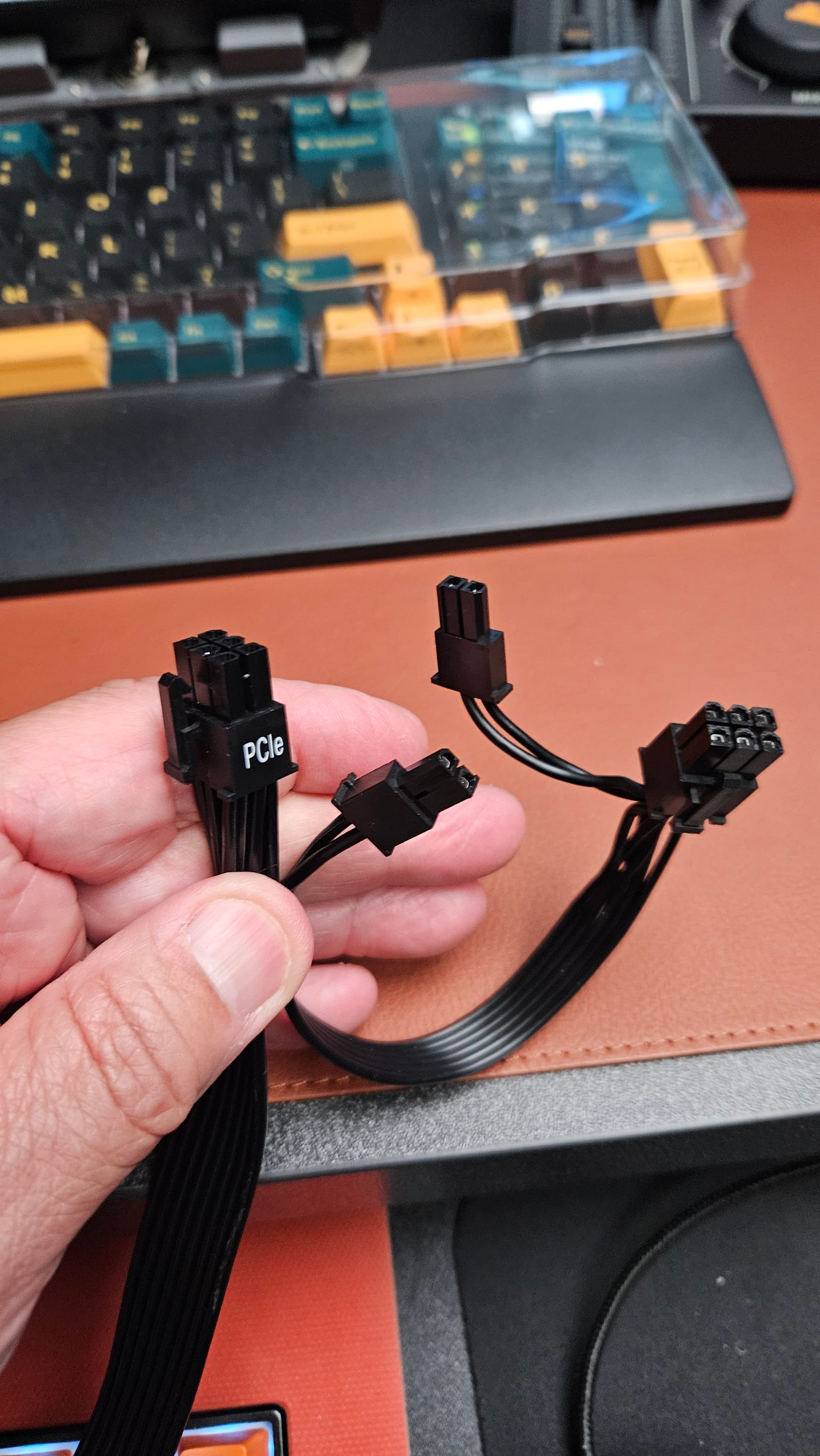
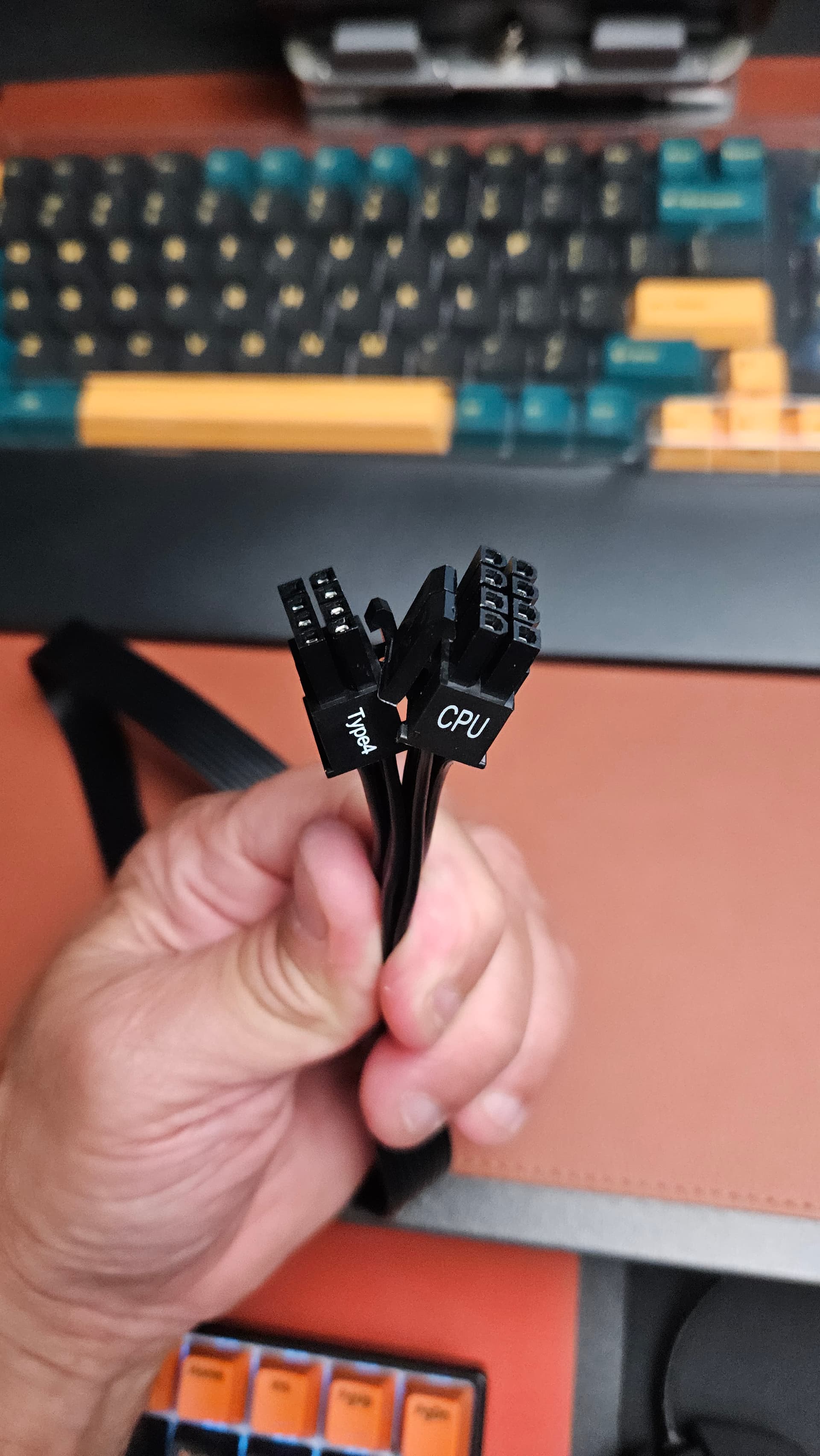
The cable I see says CPU with the 8 pin connection. That’s the only one I see and then there’s this but it says PCIE
Got it
So it can’t be used with this mother board correct?
This is the same build for the NAS the power supply was having issues so I got a new one whing I was working on it
Not enough information for me to say since I don’t know what cable you have. If it’s the one you put up a picture of then that’s the wrong cable. It’s meant for connecting a GPU or similar PCIe device.
Do you have a cable that says “CPU” on one end and “PSU” on the other?
(what brand & model of PSU do you have?) Apologies, not sure how I missed the model in the first post.
It looks like the CX750M is semi-modular.
Isn’t the non-modular part the 24-in fat cable and the 12V CPU cable (doublecheck this one)? If the 8-pin non-modular cable says EPS it’s fine, that is the CPU cable. It should just be plug and play. Since they are non-modular, you can’t make the mistake of reversing them.
CPU port on the modular side of the PSU is for those who need extra power to the CPU. Your CPU+motherboard combo does not need that.
This is what I got, on the power supply there’s a CPU connected to the back of the power supply, along with the 24 pin connection, and then I have this separate cable along with the SATA and PCI cables. The cable in the screen shot also says CPU. And these are all 8 pins
Please check my revised reply just above yours.
The CX750M has two cables that are non-modular, look there instead of at the loose modular ones.
Ok will do, I guess my question is do I use the 8 pin and only plus in 4 to the CPU
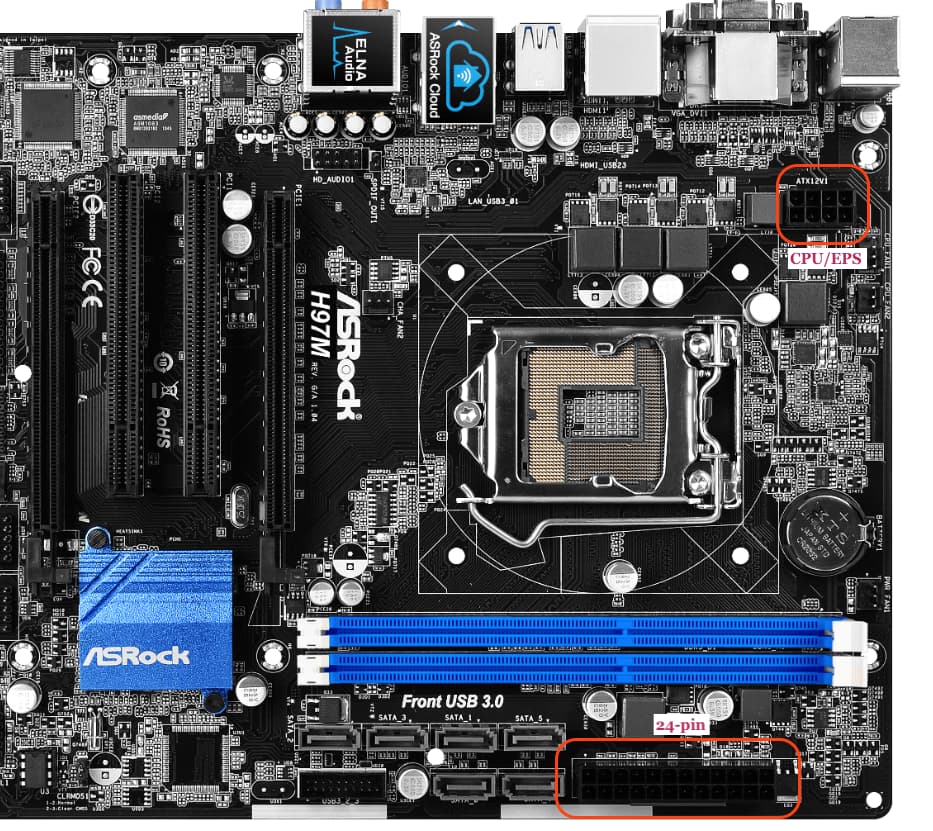
If you’re running that ASRock H97M motherboard you mentioned in the other thread it has a 8-pin CPU port.
Is this a different board/system?
Btw, all of this is explained in the included manual:
The second CPU cable Is for systems that need 8x2 (i have an X99-E that has this layout), but the one you need should be a non modular one, same layout as the one you showed
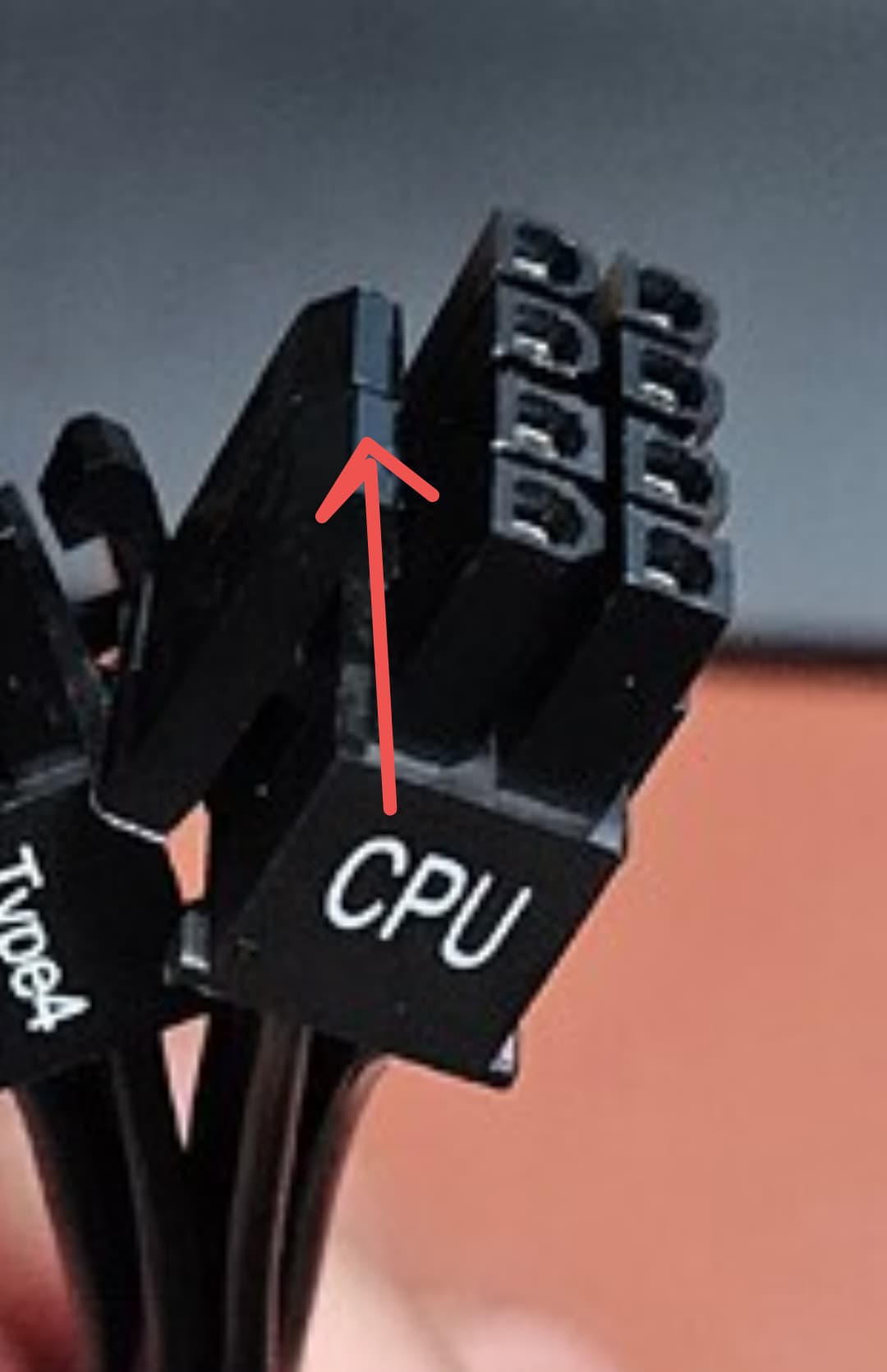
As you can see there, you can open this 8 in 2 4 pin
This is the one I have, It is a Asrock H97M Anniversary mother board
I only see a 4 pin CPU connection. Thank you
Lett me check
That’s not the board you said you had, but okay.
The PSU manual has a line addressing that specific scenario.
I’m going to do other things now.
Thank you so much I did not add Anniversary to my OP sorry
@oxyde
You beat me to this, I saw it as well. It should split into two seperate 4 pin plugs.
Not strictly related to the topic, but i also realized that this mainboard have at least 4 missing pins on the socket, don’t know @Robert_G if this PC can even POST (unless you are a really really lucky boy and those are all GND/redundant pins  )
)
Which 4 pins? I count 24 on the main power connector and then 4 CPU pins.