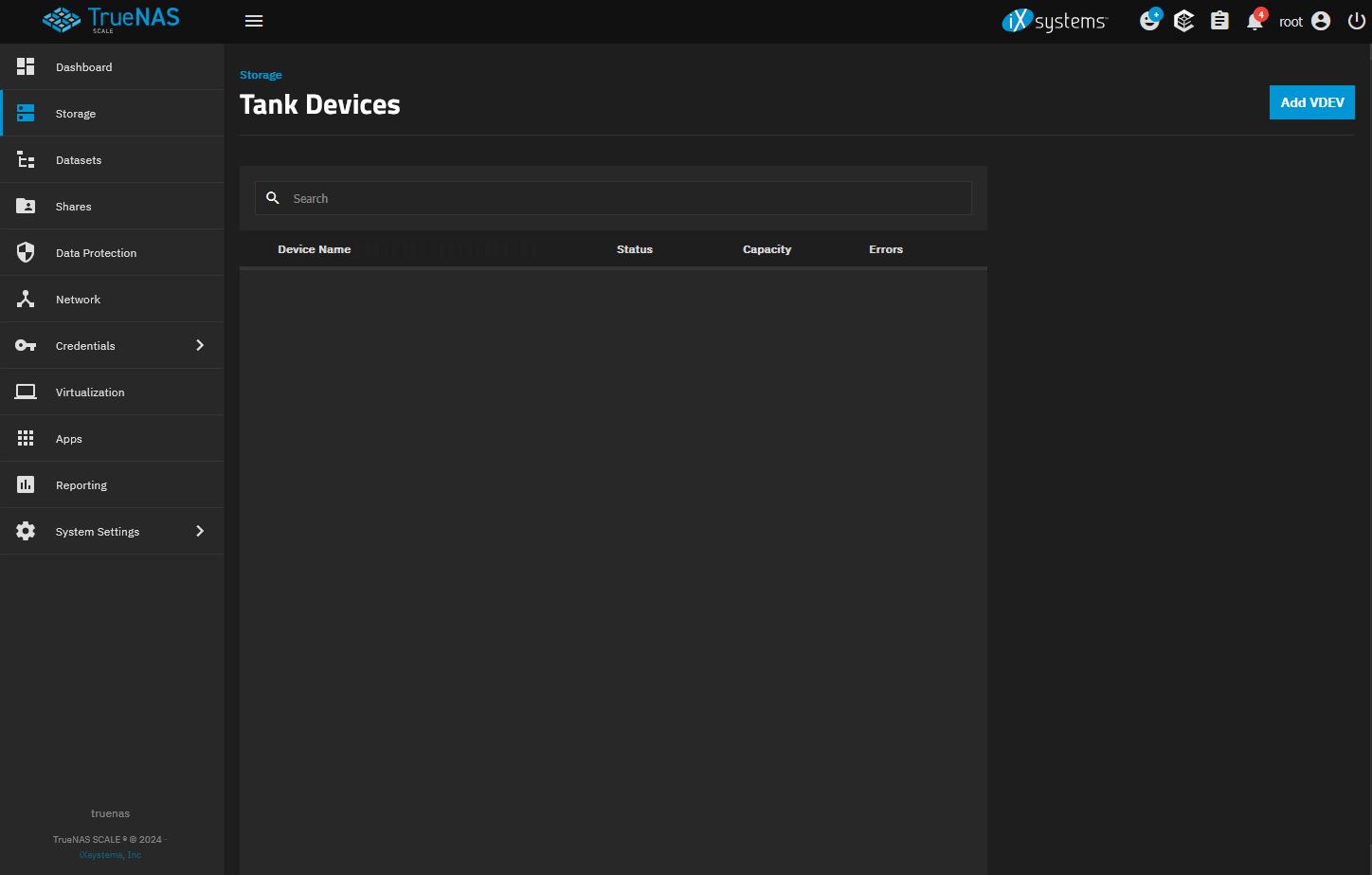
Can you make your Device List screenshot so I get the whole GUI window and not snip it so much? I can’t see the menu options to the right. What happened to the 9054689916214298171 UNAVAIL 0 0 0 was /dev/sdb2 listed in your first post?
Please just post the images directly in the replies.
Run this in a Shell window and post the results back using Preformatted Text (</>) I want to verify what disks are where and what usage.
sudo ZPOOL_SCRIPTS_AS_ROOT=1 zpool status -vLtsc lsblk,serial,smartx,smart
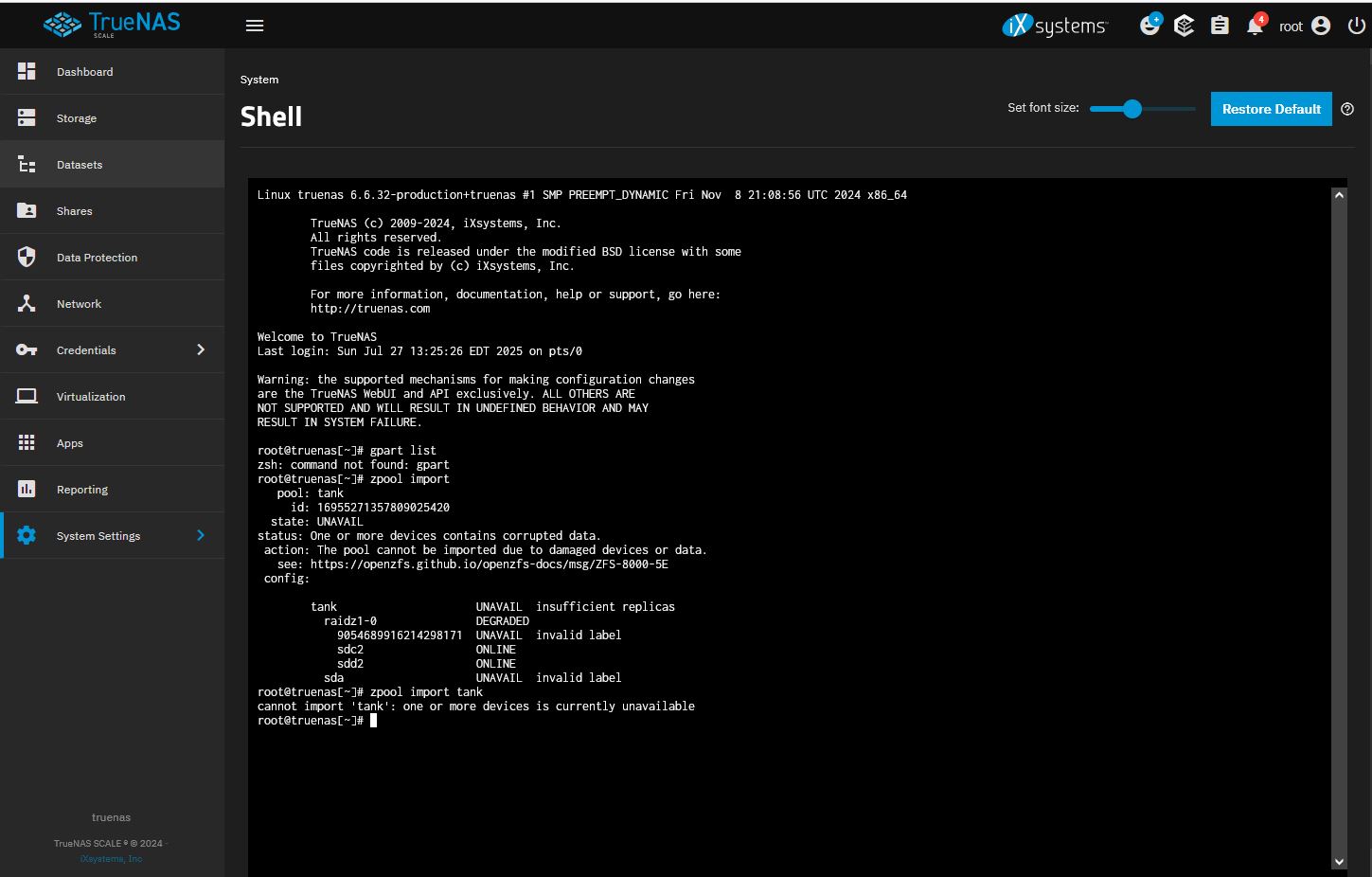
Okay, I put the bad disk into the machine and somehow used a shell command to get it listed in the pool. I then swapped out the bad disk for the good one and tried replacing it and got the following error:
The pool was named “tank” and I know it is in there somewhere because if I try to create a pool with the same name i get an error saying the name is already in use. I don’t know how to access it and get the list of drives to I can replace one.
Copy and Paste images into the reply text box or drag and drop them from your folder or desktop to the text box. Do not use dropbox.
If posting commands from the Shell or CLI, Use preformatted text (</>). You did it in your first post.
These are the commands you should run in the Shell and post back the results in Preformatted text. One box for each command. It looks like you added a second VDEV to your Raid-Z1 VDEV under the pool TANK. It may be time to destroy the pool setup and start fresh. You will need to load all your data, apps, VMs, etc. if that is the case.
lsblk -bo NAME,LABEL,MAJ:MIN,TRAN,ROTA,ZONED,VENDOR,MODEL,SERIAL,PARTUUID,START,SIZE,PARTTYPENAME
sudo zpool import
sudo zpool status -v
root@truenas[~]#
root@truenas[~]# zpool status -v
pool: boot-pool
state: ONLINE
status: One or more features are enabled on the pool despite not being
requested by the ‘compatibility’ property.
action: Consider setting ‘compatibility’ to an appropriate value, or
adding needed features to the relevant file in
/etc/zfs/compatibility.d or /usr/share/zfs/compatibility.d.
scan: scrub repaired 0B in 00:01:34 with 0 errors on Fri Jul 25 03:46:36 2025
config:
NAME STATE READ WRITE CKSUM
boot-pool ONLINE 0 0 0
ata-SanDisk_SSD_PLUS_240GB_22195P800260-part2 ONLINE 0 0 0
I needed you to run the full command listed and post the results back in Preformatted Text so it is readable and can be copyied. It’s used for ‘code’
</> on the Toolbar or Ctrl+e. You can also use leading triple backticks and trailing triple backticks around the posted ‘code’. Backtick is by the 1 key on my keyboard. it has ~ and `
Looks like this
```
THIS IS MY POSTED CODE. It’s easy to read for others
```
The three commands in post 27 will allow us to keep the disk drives straight as names such as /dev/sda can change between reboots, etc. They aren’t unique as disk serial numbers. The other two will show your boot-pool and any other pools along with the disk info and your status of the pools.
I’m trying to figure out what you did, your current situation and if we can salvage it.
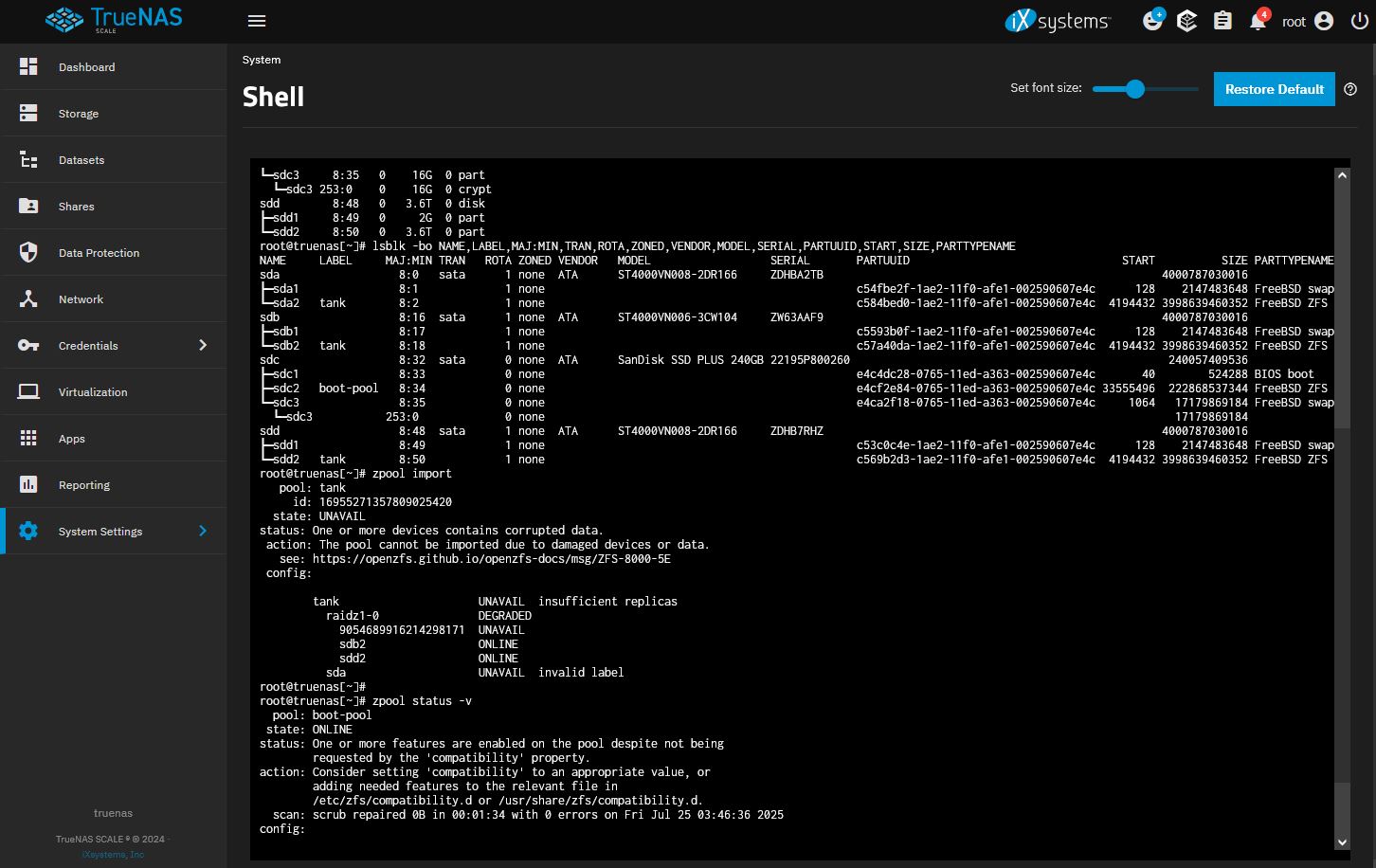
NAME LABEL MAJ:MIN TRAN ROTA ZONED VENDOR MODEL SERIAL PARTUUID START SIZE PARTTYPENAME
sda 8:0 sata 1 none ATA ST4000VN008-2DR166 ZDHBA2TB 4000787030016
├─sda1 8:1 1 none c54fbe2f-1ae2-11f0-afe1-002590607e4c 128 2147483648 FreeBSD swap
└─sda2 tank 8:2 1 none c584bed0-1ae2-11f0-afe1-002590607e4c 4194432 3998639460352 FreeBSD ZFS
sdb 8:16 sata 1 none ATA ST4000VN006-3CW104 ZW63AAF9 4000787030016
├─sdb1 8:17 1 none c5593b0f-1ae2-11f0-afe1-002590607e4c 128 2147483648 FreeBSD swap
└─sdb2 tank 8:18 1 none c57a40da-1ae2-11f0-afe1-002590607e4c 4194432 3998639460352 FreeBSD ZFS
sdc 8:32 sata 0 none ATA SanDisk SSD PLUS 240GB 22195P800260 240057409536
├─sdc1 8:33 0 none e4c4dc28-0765-11ed-a363-002590607e4c 40 524288 BIOS boot
├─sdc2 boot-pool 8:34 0 none e4cf2e84-0765-11ed-a363-002590607e4c 33555496 222868537344 FreeBSD ZFS
└─sdc3 8:35 0 none e4ca2f18-0765-11ed-a363-002590607e4c 1064 17179869184 FreeBSD swap
└─sdc3 253:0 0 none 17179869184
sdd 8:48 sata 1 none ATA ST4000VN008-2DR166 ZDHB7RHZ 4000787030016
├─sdd1 8:49 1 none c53c0c4e-1ae2-11f0-afe1-002590607e4c 128 2147483648 FreeBSD swap
└─sdd2 tank 8:50 1 none c569b2d3-1ae2-11f0-afe1-002590607e4c 4194432 3998639460352 FreeBSD ZFS
Here’s what I get when I run sudo zpool import:
pool: tank
id: 16955271357809025420
state: UNAVAIL
status: One or more devices contains corrupted data.
action: The pool cannot be imported due to damaged devices or data.
see: https://openzfs.github.io/openzfs-docs/msg/ZFS-8000-5E
config:
    tank                     UNAVAIL  insufficient replicas
      raidz1-0               DEGRADED
        9054689916214298171  UNAVAIL
        sdb2                 ONLINE
        sdd2                 ONLINE
      sda                    UNAVAIL  invalid label
And here’s what I get when I run sudo zpool status -v:
pool: boot-pool
state: ONLINE
status: One or more features are enabled on the pool despite not being
requested by the 'compatibility' property.
action: Consider setting 'compatibility' to an appropriate value, or
adding needed features to the relevant file in
/etc/zfs/compatibility.d or /usr/share/zfs/compatibility.d.
scan: scrub repaired 0B in 00:01:34 with 0 errors on Fri Jul 25 03:46:36 2025
config:
    NAME                                             STATE     READ WRITE CKSUM
    boot-pool                                        ONLINE       0     0     0
      ata-SanDisk_SSD_PLUS_240GB_22195P800260-part2  ONLINE       0     0     0
errors: No known data errors
The usual fatal mistake: You added the drive as a new vdev striped with the existing raidz1 vdev. If the new drive fails, the whole pool is lost.
There is only ONE WAY OUT of that: Backup. Destroy. Restore.
And now there is an invalid label… (@HoneyBadger: In a pool with two vdevs.)
I wonder why the drive is listed as sda by zpool import instead of sda2.
Do you have a backup of this pool? Was it important data?
Our experts will certainly want to see the outputs of: sudo zdb -l /dev/sda2 sudo zdb -l /dev/sdb2 sudo zdb -l /dev/sdd2
You’re at the point where you might as well do a complete new install. Start from scratch.
You have a choice of Electric Eel 24.10, or Fangtooth 25.04. If you go with 25.04, it is due for an update this week or so. You might want to wait if you go with that as Classic Virtualization is to return