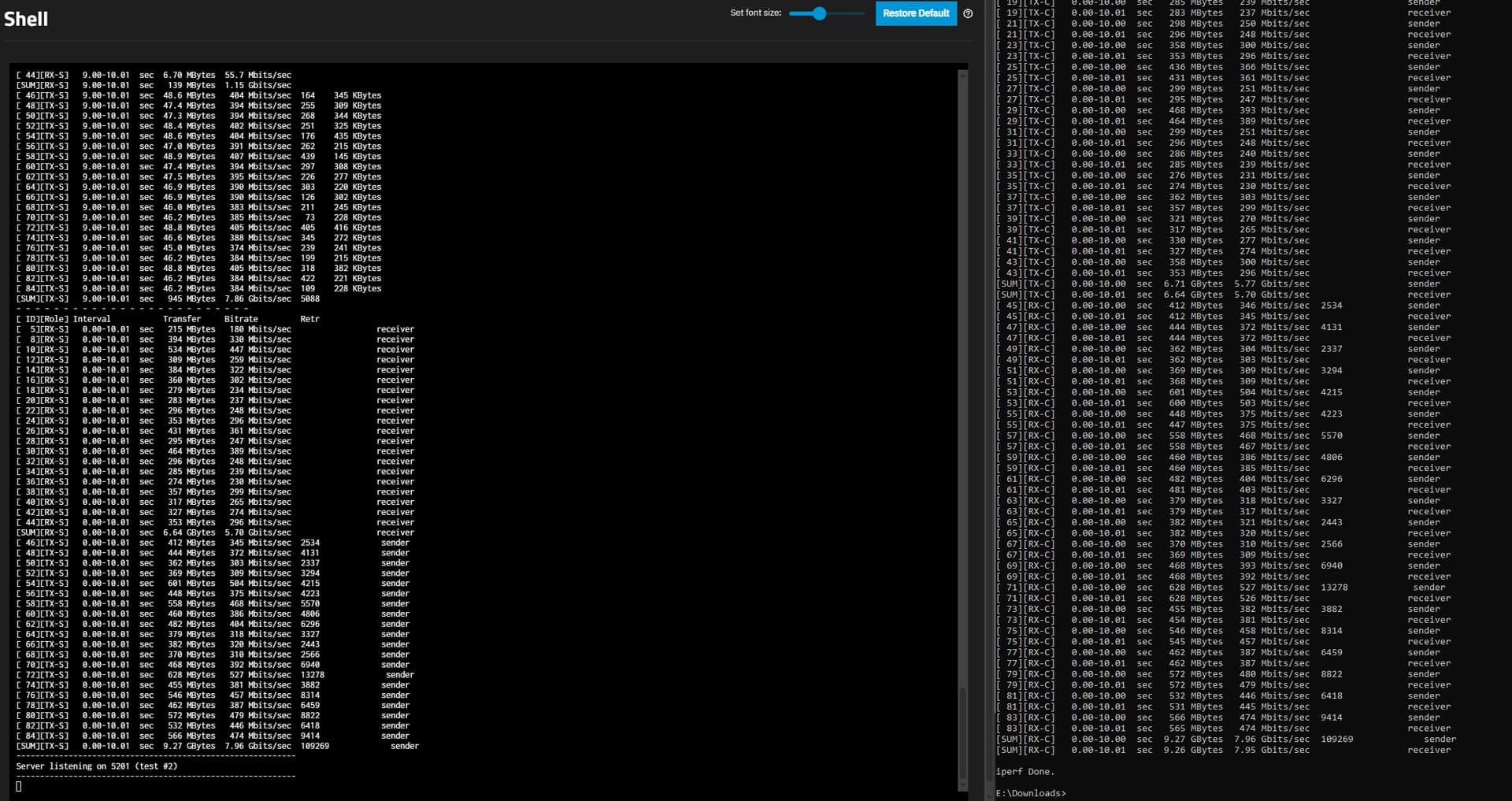
Looking for someone to review/assess what’s wrong with my setup. I just installed a 10Gb NIC (Mellanox ConnectX-2) in my NAS and connected it up to my main Windows desktop, via an Aliexpress 10Gb switch, to another ConnectX-2. Both 10Gb NICs report being operational at 10000mb/s (via ethtool/windows network info). iperf3 tests show full bandwidth being available, exceeding 9Gb from the Windows desktop to the TrueNAS install (unidirectionally), which is inside a Proxmox VM.
The pool configuration is 4x Mirror VDEVs of 2 drives (10+10/8+8/1+1/1+1) connected to the motherboard via a LSI9211-8i HBA in a PCEI 3.0x16 slot. The 10Gb NICs are in a PCIE3.0x4 slot of my NAS and PCIE2.0x4 slot in my Windows desktop.
The issue is my write speeds are hardly improved, where I previously maxxed out the 1Gb link @ ~112MB/s, the 10Gb link has only lifted this number to around 130MB/s. Reads have improved to 200-300MB/s. I would have expected much higher numbers than this. Were my expectations wrong?
I tried changing the MTU up to 9000 but it broke networking of my Proxmox server (GUI wouldn’t load anymore).
Is the mellanox card the only connected card or do you still have the 1GB card connected?
If another card is connectred did you give the mellanox card it’s own subnet and did you bind the smb service to the ip of the 10GB card?
Good question, the 1gb NIC is bound to vmbr0, but not connected to anything physically. I’ve updated all my VMs to use vmbr1 which has the 10Gb NIC bound to it
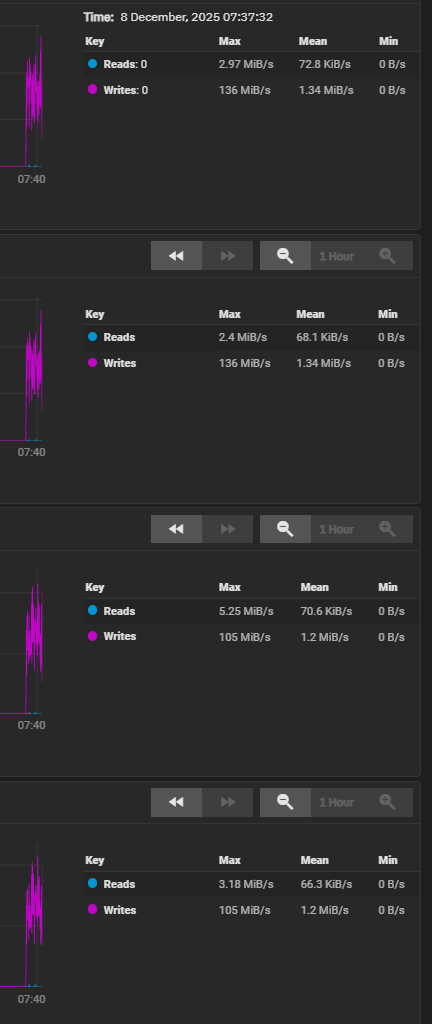
I’ve now removed the four 1TB drives (2 small mirrors) to see if they were causing problems (I was seeing they weren’t being written to all the time (which I guess makes sense, being that they are significantly smaller drives)). Speed is 130-150MB/s now. This is what the 4 remaining drives are doing during this write test:
Without knowing what kind of drives you use it’s hard to tell…
If you’re using some kind of smr drives, or mixed smr and cmr drives that would totally be a limiting factor, but without knowing the model numbers of the drives you use any further trouble shooting will be difficult.
And is your truenas virtualized on your proxmox or is it a separate machine?
Jumbo frames and mtu changes are not necessary at these speeds. At least they did nothing for me but cause trouble. Default mtu, default frame size got me around 9gb/s but that’s only if the arc is engaged. Basically dealing with the ram cache. When I lean on the actual array, I max anywhere from 500-350MB/s sustained (so about half of what the iperf can do with the arc).
Your pool types matter here too, but ideally you want to make sure your arc can learn to cache a big file or iso. You can encourage this by copying the same file over and over until it just magically gets cached, one direction, pulled from the server, not pushed.
Finally, SMB is kinda bad for testing due to it mainly being single threaded and cpu heavy. If you can use something like ftp or nfs those are better for testing.
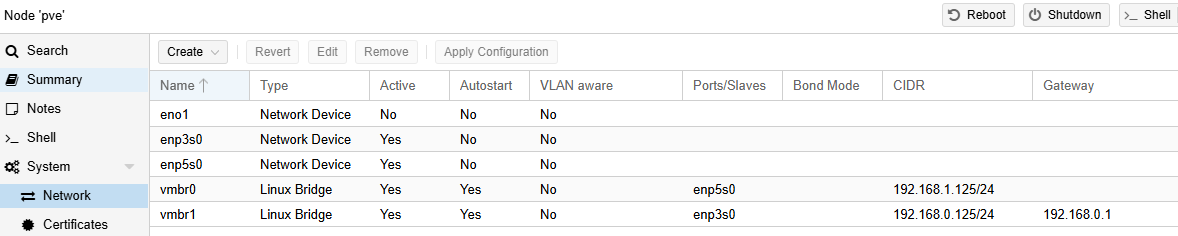
Can you post the screen of your proxmox network page?
AIUI, with such a big VDEV size discrepancy, you obtain a throughput/IOPS of only 2 VDEVs, not 4. 130MB/s write is still slow, though, as an 8-10TB drive usually has higher than 65MB/s write throughput.
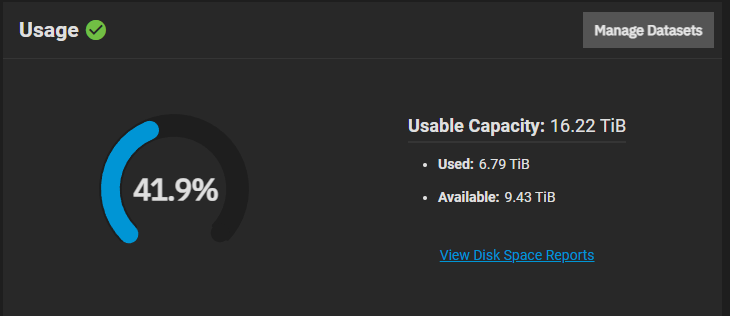
What is your pool occupancy?
Did you alter the sync setting of the dataset?
Just noticed that TrueNAS is caching files correctly, i.e. copying something is much faster (>900MB/s) the second time you do it. I think this further disproves the networking to be at fault.
Yeah. Anyway, if you want to set MTU 9000, you have to set it on both the bridge and the NIC (in proxmox).
I had never run truenas as a VM, but AFAIK it’s recommended to bypass the entire controller/HBA to the VM, not individual drives. OTOH, the reason behind that is to prevent integrity issues, as proxmox itself could try to import a zfs pool.
I think 24GB is ok. In theory, sequential write to the 2-way mirrors is 2 times slower than sequential read. Sooo, your writes are as peaky as your reads.
Yeah I tried an MTU of 9000 across the board but I could no longer connect to the Proxmox GUI after making the change there (for the device and bridge), and I can no longer ping the machine either. IDK what’s going on there. I can get into the GUI when regardless of what my Windows machine is set to.
Yes, I have passed-through the whole HBA, not each drive, but I’m wondering if it is the culprit.
Just to clarify, when promox sees your hba and attached drives, you can allow promox to pass the hba through to guests (therefore not using it directly) and you can also use the hba in promox and pass the attached drives through to the guest.
Ideally you pass the hba to the guest without interfering with it. Truenas can do this with video cards to vm’s and apps, so Truenas doesn’t use the card but the vm thinks it belongs to it.
Yes, my HBA is passed through to TrueNAS, not the individual drives. Given it’s an Aliexpress card, I’m wondering if it is counterfeit, or just old and slow. Will try with HDDs direct to motherboard in the next few days.