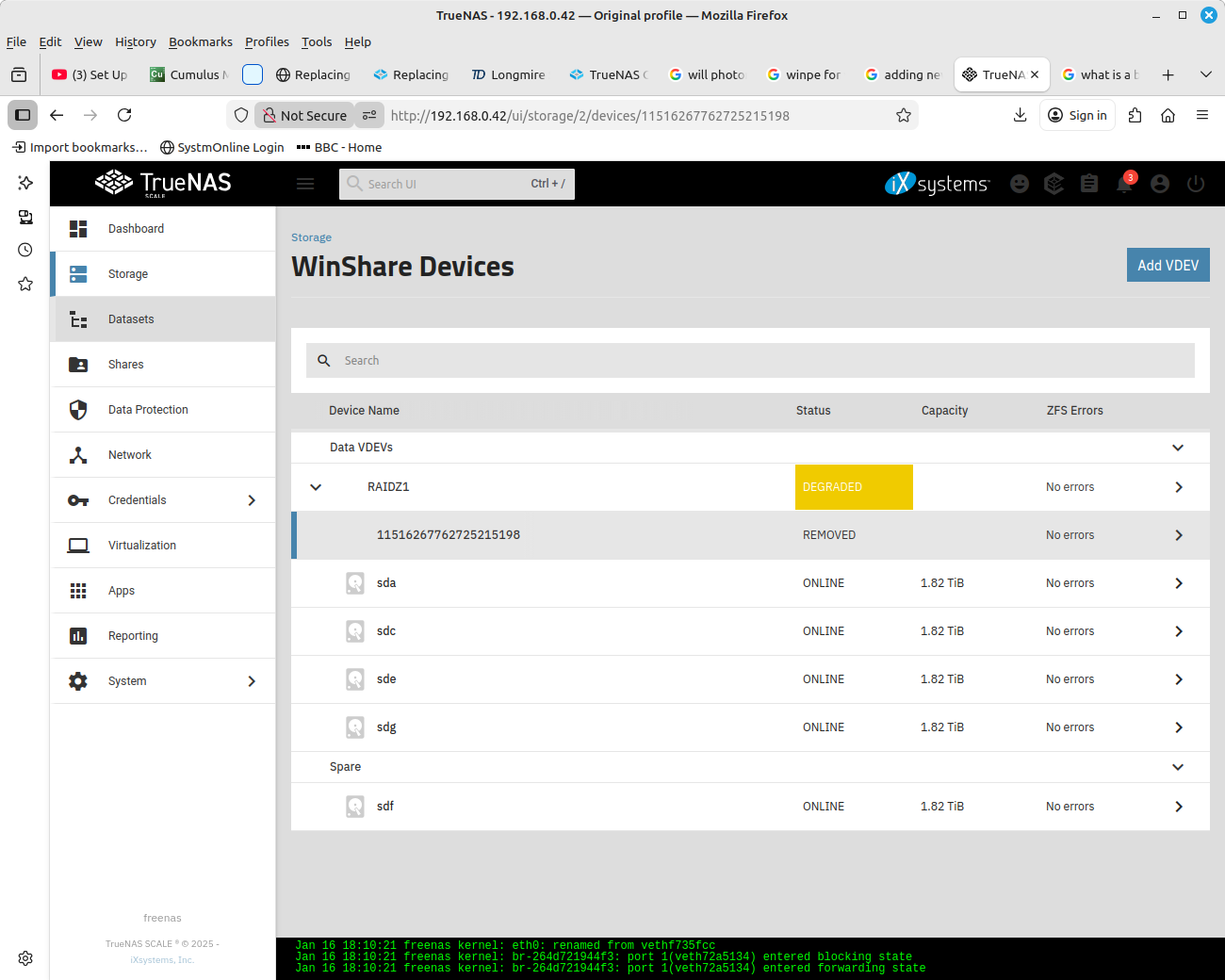
I have just replaced a disk of the same make and size as the one which had errors and was degraded. I have followed the instructions:
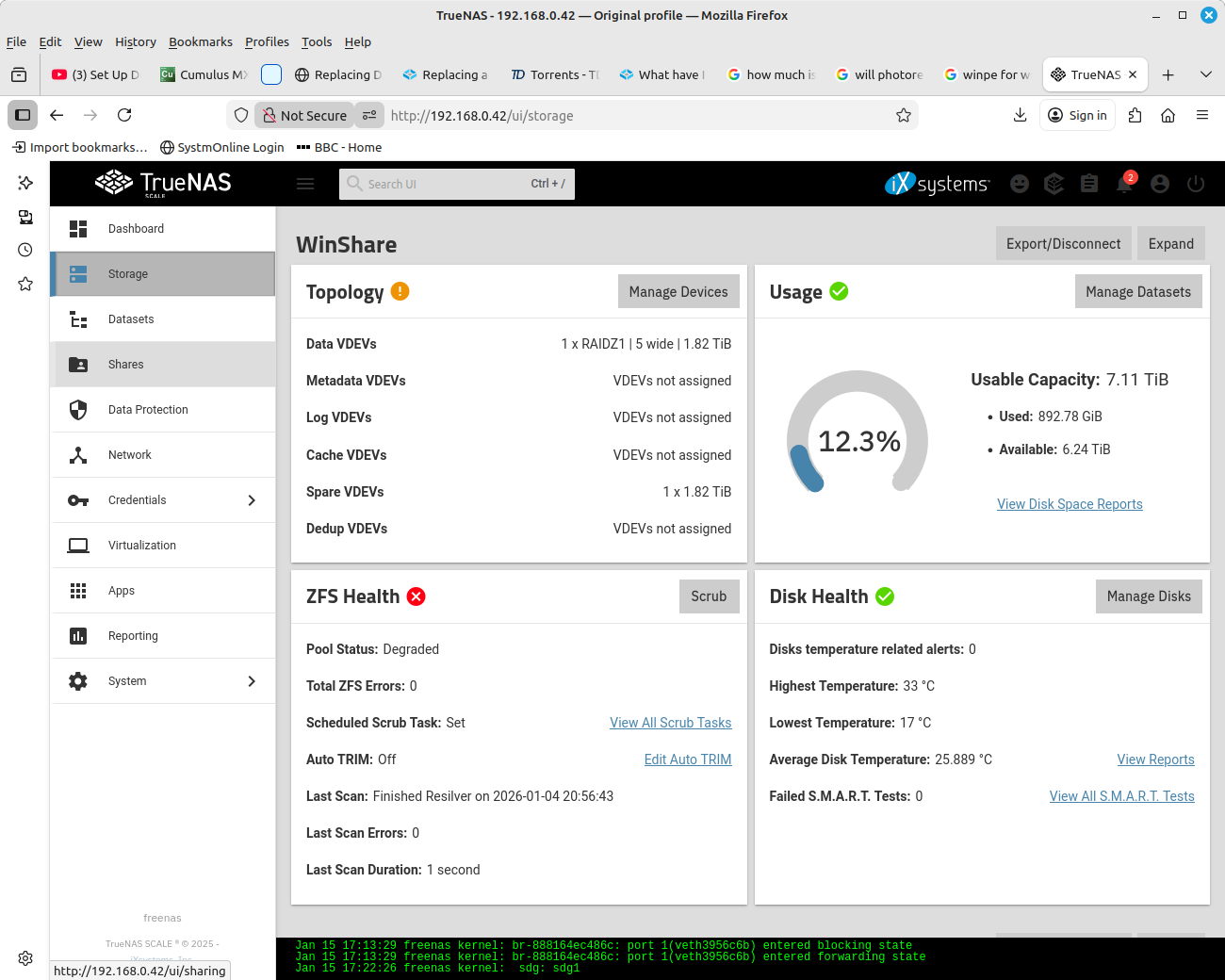
I replaced the disk as a non hotswappable , in that I shut down TrueNAS, to replace the degraded disk with the new one. I then rebooted up TrueNAS and added the new disk to a pool. But now it is showing up in Storage as a spare disk.
What have I missed, and how do I get it into the existing pool and also to resilver
pool: WinShare
state: DEGRADED
status: One or more devices could not be used because the label is missing or
invalid. Sufficient replicas exist for the pool to continue
functioning in a degraded state.
action: Replace the device using ‘zpool replace’.
see: Message ID: ZFS-8000-4J — OpenZFS documentation
scan: resilvered 1.61M in 00:00:01 with 0 errors on Sun Jan 4 20:56:43 2026
config:
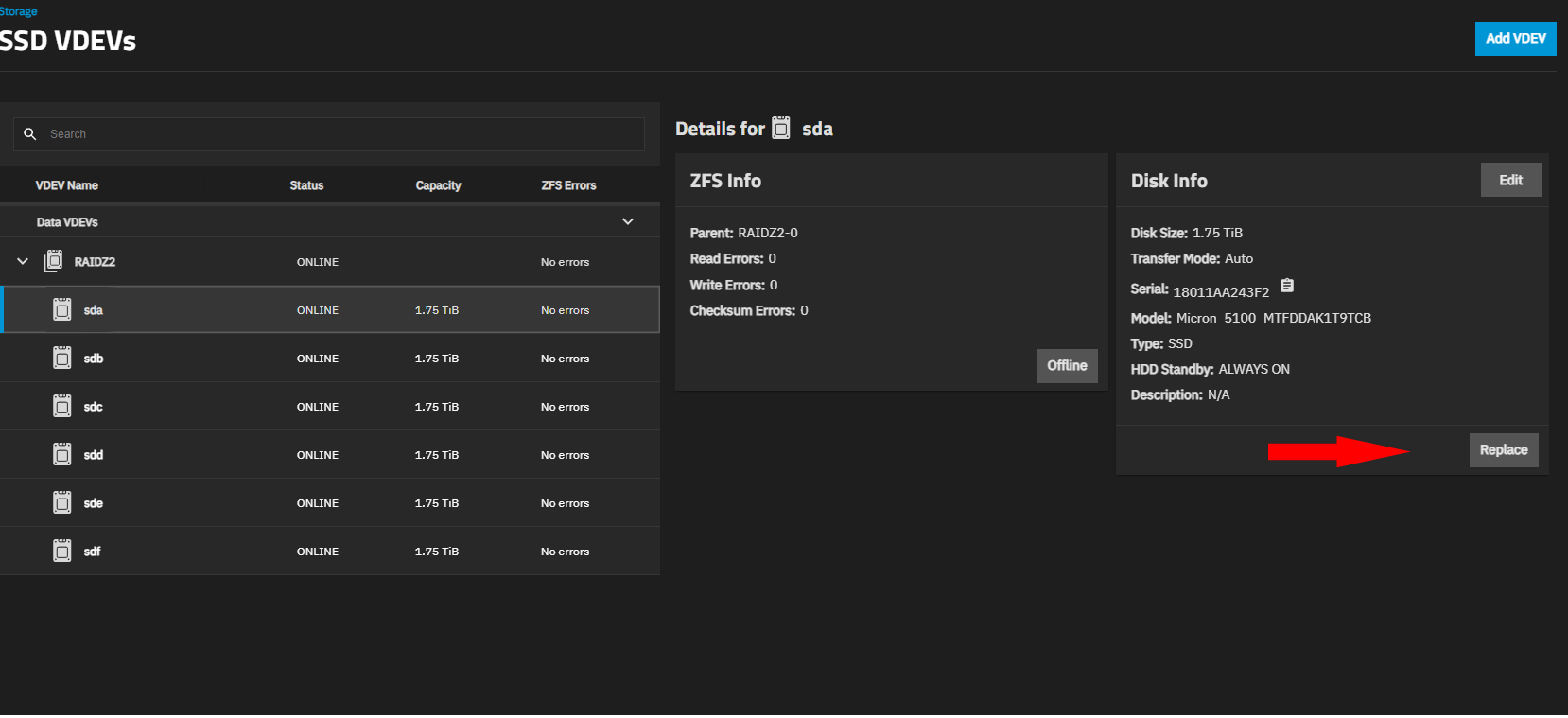
Post a screenshot of your setup. Otherwise, Storage tab, View VDEV (for degraded pool) and then you should see aprox what was posted by Farout. Click down arrow to expand devices. Select offline drive and then Replace button as shown with red arrow.
What is your OS version of TrueNAS? I can try to pull up a VM if I have that version and follow along
I have Fangtooth 25.04 and Goldeye 25.10 currently. If you are on an earlier version my screens won’t match. Make sure you have the documentation page set to the version you are using as info may change. The docs you linked in first post were for 25.04. You can change the OS version at the top right of that page
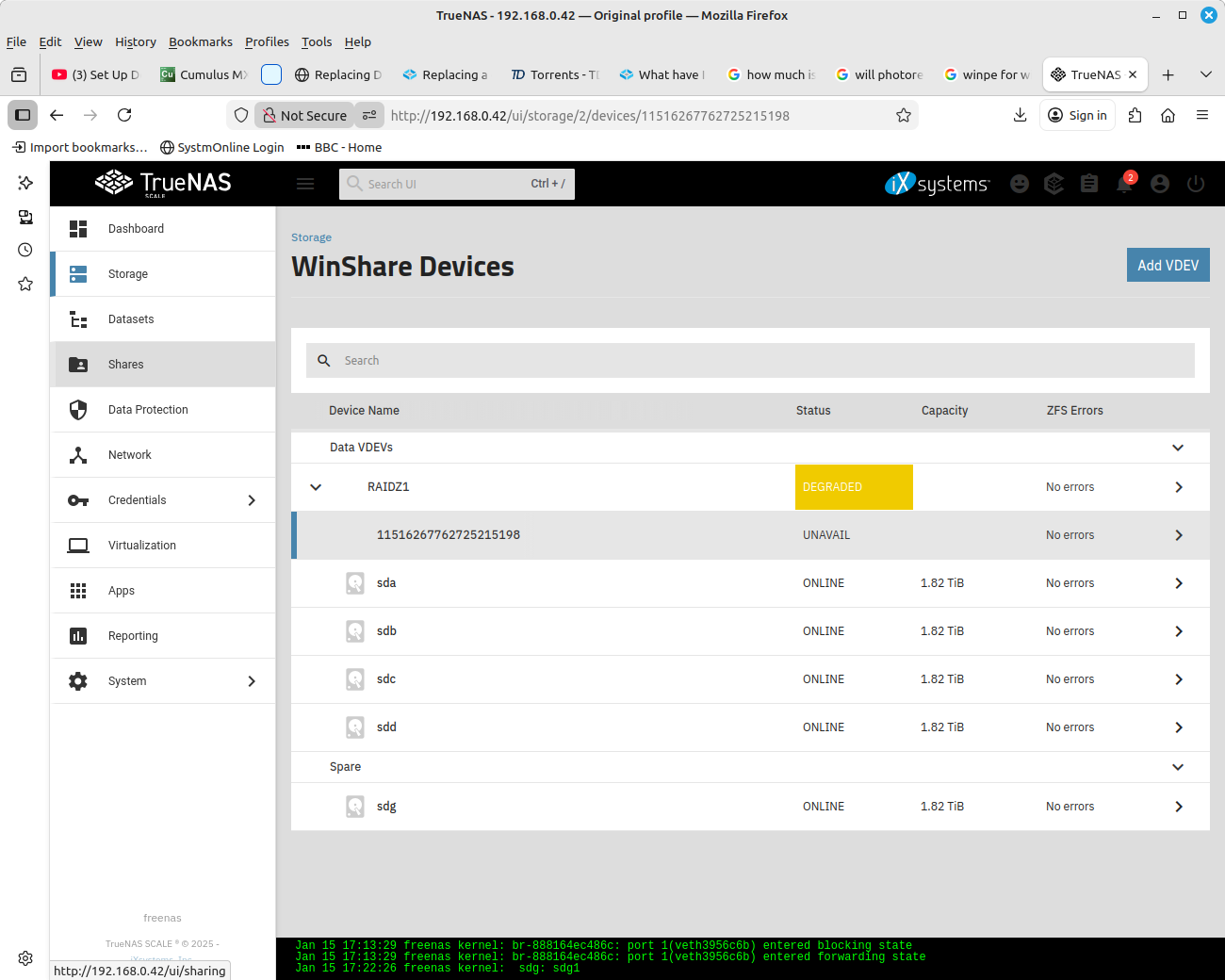
You need to select the UNAVAIL device and the screen should bring up more info. Switching the docs to the correct version should help with what your screens look like. You should see details and more info as showing on the right of the below image. You want REPLACE and select the spare drive. You may have to hit an Arrow (>) to the right of the unavail disk as your screen size looks smaller.
Try selecting the SPARE disk and see what options that drive has. It might be you have to manually choose to use the spare or we have to remove the spare and then go back and do the REPLACE on the UNAVAIL listed disk
Selecting the SPARE shows Remove, Test, Edit and Replace
I have already tried a Replace for the Unavailable disk, but there are no disk showing in the Search or drop down box. Even manually entering the name, sdg of the disk throws up an error, saying disk not found.
I did think about starting afresh by putting back the faulty 2Tb disk
Regarding the Documentation page, it is for TrueNAS Scale
Ok, but as it’s 08:45 pm here now, I may not be able to complete it all
I have put the unhealthy disc back in , then selected to replace it but there is no disc listed to replace it with. Do I have to connect the new disc as well.
Can you run sudo zpool status -v in the Shell window and post the results back using Preformatted text. (</>) or Ctrl+e on the toolbar. Looking to see if you are resilvering the drive and status. I’m not sure of your current pool health and I want to make sure the spare is working. I am not familiar with Spares and what they look like in the GUI. I’m not sure if Degraded status stays unless the Spare is changed to a ‘Regular’ status.
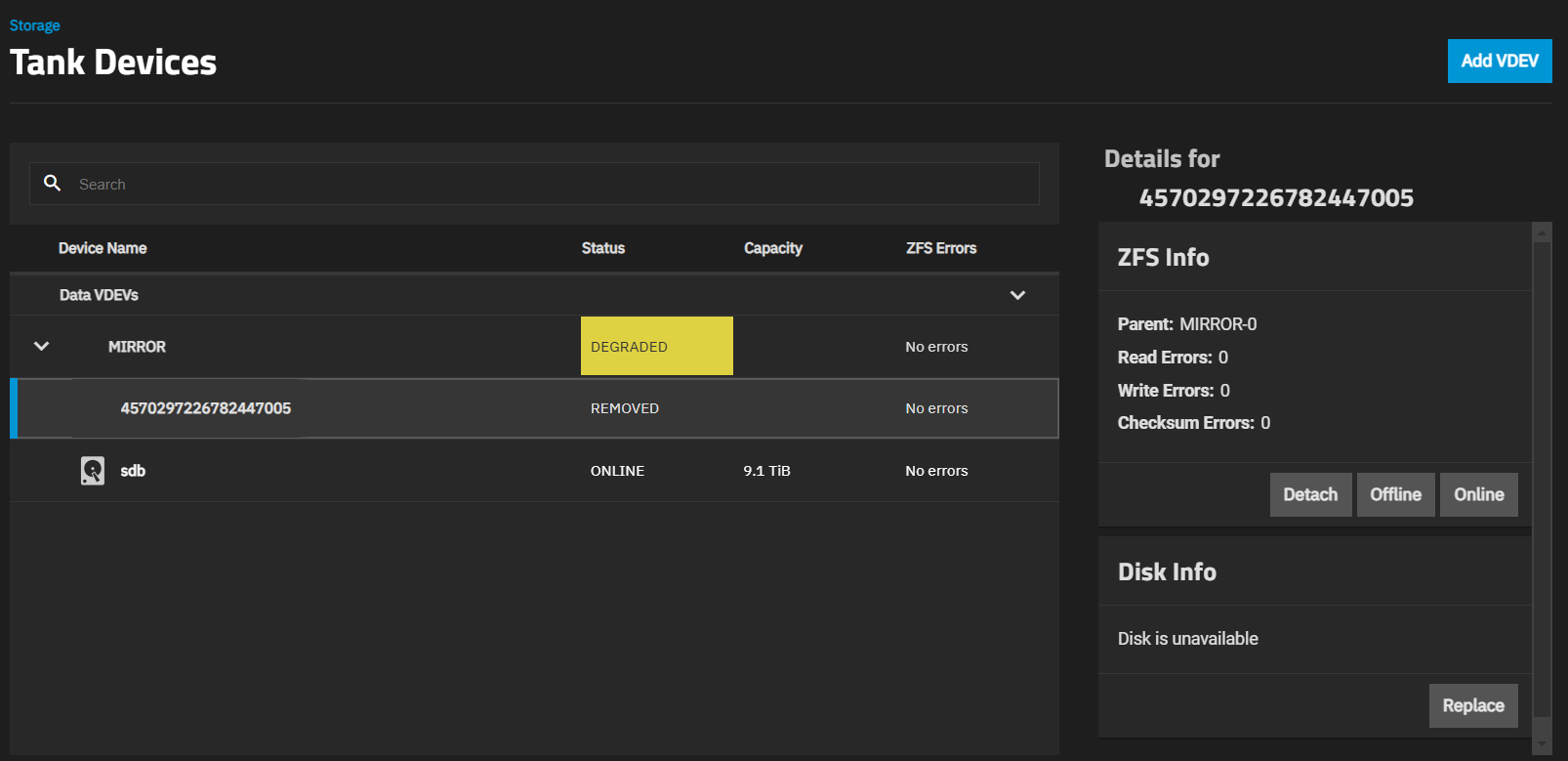
@HoneyBadger User on Electric Eel. What are we expecting to see? Failed drive, user added a drive as a Spare and I think got it set as replacing the REMOVED in the latest screenshot.
root@freenas[~]# zpool status -x
  pool: WinShare
 state: DEGRADED
status: One or more devices has been taken offline by the administrator.
        Sufficient replicas exist for the pool to continue functioning in a
        degraded state.
action: Online the device using 'zpool online' or replace the device with
        'zpool replace'.
  scan: resilvered 0B in 14:05:18 with 0 errors on Fri Jan 16 09:53:07 2026
config:

        NAME                                                  STATE     READ WRITE CKSUM
        WinShare                                              DEGRADED     0     0     0
          raidz1-0                                            DEGRADED     0     0     0
            ata-WDC_WD20EFRX-68AX9N0_WD-WMC300412931-part2    ONLINE       0     0     0
            ata-WDC_WD20EFRX-68AX9N0_WD-WMC300187339-part2    OFFLINE      0     0     0
            ata-WDC_WD20EFRX-68AX9N0_WD-WMC300412900-part2    ONLINE       0     0     0
            ata-WDC_WD20EFRX-68EUZN0_WD-WCC4MP4L4UH9-part2    ONLINE       0     0     0
            ata-WDC_WD2001FFSX-68JNUN0_WD-WMC5C0D7WVAW-part2  ONLINE       0     0     0
        spares
          99b91a5d-e9b9-4ace-a3bf-55a2def80497                AVAIL

errors: No known data errors