I’m currently upgrading a Raidz1 VDEV by replacing 4x 8TB SATA HDD with 4x 16TB SATA HDD.
The 1st 2x drives took around 21 hours each to resilver after drive replacement, but the 3rd drive is estimating 3 days for the resilver process. All drives are the same brand Toshiba MG08 Enterprise drives.
Can someone give me some ideas on how to diagnose the issue? My cli skills are limited to the basics so I need help.
I fear that whatever is causing the slowdown is going to effect the pool even after the resync is completed.
IIRC that’s just an estimate that changes radically over time. I think I’ve seen my system tell me a few months then correcting to a few days then a few hours in short order. Until the time has actually passed, don’t take the estimates as facts. Also try and keep some load off your server while it’s doing this. Essentially treat it like it’s offline or make it offline. This is a delicate and stressful time for your pool. Think of a larvae encased turning into a butterfly, it’s the most defenseless it will be until the butterfly emerges.
Also don’t worry about total pool size until all drives have been replaced. TN is smart about this. It can only treat the big drives like small drives until they are all big.
Thanks, I been watch the process for the previous 2 drive, there was a lot more R/W activity on those drives, and the estimate aligns with what I am seeing.
Yes, I understand the total capacity won’t show until a drives are replace, but at this rate it looks like that could be next week somewhen.
Worked fine during those tests at least, yeah? Lets see how long it actually takes - I mean unless we hit the 3 day mark as current estimate is on, I wouldn’t panic. I think we’ve also seen folks with resilvers/scrubs go over 100% complete while still being in progress, so hopefully it is just a reporting hiccup.
I know what a bad drive looks like, been in the game a long time and even done some data recovery in a past life.
This is not normal, I’ve been through the process with 2 previous drives and this is very different, that’s why I requested advise on how to diagnose. As it stands I can’t even tell if the drive is running at SATA 3 speed.
dmesg | grep -i sata would be my guess - helped me figure out a faulty port since a drive kept changing link speed. Otherwise, I guess see what smartctl -a gives for the drive, maybe that specific spot doesn’t have great airflow? (edit: not sure if airflow is relevant, do hdds even throttle if they get hot?)
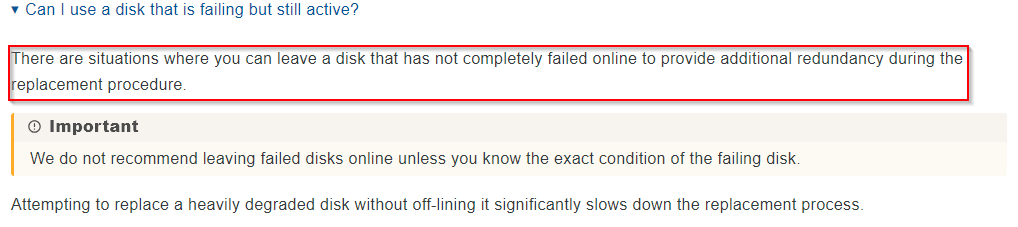
It’s generally recommended to keep the drive you’re replacing physically connected during the replacement process, (if you have free bays/ports available).
As far as I know, the VDEV will then not be degraded during the resilver, and ZFS can often complete the resilver process faster because the RAIDZ still has full redundancy while the new disk is being rebuilt.
How do you handle the replacement process in your setup ?
No spare bay available to do so, and the it’s a 4 drive vdev so it’s degraded. The point is that I have already replaced 2 of the 4 drives and they resilver in 30% of the time. It’s not the drive issue as I tested all prior to install.
How would that be possible, the drive wasn’t failed, it was a replacement? Maybe i’m missing something.?
I physically removed the drive, waited for the vdev to show failed, fitted the replacement and used the ‘Replace Drive’ action button and followed the proceedure with ‘no keep the drive info’.
SMART test now shows all drives operating at SATA 3 speed, but the activity monitor shows infrequent R/W whereas on the earlier drives it was a solid wall of R/W activity throughout the process.
There was a short SMART test during the 2nd drive replacement, with the next not due for 6 days.
I should add that the vdev is very lightly used, it’s a media store and no-one has access while the upgrade is ongoing.
root@truenas-pve-5[~]# zpool status storage
  pool: storage
 state: ONLINE
status: One or more devices is currently being resilvered.  The pool will
        continue to function, possibly in a degraded state.
action: Wait for the resilver to complete.
  scan: resilver in progress since Sun Dec  7 21:28:33 2025
        4.44T / 22.5T scanned at 122M/s, 4.15T / 22.5T issued at 115M/s
        1016G resilvered, 18.44% done, 1 days 22:42:06 to go
config:

        NAME                                      STATE     READ WRITE CKSUM
        storage                                   ONLINE       0     0     0
          raidz1-0                                ONLINE       0     0     0
            c4644054-206f-46ff-a673-178f92698e02  ONLINE       0     0     0
            732a6bb8-6746-4ac7-9350-2de6b6caf152  ONLINE       0     0     0
            5b8992f9-716e-4ec7-b27f-ce9e8de7a59a  ONLINE       0     0     0
            aa5bca62-6f28-46d1-b7cf-930436e12068  ONLINE       0     0     0  (resilvering)

errors: No known data errors
So in this case, to leave the disk to be replaced installed would make sense.
My first thought was, that perhaps for the first two replacements, you left the disk to be replaced still installed, whereas for the third one, it was not, which might explain the slower process.
However, you have clarified that (due to the lack of a free port ?), you remove the disk anyway.
Why this particular disk is taking much longer to resilver, I unfortunately cannot say…
If you have a SATA-to-USB adapter at hand, you may attach in this way the drive that is being replaced: At least, it’s there to provide redundancy during resilver.
(It is, of course, NOT advised to a have a permanent pool member over USB. Here it is only temporary and will be automatically offlined upon completion of the resilver.)
How stupid is this, instead of using zpool replace:
Detach the drive to replace
Copy over the bytes via dd onto the new drive
Online the new drive as if it were the old one
I did this, replacing smaller drives in a mixed pool one by one. So instead of resilvering a drive and thus thrashing every disk in the pool, only one disk was used. The resulting resilver finished in 10 minutes, and scrubbing showed no errors.
Thanks for that idea, I will try this when I get to the 4th drive, but for now I’m near 50% through this 3rd drive.
I would still like to understand why the issue has occurred for this 3rd drive, this indicates to me some reliability/stability issue which is yet to be identify and may well persist after the upgrade has been completed.
From my point of view, using dd to clone a disk certainly has valid use cases. One example would be when a disk is failing, but the pool cannot survive without it, and you don’t want to stress that disk any further; or when the failing disk can’t even make it through a normal resilver process anymore.
In this case here (replace all the disks with larger ones to increase capacity), it might be possible to take the pool offline, clone all four disks with dd (and store those clones as a last-resort backup), and then see whether the system accepts the four freshly cloned disks as a working pool.
However, I would still have concerns about using this as an alternative to the normal replace process.
dd certainly tries its best to make a 1:1 copy of the disk, but you never know if subtle errors might occur.
To be safe, you could boot the pool after each cloned disk and let ZFS do its thing (resilver, scrub, or whatever is needed), but that would nullify the speed advantage, and it would stress the disks again, which defeats the purpose.
The duration of a resilver depends heavily on the actual pool usage. If the pool isn’t too full, a resilver can be relatively fast.
dd, on the other hand, always copies the entire disk 1:1, regardless of how full it is.
Since you’ve already successfully used the dd approach, we can treat this as a positive test case, something that might help in an emergency scenario.
There’s no “pause/play” button for a resilver.
As far as I could research, there are cases where, after a reboot or a clean shutdown (not just pulling the plug!), the resilver continued more or less from where it left off.
But there are also reports where the system simply started the resilver from the beginning again.
I’ve personally never done this (never needed to…), and I’m not sure I’d be brave enough to try it…
Even starting from the beginning (if whatever is causing this is fixed) would still be faster than waiting this resilver out. And then at least I’d know that it’s not a permanent issue which will effect performance after the upgrade is completed.
I’m very tempted to clean shut everything down here.