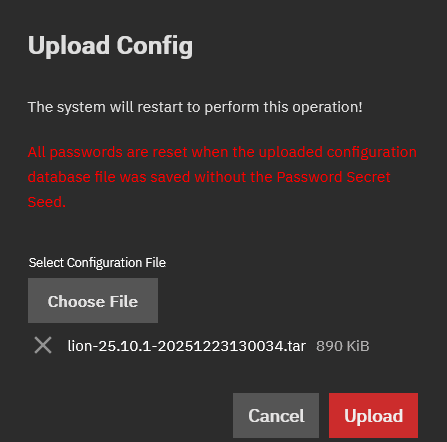
after uploading the file nothing (seems) to happen. Booting after a few minutes does not change that
and .. I did download the config via the gui (after booting from the original boot ssd)
and did restore via the gui after booting from the newly installed new boot ssd
I’m not completely understanding the method you used based on this, but we do take care in the documentation to explicitly state supported upgrade methods (here, here, and here, for example) and this doesn’t sound like any of them.
It also tells you in docs and in the console itself that the only supported methods for system changes are the UI (preferred) and API. If you’re doing a lot of untested (on our end) manipulation in the console, you’ve been warned to expect potential breakages.
You do not understand the problem I was facing, and the way I solved it.
Note:
normally connected via a trunk. Via the trunk I can NOT reach or config a newly installed truenas instance!
I did want a clean boot disk, since I had a verdict that some problems were related to the actual boot disk among them issues related to the way data was al lined to sectors etc (see my recent posts)
I do have console access via KVM and in this case also local
So I did really prefer an install including the desired config from the console.
I did open a thread a few days ago, if that was an option. Regrettable there was no real option using the console.
So, I did use a more complex trick, by connecting an extra lan to the system and using a new / extra boot disk.
And I did every thing via the GUI, just as IX-system describes!
as it is strange not to say… that an upgrade from the console… is not possible instead of what I think was your intended meaning (that you think such an upgrade should be possible), so I was just pointing out that we already do say which upgrade methods are possible and that is not on the list.
As for your networking setup complexity, you’ve already said you put yourself in that position and eventually found your way out, so I’m happy you’ve managed to get it working.