
I’m trying to spin up a simple RHEL 10 VM and can’t past the grub bootloader. I’ve tried “legacy” as well as UEFI and both are giving me errors. What am I missing? I don’t seem to be able to hit any kind of key quick enough to get into a BIOS setting in the VM to try and turn off anything like secure boot.
What TrueNAS OS version are you on?
I can’t believe I forgot that lol. Thank you for being patient. I’m running on TrueNAS-24.10.2.2
I didn’t realize I was so far behind in versions. I’m going to update to 25.04 (Fangtooth) and will report back. Apologies, it’s been a very long time since I’ve been able to touch any of this.
Unfortunately even after upgrading I still have the same behavior. Any ideas? I’m sure I can’t be the only one trying to do this.
I have it running. What are your various option selections on VM creation?
UEFI
Secure Boot yes
CPU passthrough
If you need images
Browse some other threads and do the Tutorial by the Bot to get your forum trust level up and post images and links
TrueNAS-Bot
Type this in a new reply and send to bring up the tutorial, if you haven’t done it already.
@TrueNAS-Bot start tutorial
jfc I’m old. I can’t figure this out either. I copy and pasted that into a reply and it did nothing so I deleted the reply. So now I’m thinking “Well maybe I actually need to type it?” but I’m unable to do that b/c it is too similar to the reply I just deleted.
Do you mean I need to post images?
Below are my settings on creation and a screenshot of where the boot appears to be hanging
CPU and Memory
Guest OS: Linux
System Clock : Local
Boot Method: UEFI
Enable Secure Boot : Checked
Shutdown Timeout: 90
Enable on Display: Checked
Bind: 0.0.0.0
Password : (set)
Virtual CPUs : 2
Cores: 8
Threads : 1
CPU Mode: Host Passthtough
Memory Size : 8 GiB
Disks
Create new Disk
Select disk Type: AHCI
Zvol Location : (set)
Size : 256 GiB
Network Interface
Adapter Type : VirtIO
MAC address : (set)
Attach NIC : (set)
Installation Media : rhel-10.0-x86_64-dvd.iso
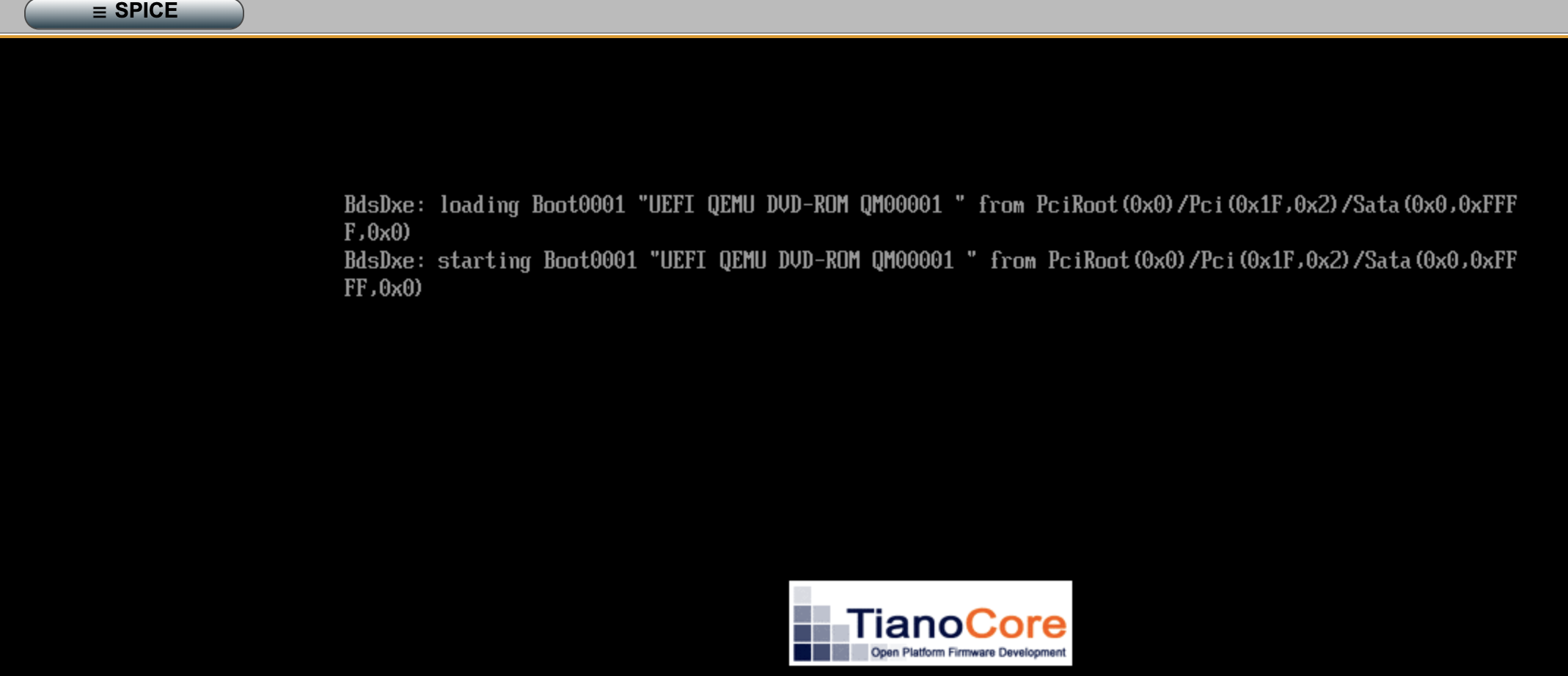
You should have got an introductory email upon signing up on the forum. You probably should type in the bot command to start the tutorial but I see you posted an image in a reply so you might be okay just browsing a few other threads and reading them until your Trust Level goes up and you get more rights.
I’m not certain this is the cause but suspect it might be. The machine I’m running is old enough (sandy bridge) that it does not support the x86-64-v3 instruction set. So even if I were to get this to boot it wouldn’t be able to install. Time to start shopping for a new VM host I guess 