I am using Scrutiny on TrueNAS 25.10.3. I have an external 10-disk enclosure that works well (please, no comments about USB enclosures or SATA-III UASP vs SAS) and has worked well for over a year. It’s very stable.
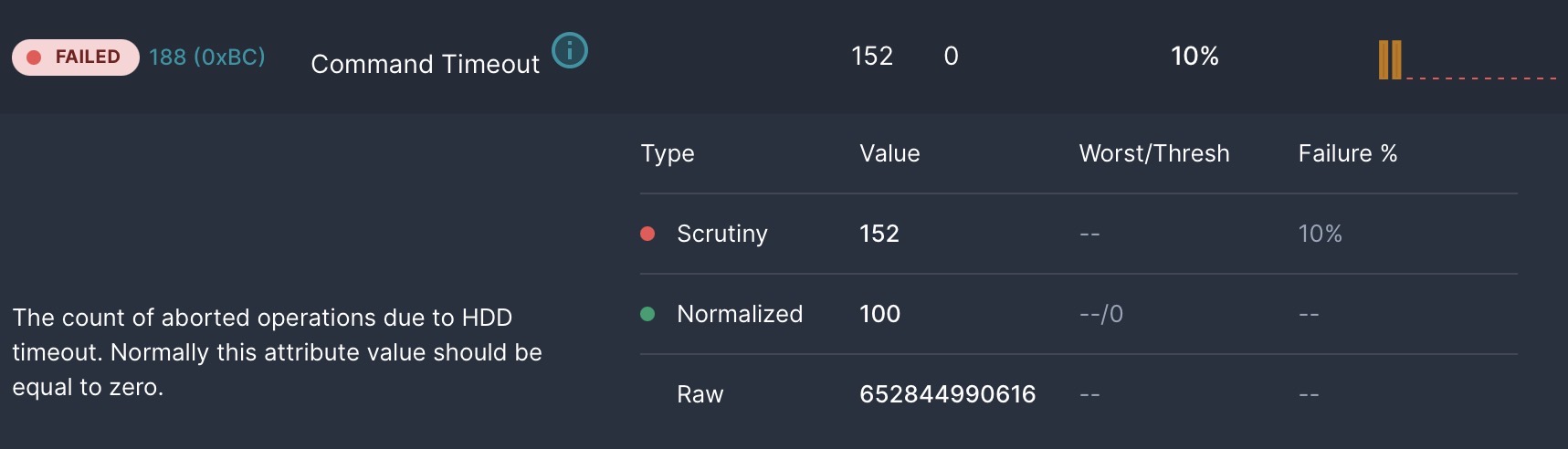
However, Scrutiny constantly complains about “Command Queue Timeouts.” This seems to be a trivial issue that happens whenever the system is under load, and has absolutely no effect on data integrity or speed from a pragmatic point of view. It simply appears to be the controller occasionally needing to retry when the SATA drive or controller’s queue is full.
I don’t see a way to tweak this in Scrutiny, and don’t think my BIOS offers a knob for tuning this either. Mostly, I just want Scrutiny to STFU about it.
What are my options for either turning off the error reporting for this item, or tuning the disk to offer a larger queue or longer timeout/retry period? SMART thinks everything is fine, and so do I. I just want to solve for the reporting issue, which forces me to disdable Scrutiny’s assessments 99% of the time so it doesn’t give me useless failure alerts just because the drives are running at capacity.
For those who think it adds value, here’s the Scrutiny image for one of the 10 drives. Only the NVME drive for the boot drive doesn’t report this as it’s obviously a lot faster and (mostly) read-only.