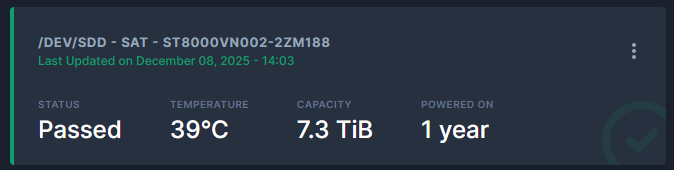
I need some help regarding scrutiny I had a controller fail which I think was related to this information here LSI9305vs9300 hardware I believe that I may need to update my 9305-24i firmware to the latest version as indicated.
In the meantime I have replaced the card with a spare but… I can not clear the failure data from scrutiny, its not that the disks failed, it was the controller and now on the new controller they have passed a script and a zpool status shows them as being perfectly fine.
I tried removing scrutiny and the associated database system through the Apps section but it still seemed to keep the data when I re installed scrutiny.. What do i do? BTW drives also pass with smartctl.
Should have mentioned 25.10.0 Goldeye
Additional I have just found out scrutiny is reporting incorrect values for my Seagate EXOS drives, see this link for details https://www.disktuna.com/seagate-raw-smart-attributes-to-error-convertertest/#4295032833
Im not suffering 8 billion plus command timeouts I have had 2 in 131072 odd reads due to a controller failure - I have reported this bug to the scrutiny dev team.
Incidently scrutiny needs a button that records a new baseline for the drives so it can actually be useful at the moment it is saying these drives have exceeded there failure thresh hold when my understanding is they have not.
Last I heard, Scrutiny is unmaintained. It was a point of concern with the recent discussions about TrueNAS removing SMART checks and telling users to just install Scrutiny.
Hello,
some more informations : it seems the file : /var/lib/smartmontools/drivedb/drivedb.h doesn’t have the right version; the command /usr/sbin/update-smart-drivedb --no-verify is able to update it (changing the 188 command timeout for drives having the issue, etc)… but it’s not done at scrutiny startup.
some more:
with the updated drivedb.h (with update-smart-drivedb --no-verify
), I made:
“docker commit” to obtain a new image with the right drivedb.h
inject it inside yaml
start the modified app
modified the scrutiny database (from the host)
sqlite3 /opt/scrutiny/config/scrutiny.db
UPDATE devices SET device_status = null;
.exit
smartctl -a my seagate returns :
188 Command_Timeout 0x0032 100 099 000 Old_age Always - 1 1 1
Now I’m waiting for next scans to check what happends (?)
@ronald The scrutiny author halted his own development efforts because he considers scrutiny to be feature complete. But he still does accept pull requests.
Feature complete… I don’t think so, at minimum it needs a button to say hey there was a problem but it wasnt with the disks something else caused it please update yourself to only report changes over and above this, otherwise scrutiny once triggered by something not disk related I.E a controller failure becomes useless as its reporting failed all the time.
I am not the person with whom to debate this. I just wanted to mention that minor improvements and fixes are still accepted and merged.
I am confident you could implement this button and have it included. That’s how open source works.