
I cannot figure this out. If anyone could offer suggestions I’d be grateful.
I have a dataset called backups that I have shared via SMB. No matter what I try, I simply cannot connect to it.
I am using a mac, I have other shares I can connect to (ie time machine). I can see the share but when I attempt to connect I see this message:

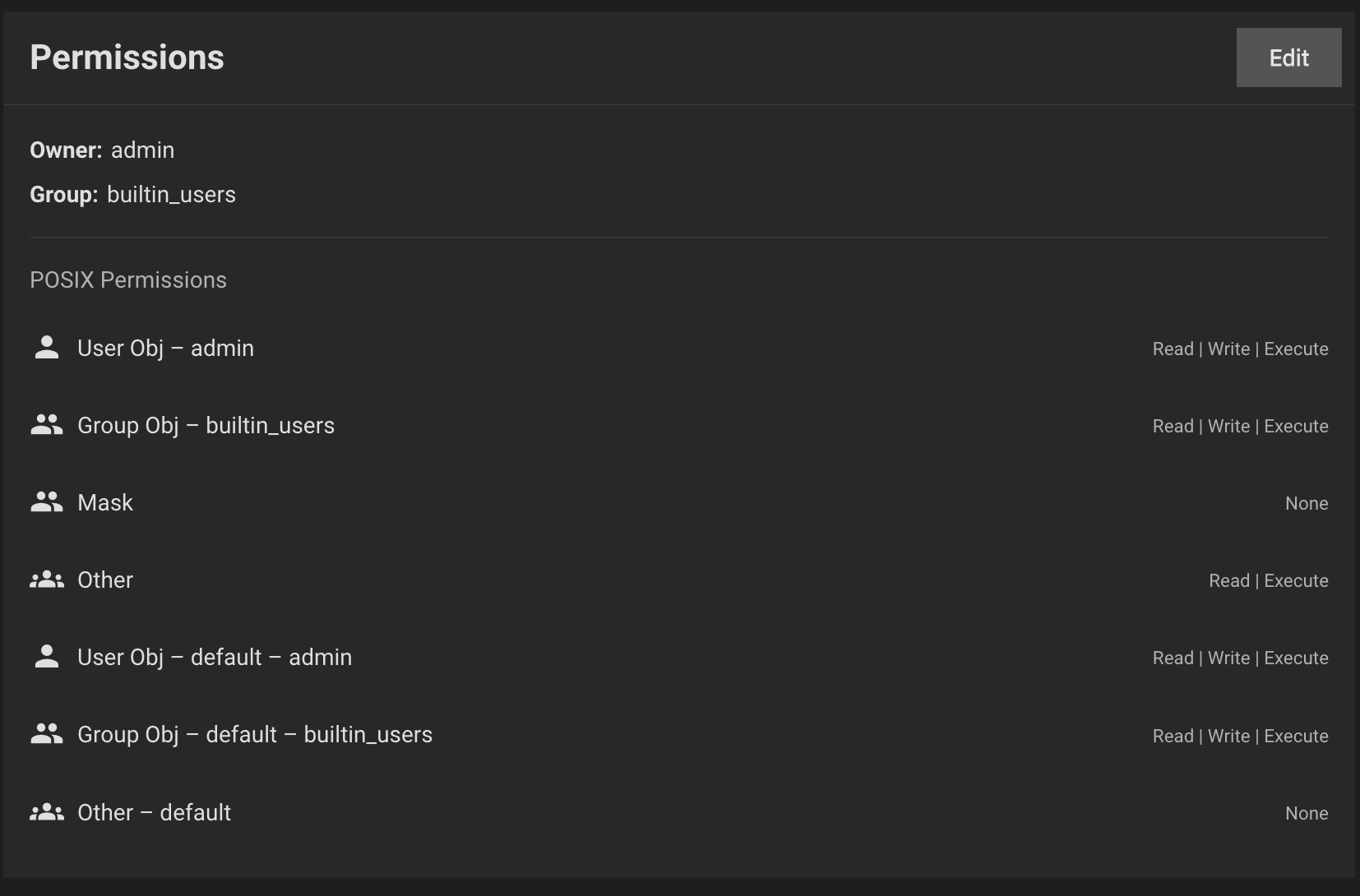
I am connecting with the user truenasuser. This user is a member of the group builtin_users that has RWX permissions on the dataset:
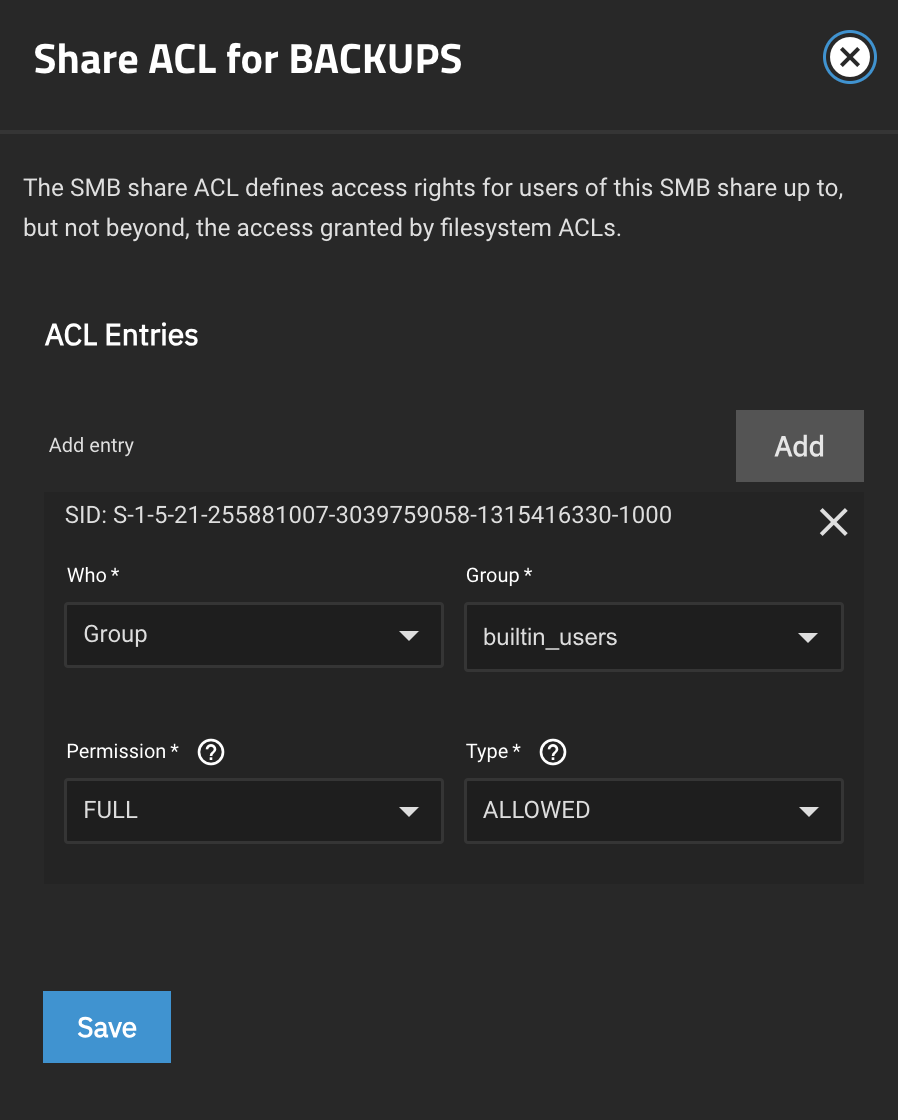
I have also checked the share permissions:
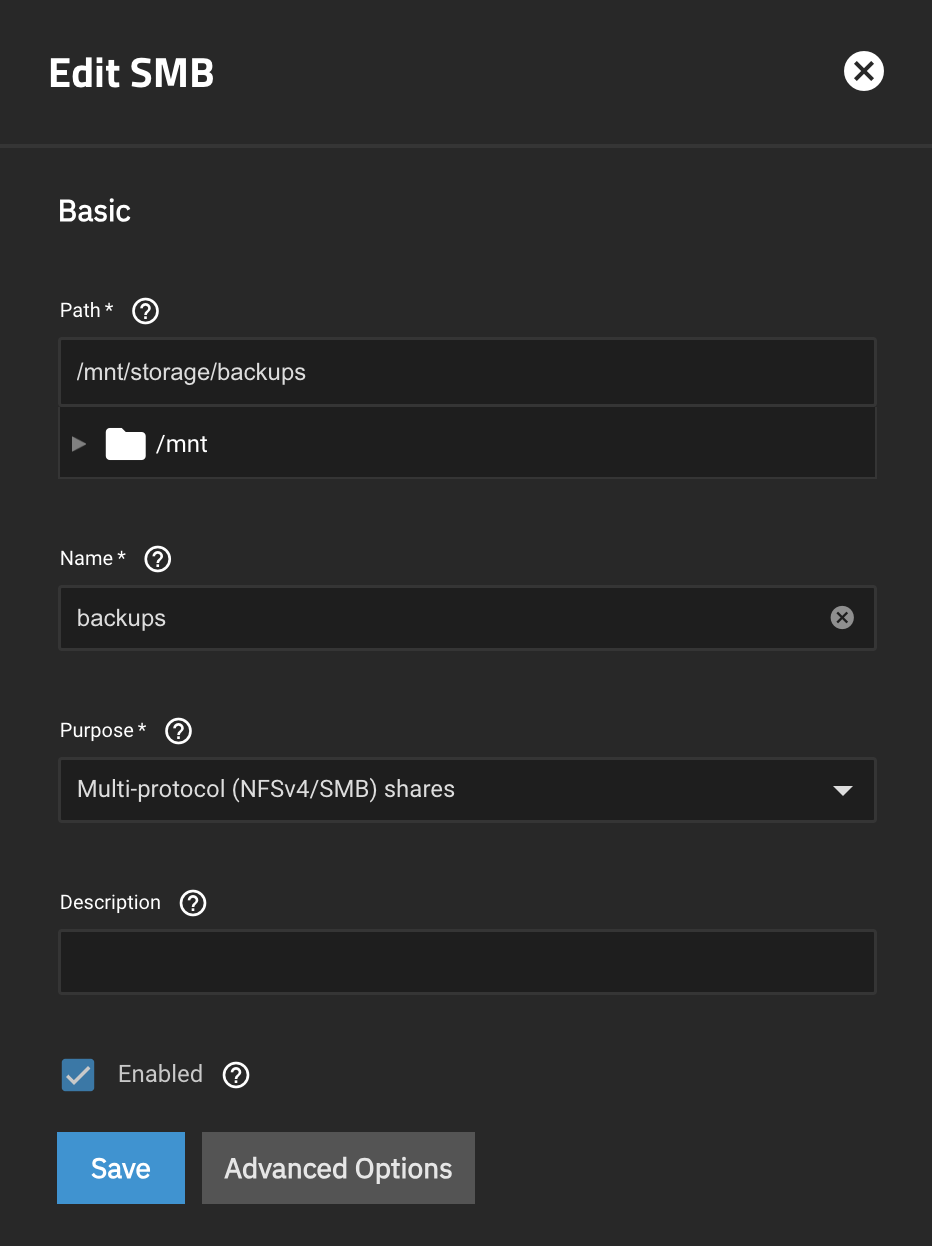
and the SMB settings:
I have also:
- Stripped and re-applyed the permissions
- Stopped and started the SMB service
- Rebooted TrueNAS
- Rebooted the MAC
I have also installed filebrowser app. I can see the files there but I cannot write (or delete the files).
I simply cannot connect the share and I have no idea why.
Any ideas or guidance would be much appreciated.
Thank you.