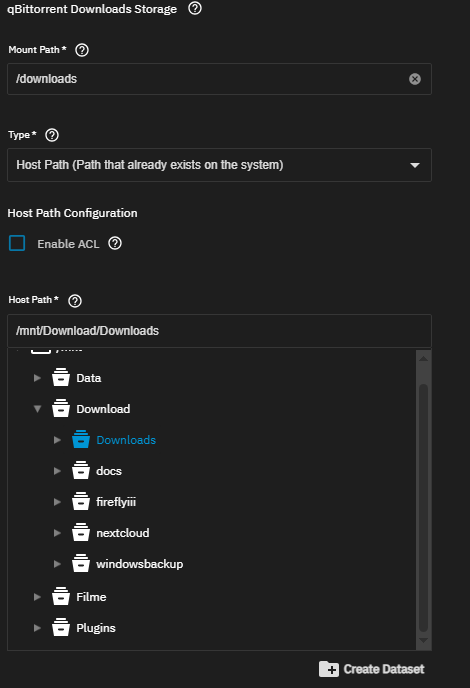
I want to share the qBit file folder on my network.
I’m a complete newbie in all of this, qbit, TrueNAS, and even forums.
Despite having studied mechatronics and having a good understanding of, let’s say, computers, it’s been decades since I’ve used any of them.
Given the context, I installed TrueNAS and honestly, I’m barely able to do anything with it.
My ultimate goal is to install qBit (it’s working, but I can’t access the files) and Jellyfin.
I’ve been trying for days, spending hours reading everything I can find, but without success.
If anyone could give me a step-by-step guide for complete newbies, I would be very grateful.
When you edit the qbit torrent app in the storage section there should be an option to to select the download folder. You have to change it from iXVolume to hostpaths.
Then you can map folder from your nas e.g. “/mnt/Poolname/qbit/downoads” to a folder inside the container, e.g. /downloads
Wow, thank you so much!
I took a while to reply because I was trying to find where those settings are located.
You solved my problem in a second, something I couldn’t do in many, many hours of reading.
Now I just need to undo the mountain of mess I made in my attempts.
Regarding Jellyfin, I had already read that page, but it left me so confused that I don’t even know where to begin.
Maybe I should try it and see what happens.
I’m not sure if I know what that is, But apparently everything is working as it should.
I think I’ll reinstall everything from scratch, because I’ve tried so many things, messing around, creating permissions, and who knows what else, that I don’t know if I can undo all of this.
And it’s good for me to learn how to use it.
Qbittorrent runs as user “apps”. If you selected the apps preset for your dataset those permissions got set automatically. If you don’t select that preset you have to set those permissions yourself.
I remember adding apps in one of my attempts, I think that’s why it’s working now.
Good to know about that.
As I said, I’m going to do everything from scratch with a fresh installation, because I don’t even know what I did. And to learn. Thanks : )