Syncthing behind Traefik (reverse proxy)

I’ve configured the Syncthing WebUI to sit securely behind a Traefik reverse proxy. The WebUI itself works perfectly, but the app’s core functionality is currently broken.

The Issue: From TrueNAS’s perspective, my «Remote Devices» on the local network are connecting as «TCP WAN» instead of «TCP LAN». Because of this, I am getting abysmal transfer speeds (0-1 B/s) between local devices.

My Configuration:

  • TCP & UDP Ports: Set to «Publish port on the host for external access».

  • WebUI Port: Set to «Expose port for inter-container communication» and routed behind Traefik.

  • Syncthing App Settings: All default.

  • TrueNAS CE Version: 25.10.4 - Goldeye.

Below are my app configs for reference:

Has anyone experienced local devices being misidentified as WAN connections in this kind of setup? Any ideas on how to fix the speeds?
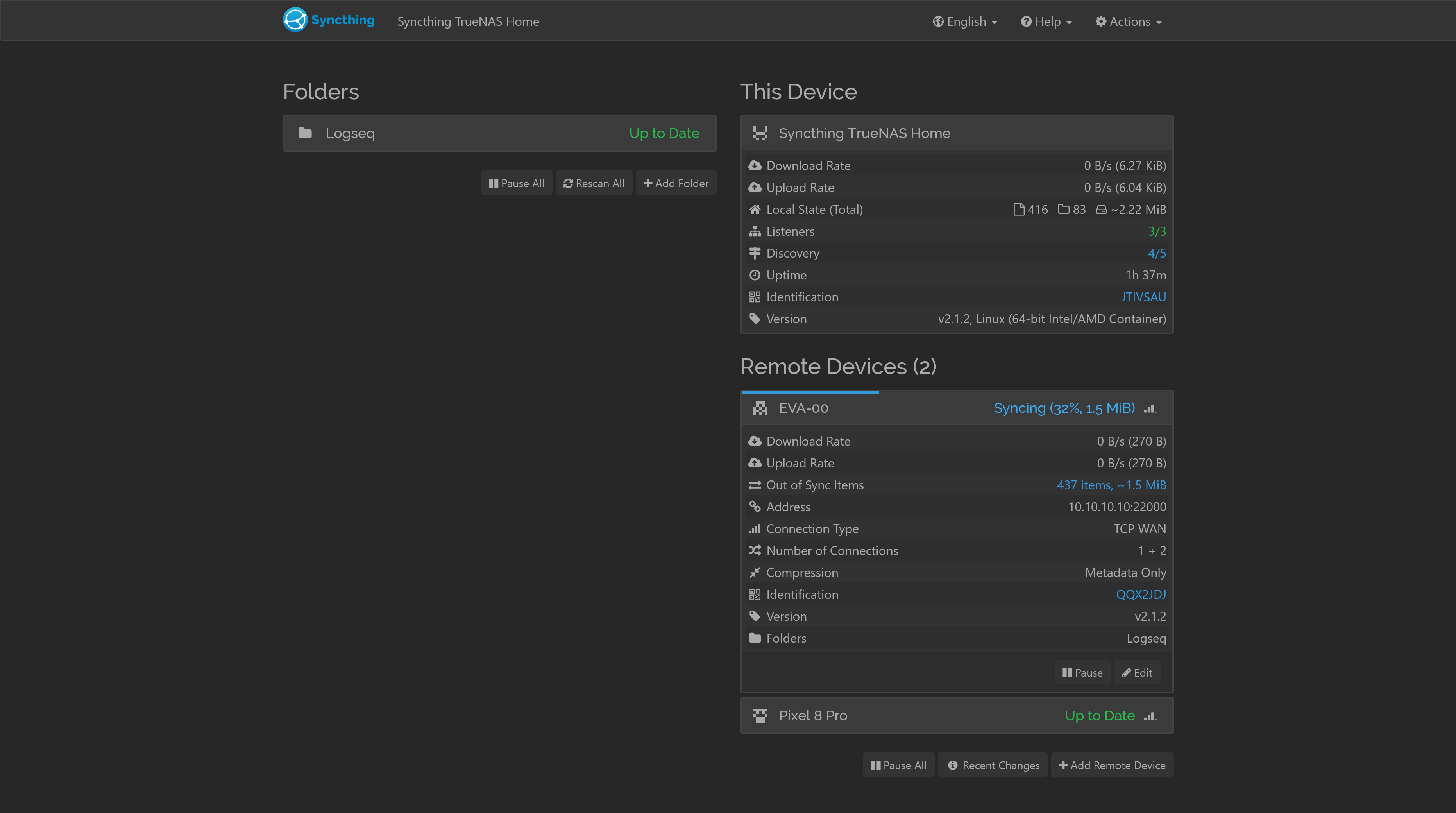
Since the sync runs through a dedicated TCP port, it does have nothing to do with Traefik or the Web UI.

AFAIK WAN just means that Syncthing cannot directly reach your devices and vice versa, but still has found a way to establish a direct connection. I assume that this is a virtual network and traffic may go through a specific interface. are you maybe using a VPN?

BTW: the Pixel is classified as TCP LAN, not WAN.

traefik only fronts the webui so that wan/lan tag is about the sync path

0-1 B/s for me has meant its bouncing a relay or hitting the wrong nic

id try:
-keep tcp+udp 22000 published on the host. webui can stay behind traefik
-on both devices set Addresses to tcp://NAS_LAN_IP:22000 and tcp://DEVICE_LAN_IP:22000. drop dynamic for a minute
-turn off Enable Relaying on both while testing
-from a lan box: nc -vz NAS_LAN_IP 22000
-check the connection type after reconnect. want TCP LAN

if it stays TCP WAN, syncthing cant see the lan peer directly (vlan/vpn/docker bridge). put the sync port on host network or add the docker bridge subnet under local announce