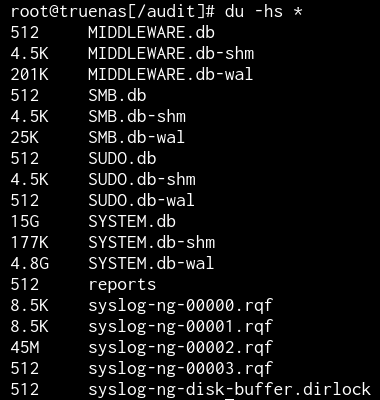
I’ve seen an increase in the storage usage of my boot pool. My boot SSD is 256GB in size and before fully reinstalling TrueNAS my boot pool was holding 141GB for TrueNAS 26.0.0-BETA.2. I thought I broke something by maybe installing bad packages, so I fully reinstalled TrueNAS without changing settings outside of the supported ones (in the Web UI). Now I’m two days in and my boot pool is filling up again. I have looked closer into my boot pool usage and found some threads here and on the old forum. Turns out, the file “SYSTEM.db” and “SYSTEM.db-wal” are using 20GB of data (image attached).
Is this something I can fix?
Checked mine & it is a few Kib after >40 day uptime… Anything crazy in dmesg on your end?
What would I be looking for?
Anything spamming endlessly - for example I have basically nothing in mine other than me starting/stopping a few VMs. If you want to paste your last I donno ~20-50 entries maybe we can find something.
…If nothing there is from the last 24h then I’m leading you down the wrong path
The last entries were just me testing vLLM, so nothing really in there.
Been looking into disk usage stats, are these normal?
I mean other than that spike of reads - looking ok?
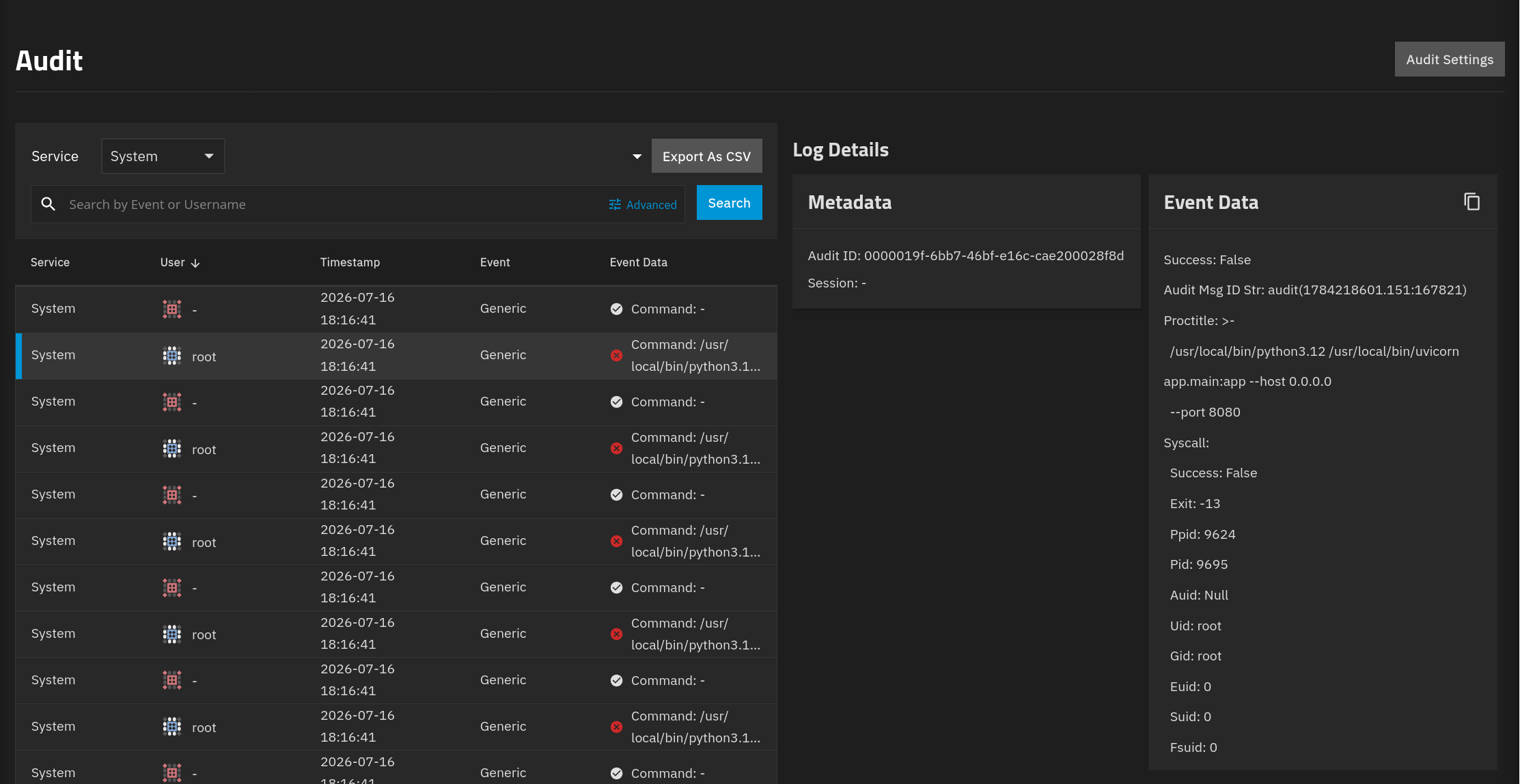
Anything crazy if you go to System - Audit & scroll through the drop downs in there?
I once had a windows system ENDLESSLY spamming SMB access failure to the point where I had to make a profile (matching user/pass as the windows system) with no access to anything just so it stops trying to access.
Edit: I’m assuming it was windows defender & once it logged in & saw no files, it finally gave up.
System audit is taking forever to load
Intereeeesting.
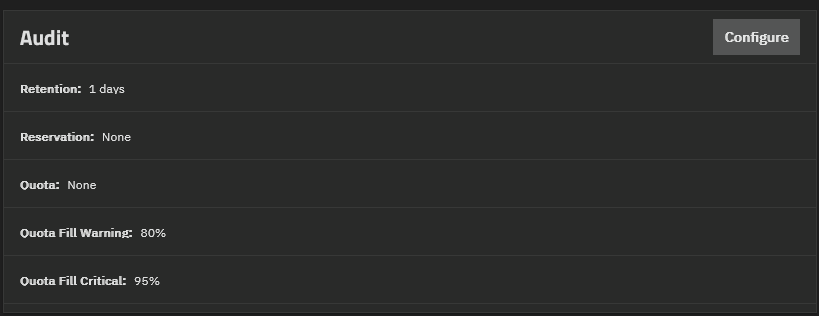
If you go to Settings/Advanced, what do you have set for this?
Had the first warning at 75% filled 2-3 hours ago already.
I think we’re onto something. I don’t know of a way to trim/delete previous logs. What happens if you change it to 1 day? If we can get the audits to load then we can figure out wtf is spamming you.
You may be stuck waiting for it to load 20g of data otherwise.
Edit: also maybe lowering the quota to like 1g or something to see if that clears >19g of old logs?
Okay, was able to change it to 1 day but couldn’t change the quota to 1g as it’s filled too much. Still not enough resources for that. However, I think I found out what the issue is. I am running an app on port 8080 and it seems like some other app wants to run on the same port, failing multiple times every second.
Is uvicorn installed by TrueNAS?
No clue on uvicorn, but glad we found what is filling your audit logs. Hopefully someone smarter can help with the rest if it is needed.
Thank you so much for your help! I’ll see tomorrow if this actually fixed it 
No. This is not in the base OS.
Thank you for clarifying this, I was going through my apps and turns out toparr is having an issue. It’s probably fixed in a newer version but that version does not work with my GPU.