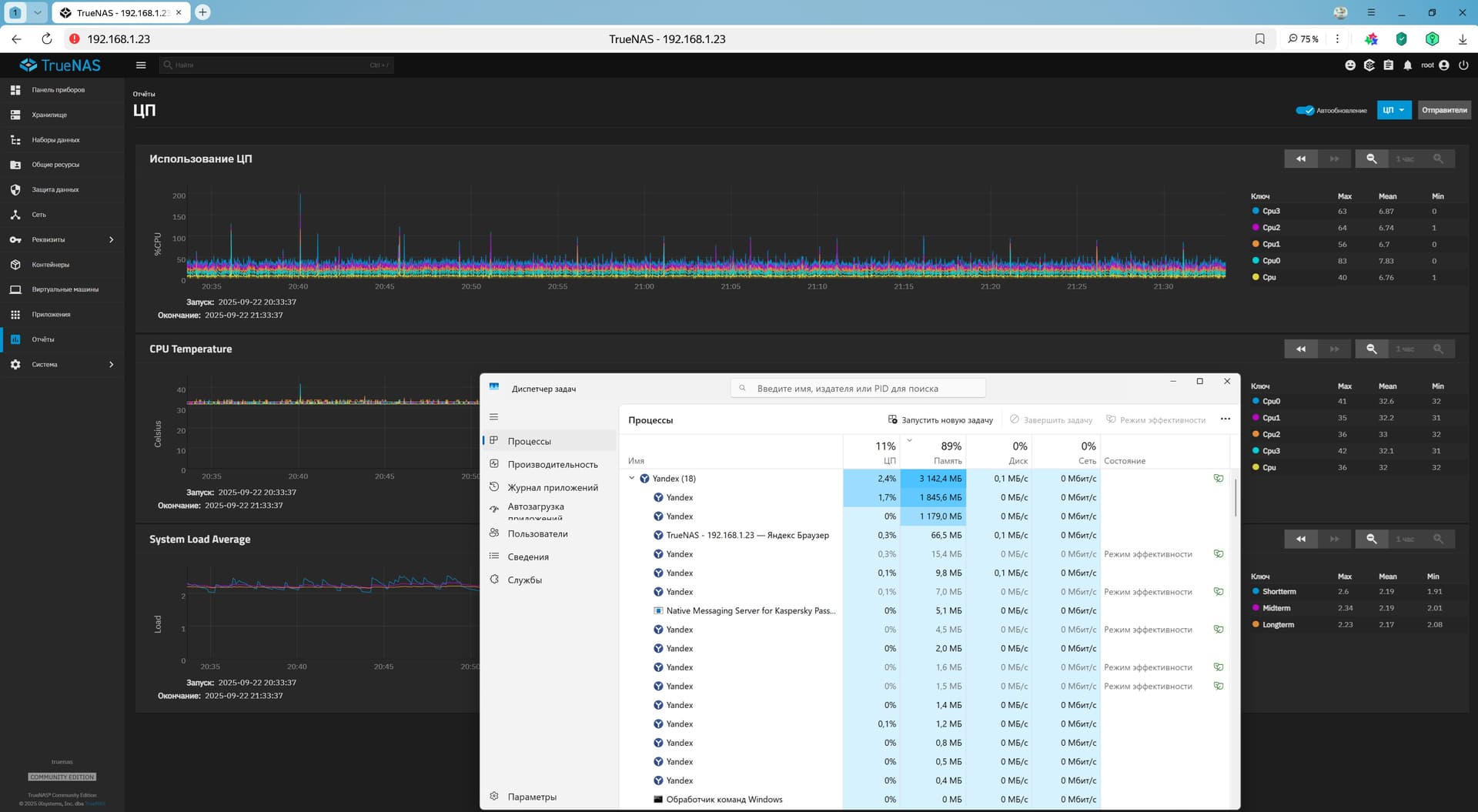
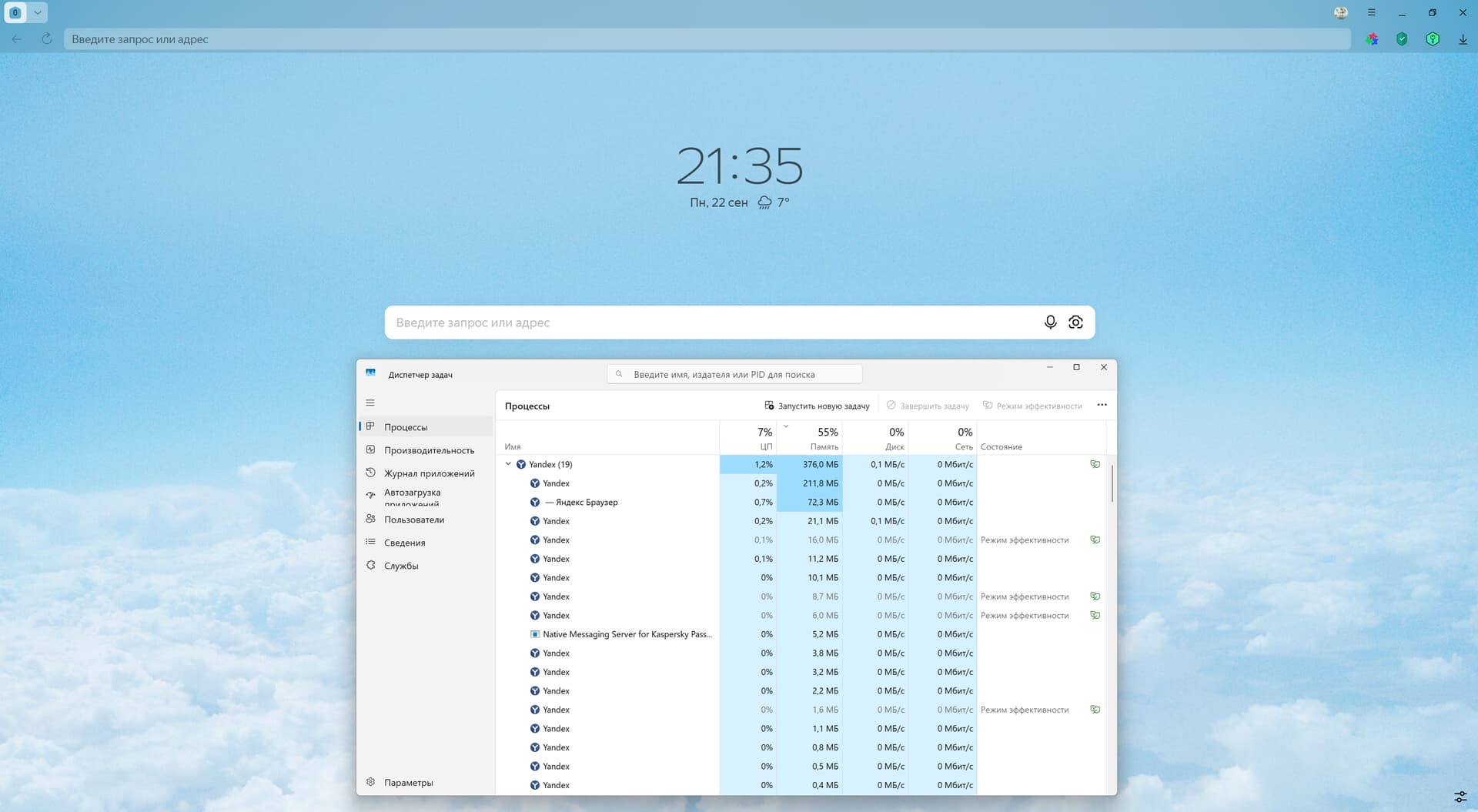
I’ve noticed for a long time that the TrueNAS web interface tab open in a browser based on the Chromium engine causes the browser to consume a large amount of RAM. It even goes so far as to spontaneously reload this tab due to lack of memory. I addressed this issue to the Yandex browser support team, but they replied that they could not help as the browser is based on Chromium. Closing the TrueNAS Web interface tab immediately frees up a significant amount of computer RAM.
Other tabs open in the browser do not cause this problem.
I use the current version of Windows 11 on my computer and the current version of Yandex browser.
Please think about what this might be related to. And how this situation can be corrected.
I have installed the current version of Chrome, and the situation is similar there. I do not use any other browsers.
In the screenshots of the Task Manager above, you can see that several browser threads are using a lot of memory, with only one TrueNAS web interface tab open. However, when I close the TrueNAS web interface tab in the browser, a significant amount of memory is released from these threads.
I want to clarify that this problem only occurs when the TrueNAS tab is active. If you open another tab and move the TrueNAS tab to the background, the browser’s memory usage decreases slightly.
I may need to ask this question to the Chrome developers.