
Naah… The killer editing app here is ‘nano’. It’s command set dates back to the old ‘Wordstar’ days. (Yikes, I’ve just dated myself!  )
)
1 Like
Ctrl-K B
Ctrl-K K
Ctrl-K X
Never used Wordstar for text processing but who did not abuse some older pirated Turbo Pascal version as a text editor back then?
4 Likes
did someone take over jailmaker maintenance though? i too used to use jailmaker, but because back then the dev decided to quit (not complaining. very much appreciated the work he had done) and the fact that truenas fangtooth now supported native docker support (so you could host docker containers without going through vm to do so), so i switched to that.
Things i missed about jailmaker
pros
- easy to start/stop all the docker containers with 1 single command. making it easier to then backup docker config when no docker containers are actively running
- you can update or downgrade the docker. in one previous incident, there was a bug where a certain docker version for the container wasn’t working, so the solution was to temporarily downgrade till a newer docker version got release which eventually did. if not mistaken, you have to stick with the docker version bundled with truenas take it or leave it.
- jailmaker was easy to delete docker and re-create from scratch. if you wanted to experiment and do a quick clean slate
- had the flexibility to install whatever you needed. don’t like docker? you can install something else.
- want to update or install something and be able to roll back without harming your truenas? you can do. If you mess up you can always delete that jail and start from scratch.
In summary. jailmaker was a fun flexible playground for me to experiment, and also for practical use to run docker containers i actually use. and making backups easy.
cons
- initial setup a hassle. though is doable if you follow captain stux’s guide that explains many things about the setup.
- you have to constantly keep things up to date yourself for the backend stuff. the onus is on you.
- jailmaker no longer maintained last i checked. maybe something changed, do let me know
- though graphic card support was possible last i tried, the truenas fangtooth made adding graphic card much easier using their truenas UI. there is a toggle in the setting. much easier than setting it up in jailmaker.
So anyway, with fangtooth, what i did is more or less what captain stux mentions in migrating to the truenas native docker support
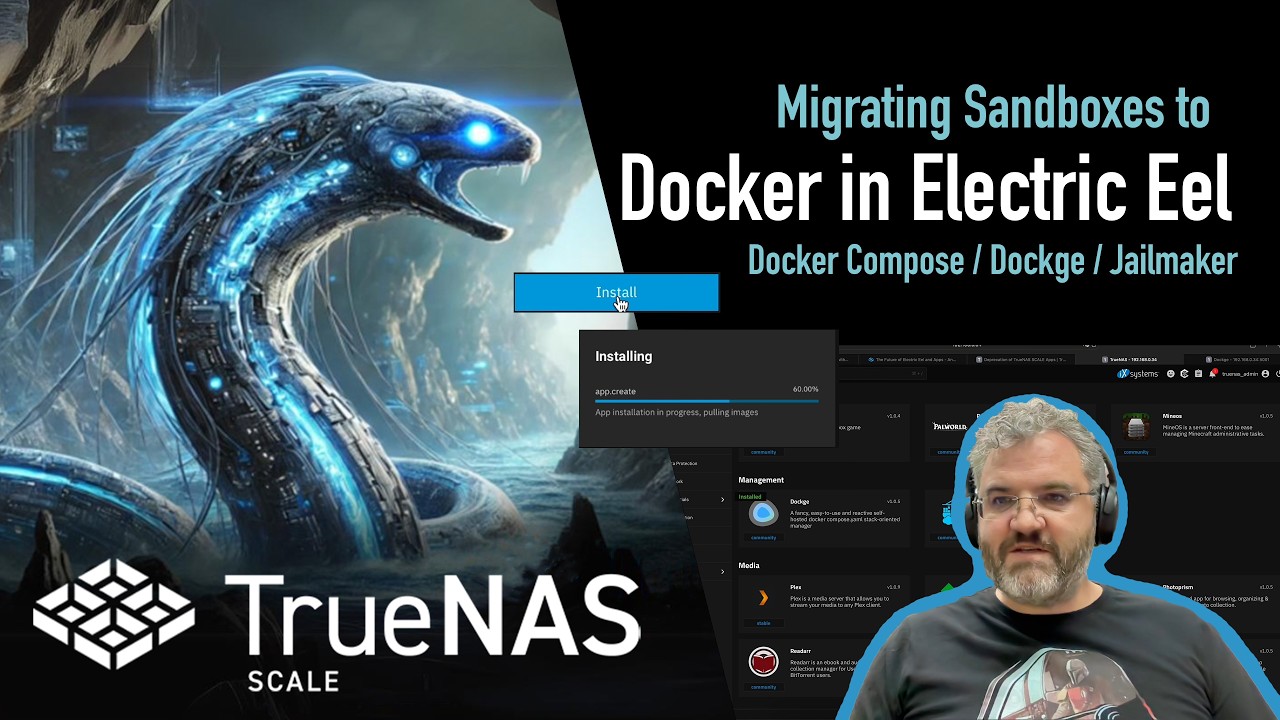
i just point the storage for config to a fixed location, making backups for docker configs much easier if they have a fixed custom path.
The main docker container i setup this way was dockge. Because once that was done, then i only used dockge to deploy and manage dockers. Only for certain dockers which i had trouble deploying, would i simply used the truenas docker listings to deploy them, since it takes a few clicks to deploy rather than mess too much with docker compose, or i used a docker container image that doesn’t work, but truenas docker images just work fine.
PS: docker native began in electric eel. just said fangtooth simply because that’s what i’m using now. but the adoption began earlier.
I’m not sure about jailmaker, but the writing is on the wall for it I’d say. I was disappointed that Fangtooth still only has experimental jail support. That caused me to start looking elsewhere. Docker is app-level containerisation, whereas what I needed was a full OS container, like what LXC provides. In the end I uninstalled TrueNAS and installed Proxmox. That has a well tested LXC implementation, with the added benefit of allowing me to do immutable backups on an ext4 extent (the backup software I use only supports this on ext4 - not ZFS) so this was a nice bonus. I miss full filesystem checksumming, but I can copy the backup recovery points with another job to another box running ZFS (QNAP box with ECC memory), for longer-term archival storage, with no bit rot worries. TrueNAS still has a bright future, but is far too limiting for my use case. Proxmox for me is a nice mid-way between general purpose OS, and a “don’t change anything under the hood!” appliance-like setup, that TrueNAS aims for.
1 Like
If you didn’t need a NAS, why did you install TrueNAS in the first place? If you did, how does Proxmox provide it?
I mean, sure, both (kind of) do virtualization, and both (sort of) do LXCs, but they’re such different products that I don’t see how they’re both on the short list for the same use case.
6 Likes
I just needed a Linux server more than anything, with a bit of NAS (NFS / Samba) functionality - not its core function though. I don’t like to use a desktop GUI on servers as they are clunky for remote management. I like a good web UI more than anything (backed up by CLI access), and TrueNAS has a good web UI (and CLI), and I was attracted to the power of ZFS, having used it for almost 2 decades now.
I originally had my backup software in a TrueNAS VM (first Bhyve then KVM/qemu, as I moved to SCALE), but performance was less than ideal for my workload. When Jailmaker came out I moved the Linux-based backup software to a jailmaker jail and it was night-and-day faster. But then the backup software had an update and introduced immutable backups, which required ext4, and I wanted that, so had to jump ship to a platform with good ext4 support.
NAS functionality isn’t the server’s core function but I do use some NFS and Samba on the server. I get by, by installing a Proxmox Debian LXC container, and in that I installed Cockpit web UI, with the 45drives plugins for NFS and Samba server management. It’s a “poor man’s NAS” but one that works well enough for my use case. I bind-mount some storage into the container for that, for what Proxmox calls “Directory” storage. TrueNAS is certainly better for a dedicated NAS where that role is the primary (or only) task, and ext4 is not required. Horses for courses.
so instead of jailmaker, proxmox is the solution? noted ty ill keep that in mind.
i actually was fine with having both solutions being able. but seeing that jailmaker dev retired, what to do? lots of good projects on github similar just die 
but good thing the eel > fangtooth native docker worked well. my main gripe why i first started on jailmaker, i didn’t like the high usage due to having to piggy back off vm just to do the docker containers. but native docker fixed all that.
good thing we both came out ok from this ^^;
so i’m assuming u r using truenas ontop of proxmox?
I still have jailmaker installed but don’t use it anymore and migrated everything to an incus lxc because i couldn’t get gpu passthrough working in the jail after updating to 25.10. The lxc has been nothing but stable the whole time i’ve been using it since the 25.10-RC came out. 30 Docker container running insde the lxc, gpu passthrough working, 0 issues, I hope that when icnus gets replaced by libvirt the experience stays the same…

Jailmaker was a way to have system containers running on TrueNAS (leveraging systemd-nspawn which happened to be there). System containers, run by LXC, are now officially part of TrueNAS, although in a bit of flux as the mangement layer for LXC moved arond from Incus to libvirt.
The official “solution” to replacing jailmaker is to use whatever is curently in place to run and manage system containers.
2 Likes
Will be moved, 25.10 still uses incus. The switch will be in 26.04
I’m still using Jailmaker in 25.10 and it works great but I’m itching to move to system containers and move my docker stack right over. Nothing is stopping me other than laziness and a bit of fear because the instances is still labeled as experimental and XI has a habit of throwing solutions in a blender and I don’t want have to migrate again in the near future. This is the exact reason I don’t use the apps catalog.
4 Likes
Love to see great discussion but as this has developed into it’s own thread off topic from the announcement, please start a thread in the appropriate category to continue the discussion.
2 Likes
Exactly - the “experimental” flag has me staying well clear, until that flag vanishes.
It does look good under testing - but I am not using something experimental for production
2 Likes
I am getting “uncorrectable errors reported for ‘drivename’” since upgrade to 25.10.1
Errors do not appear when I start older version like 25.04.2.6
So I guess the question first is does the drive indeed have uncorrectable errors?
Can you share smartctl -a /dev/sd?
Might be worth creating a new forum post in general and then linking back if it is indeed caused by the update.
33 uncorrectable errors reported for sdi
smartctl 7.4 2023-08-01 r5530 [x86_64-linux-6.12.33-production+truenas] (local build)
Copyright (C) 2002-23, Bruce Allen, Christian Franke, www.smartmontools.org

=== START OF INFORMATION SECTION ===
Vendor:               IBM-ESXS
Product:              ST6000NM0034   X
Revision:             BC6A
Compliance:           SPC-4
User Capacity:        6,001,175,126,016 bytes [6.00 TB]
Logical block size:   512 bytes
Physical block size:  4096 bytes
LU is fully provisioned
Rotation Rate:        7200 rpm
Form Factor:          3.5 inches
Logical Unit id:      0x5000c50084ec812b
Serial number:        Z4D3QJB9000XXXXXXXXXX
Device type:          disk
Transport protocol:   SAS (SPL-4)
Local Time is:        Sun Feb 22 19:10:44 2026 CET
SMART support is:     Available - device has SMART capability.
SMART support is:     Enabled
Temperature Warning:  Enabled

=== START OF READ SMART DATA SECTION ===
SMART Health Status: OK

Grown defects during certification = 0
Total blocks reassigned during format = 0
Total new blocks reassigned = 0
Power on minutes since format = 83715
Current Drive Temperature:     32 C
Drive Trip Temperature:        65 C

Accumulated power on time, hours:minutes 46622:18
Elements in grown defect list: 0

Error counter log:
           Errors Corrected by           Total   Correction     Gigabytes    Total
               ECC          rereads/    errors   algorithm      processed    uncorrected
           fast | delayed   rewrites  corrected  invocations   [10^9 bytes]  errors
read:   2269510035      154         0  2269510189        182     215963.137          24
write:         0        0         2         2         15      62866.965           9
verify: 15425170        0         0  15425170          0       1254.558           0

Non-medium error count:       51

SMART Self-test log
Num  Test              Status                 segment  LifeTime  LBA_first_err [SK ASC ASQ]
     Description                              number   (hours)
# 1  Background short  Completed                   -   46620                 - [-   -    -]
# 2  Background short  Completed                   -   46594                 - [-   -    -]
# 3  Background short  Completed                   -   46579                 - [-   -    -]
# 4  Background short  Completed                   -   46537                 - [-   -    -]
# 5  Background short  Completed                   -   46503                 - [-   -    -]
# 6  Background short  Completed                   -   46496                 - [-   -    -]
# 7  Background short  Completed                   -   46491                 - [-   -    -]
# 8  Background short  Completed                   -   46483                 - [-   -    -]
# 9  Background short  Completed                   -   46482                 - [-   -    -]
#10  Background short  Completed                   -   46474                 - [-   -    -]
#11  Background short  Completed                   -   46466                 - [-   -    -]
#12  Background short  Completed                   -   46464                 - [-   -    -]
#13  Background short  Completed                   -   46460                 - [-   -    -]
#14  Background short  Completed                   -   46448                 - [-   -    -]
#15  Background short  Completed                   -   46444                 - [-   -    -]
#16  Background short  Completed                   -   46442                 - [-   -    -]
#17  Background short  Completed                   -   46430                 - [-   -    -]
#18  Background short  Completed                   -   46430                 - [-   -    -]
#19  Background short  Completed                   -   46423                 - [-   -    -]
#20  Background short  Completed                   -   46420                 - [-   -    -]

Long (extended) Self-test duration: 38632 seconds [10.7 hours]
2 uncorrectable errors reported for sdb
smartctl 7.4 2023-08-01 r5530 [x86_64-linux-6.12.33-production+truenas] (local build)
Copyright (C) 2002-23, Bruce Allen, Christian Franke, www.smartmontools.org

=== START OF INFORMATION SECTION ===
Vendor:               IBM-ESXS
Product:              ST6000NM0034   X
Revision:             BC6A
Compliance:           SPC-4
User Capacity:        6,001,175,126,016 bytes [6.00 TB]
Logical block size:   512 bytes
Physical block size:  4096 bytes
LU is fully provisioned
Rotation Rate:        7200 rpm
Form Factor:          3.5 inches
Logical Unit id:      0x5000c50084e7c5bb
Serial number:        Z4D3S4QQ0000XXXXXXXXX
Device type:          disk
Transport protocol:   SAS (SPL-4)
Local Time is:        Sun Feb 22 19:14:40 2026 CET
SMART support is:     Available - device has SMART capability.
SMART support is:     Enabled
Temperature Warning:  Enabled

=== START OF READ SMART DATA SECTION ===
SMART Health Status: OK

Grown defects during certification = 0
Total blocks reassigned during format = 0
Total new blocks reassigned = 0
Power on minutes since format = 83680
Current Drive Temperature:     36 C
Drive Trip Temperature:        65 C

Accumulated power on time, hours:minutes 46642:07
Elements in grown defect list: 0

Error counter log:
           Errors Corrected by           Total   Correction     Gigabytes    Total
               ECC          rereads/    errors   algorithm      processed    uncorrected
           fast | delayed   rewrites  corrected  invocations   [10^9 bytes]  errors
read:   1450856420        0         0  1450856420          2     326092.118           2
write:         0        0        11        11         11      73597.947           0
verify: 18183178        0         0  18183178          0       1312.785           0

Non-medium error count:      210

SMART Self-test log
Num  Test              Status                 segment  LifeTime  LBA_first_err [SK ASC ASQ]
     Description                              number   (hours)
# 1  Background short  Completed                   -   46640                 - [-   -    -]
# 2  Background short  Completed                   -   46613                 - [-   -    -]
# 3  Background short  Completed                   -   46598                 - [-   -    -]
# 4  Background short  Completed                   -   46556                 - [-   -    -]
# 5  Background short  Completed                   -   46522                 - [-   -    -]
# 6  Background short  Completed                   -   46516                 - [-   -    -]
# 7  Background short  Completed                   -   46511                 - [-   -    -]
# 8  Background short  Completed                   -   46503                 - [-   -    -]
# 9  Background short  Completed                   -   46502                 - [-   -    -]
#10  Background short  Completed                   -   46494                 - [-   -    -]
#11  Background short  Completed                   -   46486                 - [-   -    -]
#12  Background short  Completed                   -   46484                 - [-   -    -]
#13  Background short  Completed                   -   46479                 - [-   -    -]
#14  Background short  Completed                   -   46467                 - [-   -    -]
#15  Background short  Completed                   -   46464                 - [-   -    -]
#16  Background short  Completed                   -   46462                 - [-   -    -]
#17  Background short  Completed                   -   46450                 - [-   -    -]
#18  Background short  Completed                   -   46450                 - [-   -    -]
#19  Background short  Completed                   -   46443                 - [-   -    -]
#20  Background short  Completed                   -   46440                 - [-   -    -]

Long (extended) Self-test duration: 38632 seconds [10.7 hours]
This one is Dell Poweredge T710 with H200, original cabling and backpane. I have never seen errors in TrueNAS Alerts before this upgrade.
Ok so the reporting is accurate. Perhaps this is the output of the work TrueNAS has been doing around SMART, disk diagnostics and alerting?
If so it’s a good demonstration.
In TrueNAS 25.10 and later:
- SMART test scheduling UI is removed
- SMART monitoring is handled through dedicated applications or user-managed scripts
- TrueNAS continues to automatically monitor critical disk health indicators
- The smartmontools binaries remain installed and functional
- Drive temperature monitoring uses the enhanced
drivetempkernel module, extended to include SCSI/SAS disk temperatures
Why This Changed
This transition addresses several limitations:
- Modern Storage Realities: Traditional SMART tests (short and long) designed for mechanical hard drives are less relevant for SSDs and NVMe drives, which now represent an increasing percentage of deployments. These devices focus on different health metrics like write endurance rather than mechanical wear patterns.
- Flexibility: The previous system was restrictive and difficult to customize for advanced users.
- Reliability: The integrated SMART test scheduler had persistent bugs and maintenance challenges. Scheduled tests could produce false positives and were difficult to troubleshoot.
- Better Tools Available: Dedicated monitoring applications like Scrutiny provide superior disk health tracking with historical data storage, customizable alerts, and automatic drive detection.
What TrueNAS Still Monitors Automatically
TrueNAS continues to run continuous background monitoring that periodically polls SMART attributes from all drives. The system automatically detects and alerts on critical disk health indicators:
- Uncorrected read, write, and verify errors
- SMART self-test failures
- Critical SMART attributes that indicate imminent drive failure
- Drive temperatures using the enhanced
drivetempkernel module
These automatic alerts ensure critical disk health issues are reported immediately without additional monitoring applications.
Yes, so there are SMART errors… worth reporting.
With 25.10 the goal is to pro-actively warn about those errors, rather than relying on SMART tests to run and report. So, yes, it’s working as expected.
These errors will be protected against by ZFS. ZFS will catch it via a CRC check and then use the “parity” drive data to correct. If, however, the errors are frequent, then the probability of data loss will increase, particularly during a drive resilver.
Should you replace the drive? It’s a good question… with many answers.
If you were running an important database, then yes, if the errors repeat.
If the data is less important and you run RAIDZ2, you can afford to take more risk and extend the life. Eventually, ZFS will evict the device and use any spares. I would recommend getting a spare drive in place as a minimum.
For a more detailed discussion of your particular drives, I’d recommend opening a thread in General category. You can post a link to it.
No doubt, there can be “odd” SMART errors, like the time that one of my drives had a servo error (never seen that before or since) and failed a long offline test.
To me, the bigger improvement opportunity here was not the removal of SMART scheduling via the GUI (which the cron jobs cannot do any better) but rather educating the user re: the severity of a SMART-flagged issue. Obviously, there are some legal issues here (i.e. what liability does iXsystems assume when it provides advice to end users), and at the same time, the interpretation of SMART results was a common question in this forum.
I have to believe that in this age of wicked-expensive drives and low availability (flash and spinner) that minimizing the number of drives getting trashed for less than stellar reasons would be in the interest of even enterprise customers. So, I continue to hold out hope that iXsystems will make SMART easier to interpret.
But, I also understand how making SMART interpretation easier is somewhat at odds with extended service contracts. Make the system too smart and enterprise customers may no longer see the need to retain iXsystems’ service contracts. This is a feature request similar to the smarter pool importation troubleshooting I suggested last year that would mostly benefit CE users, not enterprise customers who have a iXsystems support person at their beck and call.
1 Like
That is our goal.. for both Community and Enterprise. Failures are annoying and we’d prefer they were efficiently handled.
However, I’d rephrase the goal as:
“fewer false drive failures… better handling of real drive failures”
Both SMART and ZFS have tools to help.