
There’s no VMs running on these Truenas boxes. Only apps, from the Truenas inventory/catalog.
OK, you’ve got VLAN interfaces on top of the LAGG interface. Are there IPs on the VLAN interfaces? Are the VLAN interfaces tagged with 802.1q? Is the LAGG interface tagged? Where is the static IP applied? Is there a bridge interface involved?
Of course. Why else would I have them there?
I’m not sure where you’re going with this. This is standard stuff. The VLANs are defined on the switch end, the LAGG has no access/native/dual-mode VLAN, the first VLAN was added using the network settings screen on the console… (see where the annoying part is?), and the rest were added using the GUI. There’s no explicit 802.1q tagging in the GUI, unless I missed it.
Once again, all of this works perfectly, there’s zero issues on the networking side.
See above. No native/access/dual-mode VLAN on the LAGG.
On the VLAN interfaces? Where else would it be applied in this scenario?
Nope.
Have you fixed the web interface addresses in System→General?
I’m not sure what you mean by “fixed”…but instead of running on 0.0.0.0, it is running on a specific IP address (10.10.3.x in this case), since I don’t want it to run on all the IPs that are configured.
Here’s a small video of what’s happening (no different from the screenshot posted earlier in the thread). Since I can’t post links yet…
https :// viddler .com / i8LGm5
Please remove the spaces to get a working URL.
I see this with recent versions of Scale - can’t tell you with which version it first appeared - in an active IPMI interface on both my X9SCM-F systems - IPMI Version 03.52.
EDIT: OK, it’s making a liar out of me - it’s not occurring with my current Scale 25.10.3.1…
Well, that’s encouraging…
I think I’ll wait for the 26.04 (Linux kernel 7…) based releases to come out before I consider upgrading/re-installing these systems.
These are…not trivial systems, and need like a day or more each to reconfigure (lots of downstream systems).
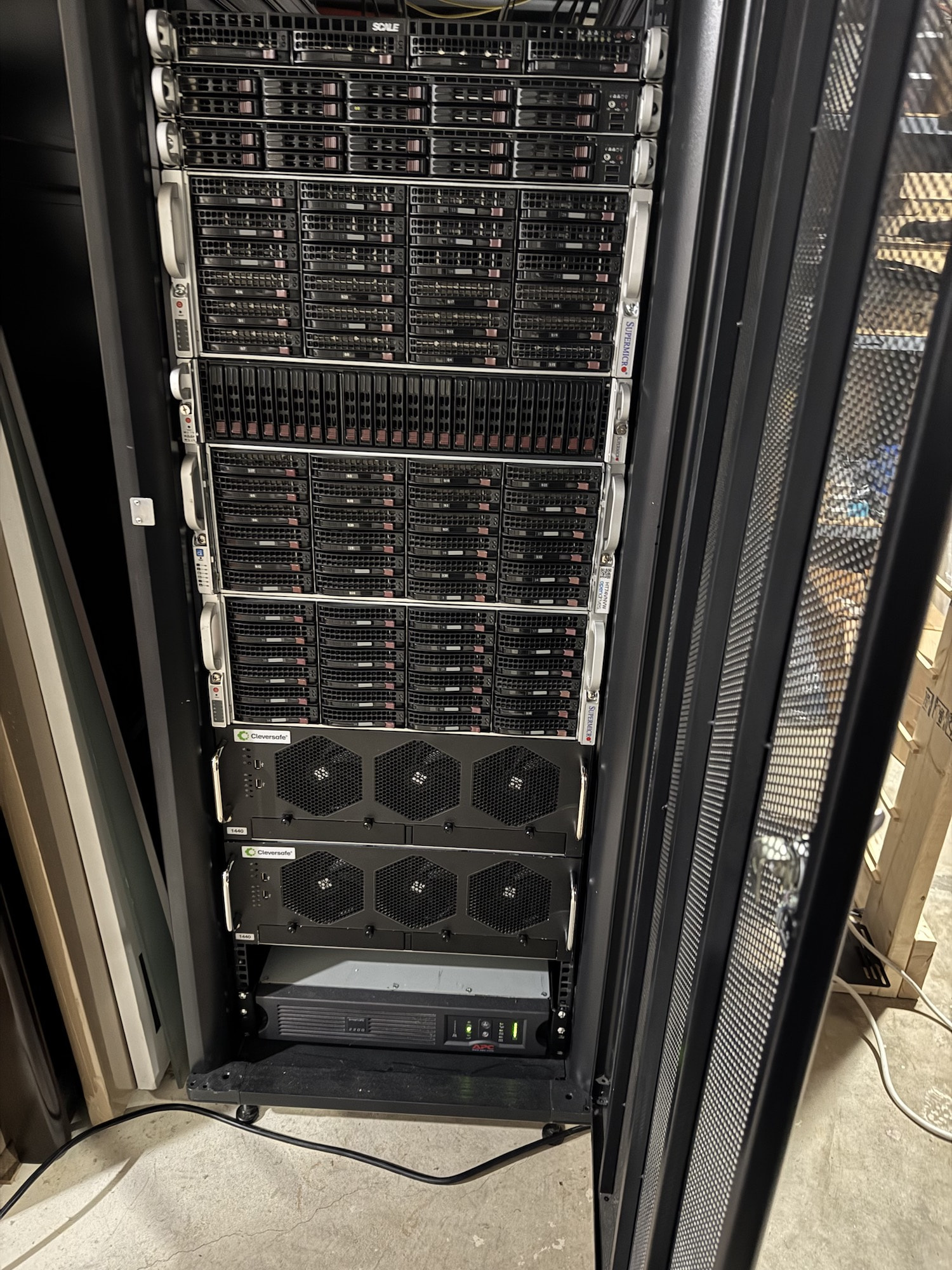
(The bottom two are the Truenas systems).
1 Like
Closing the loop on this, this has been fixed. The problem?
mDNS
If any two mDNS capable devices (and Truenas counts as capable) have access to the same two networks, mDNS goes belly up and throws a tantrum. I had an mDNS loop caused by having my Home Assistant and Truenas servers access to two seperate networks, and mDNS was fighting between them.
Some of my Apple devices were even worse. They changed their hostnames (by appending a (1) after the hostname) because of this!
For the curious, the second network that was causing this issue is my out-of-band network where…the UPSs are located (with their NMCs). I was trying to configure Truenas’ shutdown behavior if the UPS ever went on battery…
Will use a different strategy for it (Home Assistant integration and automation).
p.s. I recently reconfigured my Home Assistant and added that OOB network to it, which is why these problems manifested themselves now.
3 Likes
Thank you.
That esoteric network configuration explains why this doesn’t affect most people. But for those who do see this issue your follow-up with help shine the light on a cause.
2 Likes
“Unclosing” the loop…
Still happening. I’ve sorted out the mDNS issues, removed two of the Network Interfaces in Truenas, and…it’s still happening.
Even the “Shell” in the web UI does this. Refreshes itself every few seconds, I’d say anywhere from 10-30s.
Now, I’m lost. Can’t think of what else in the configuration could be affecting Truenas, other than…a bug.
Found the culprit, this time.
Apps…
So, I had a bunch of Apps running, for logging, monitoring etc (the typical Grafana, Prometheus etc), some on host network (plex) and some on the configured Docker networks and something in the way these containers/apps integrate with TN, causes this.
It is likely again, a networking issue. I stopped every App, and the repeating/refreshing went away. This is not good, and it likely does point to bug(s) in Truenas.
I’ve yet to encounter any other Linux distro that is affected like this due to networking.