Hello,
I have a complicated case and unfortunately, I’m stuck. I’ve been trying for several hours because I didn’t want to admit that I was failing. But now I really need help…
My setup:
- TrueNAS Scale 24.10
- VM with Nextcloud
- Dataset mounted in the Nextcloud VM (via NFS over /mnt/ncdata/) where all my Nextcloud files are located
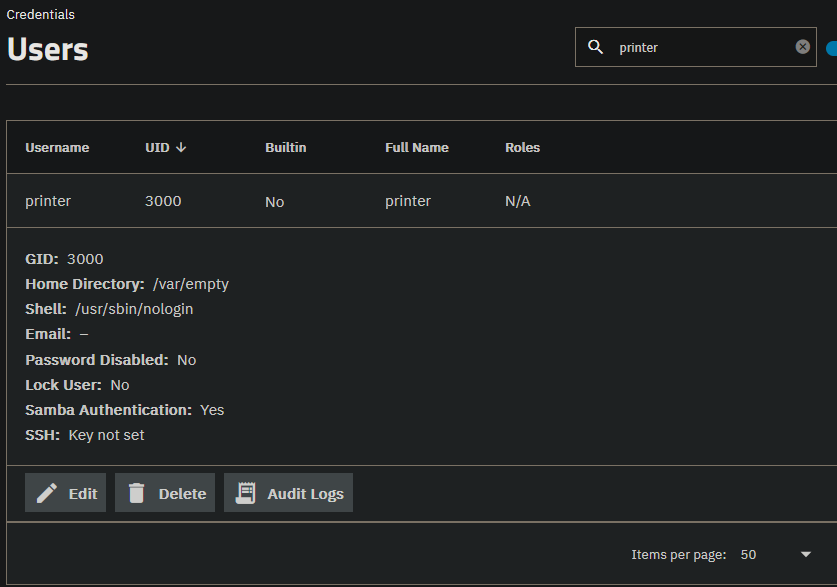
- SMB Share (/mnt/Pool/VMs/Nextcloud/Nextcloud-Data/user/files/Privat/2_Dokumente/2_Scans) so that my printer can drop scans there with the user “printer” (uid 3000) and I can have them directly in my Nextcloud.
Everything is actually working. I can see and open the scans. However, when I try to delete them, it doesn’t work. My Windows Nextcloud client shows the following error:
Server responded with '403 Forbidden' to 'DELETE https://cloud.domain.com/remote.php/dav/files/user/Private/2_Documents/2_Scans/SCN_0001.pdf'
And I also get an error through the Nextcloud web interface when I try to delete a scan.
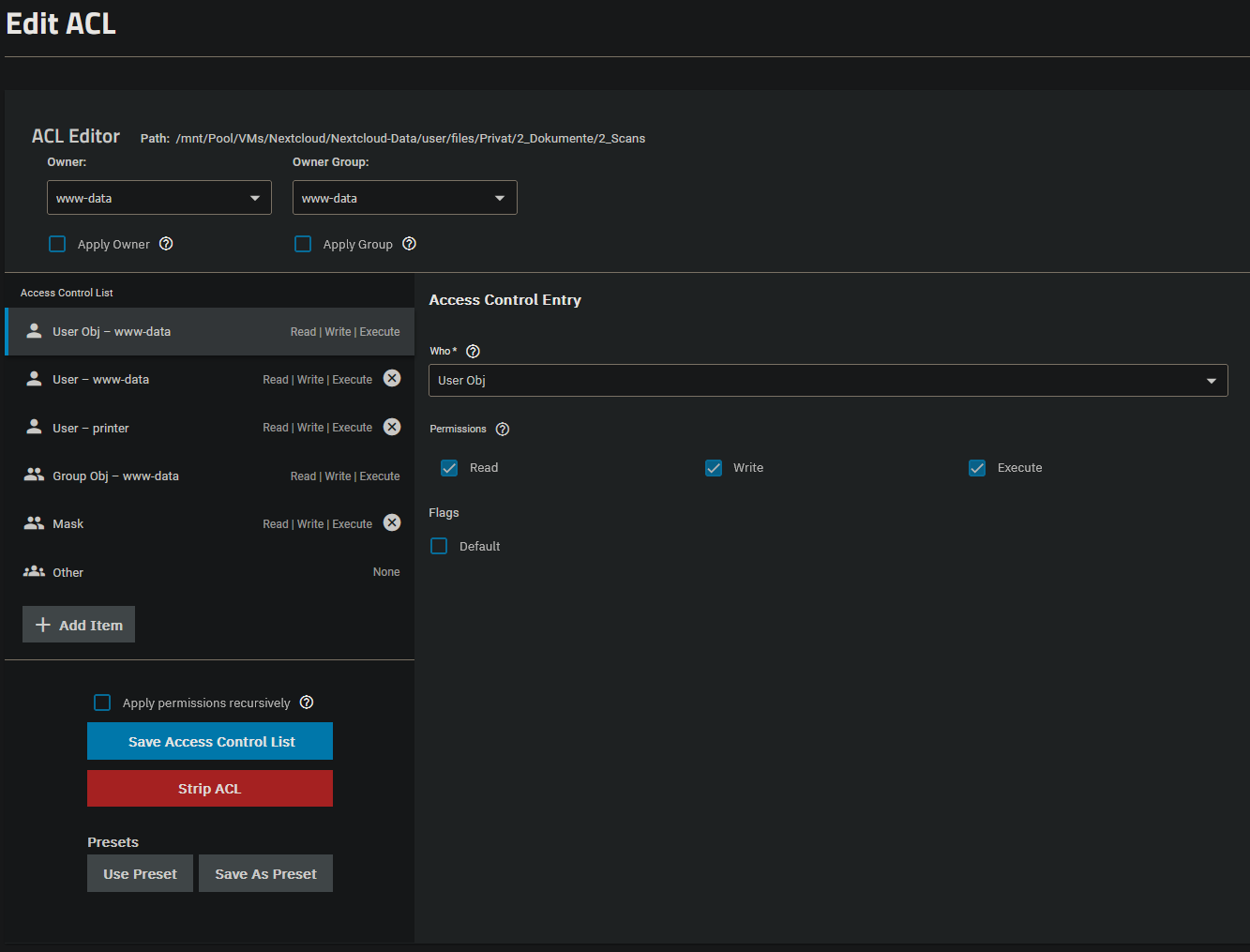
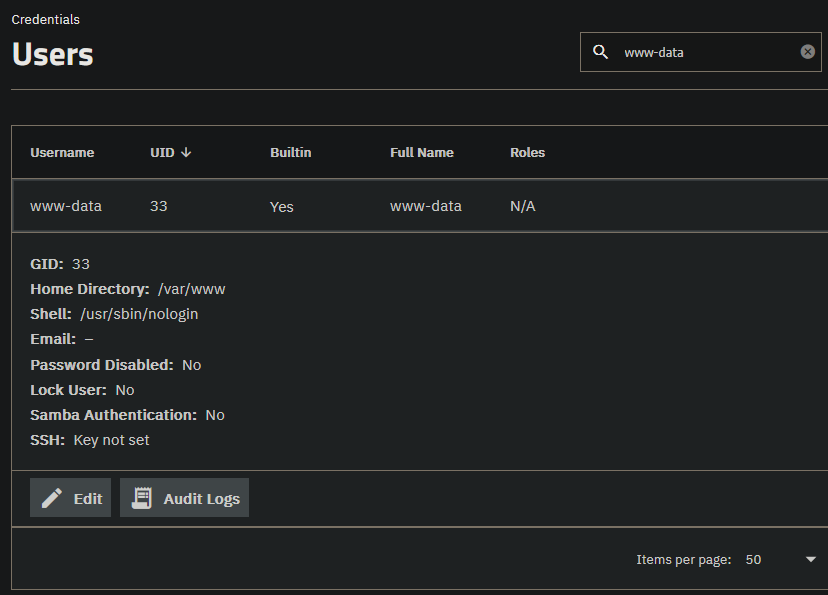
This must definitely have to do with the permissions I set for the shares. According to my logic, www-data is the owner of the folder, and the user “printer” is just dropping off its scans there. Since Nextcloud runs with www-data, it should have the permissions to delete the file. But it doesn’t work.
After the scan, the file looks like this on my Nextcloud VM:
-rwxrwxr-x+ 1 3000 3000 703857 Aug 7 14:13 SCN_0001.pdf
If I copy the file, then www-data becomes the owner of the file, and I can delete the file through Nextcloud without any problems:
root@cloud:/mnt/ncdata/user/files/Privat/2_Dokumente/2_Scans# ls -l
total 681
-rwxrwxr-x+ 1     3000     3000 703857 Aug  7 14:13 SCN_0001.pdf
-rwxr-xr-x  1 www-data www-data 703857 Aug  7 14:15 test.pdf
What is particularly strange is that I have another SMB share where the scanner can drop scans (/mnt/ncdata/user/files/Privat/2_Dokumente/1_Paperless-ngx/1_Inbox). When scans are placed there, Paperless can process them without any issues and even delete them after processing(!). And this is despite the fact that both shares are configured exactly the same… I don’t understand it. Paperless runs in a different VM, and the NFS share (with …/1_Paperless-ngx/1_Inbox) is mounted normally there.
I’m really at a loss and don’t know how to help myself anymore… Attached are the screenshots of all relevant data.
I would greatly appreciate any help!