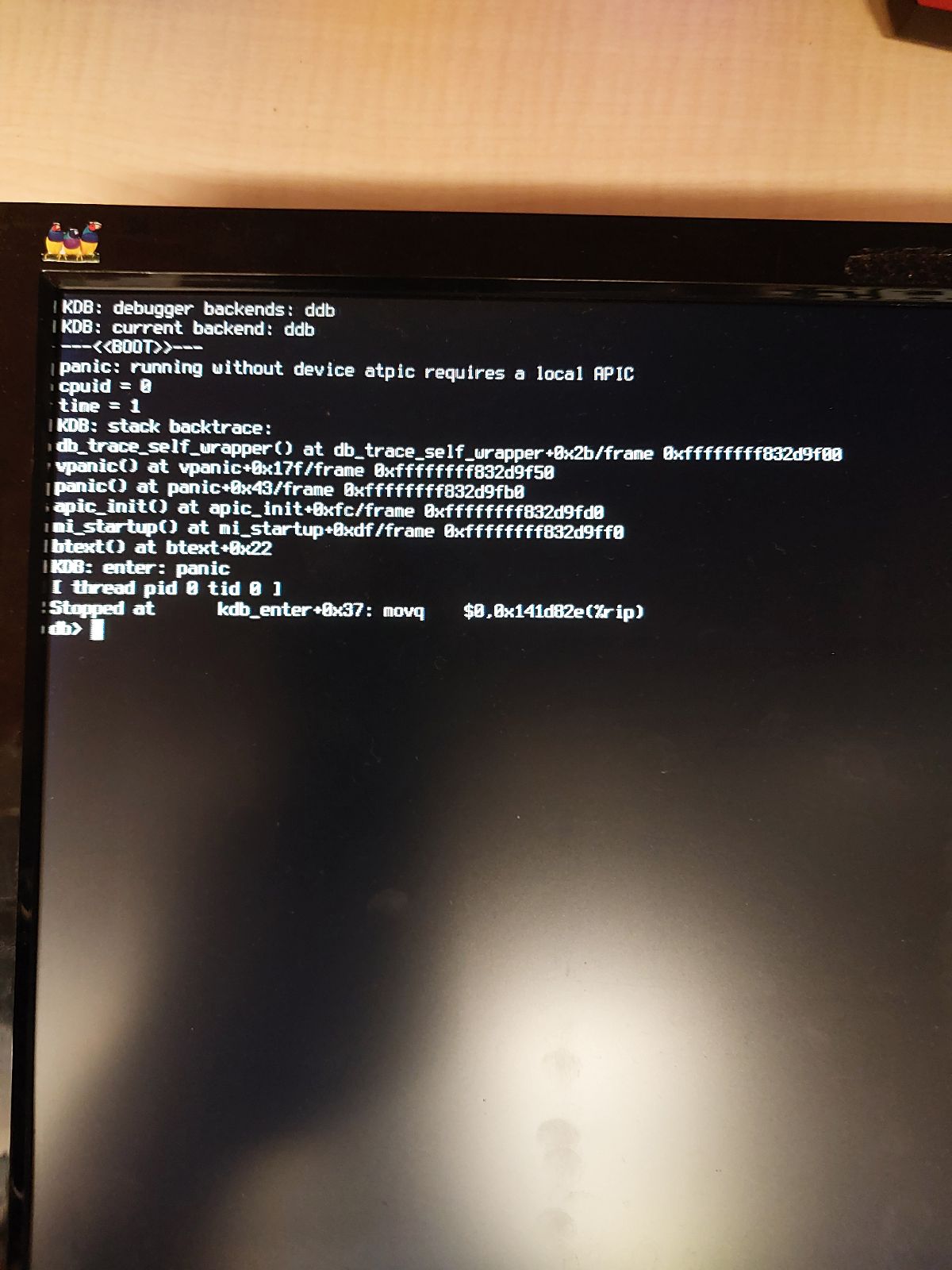
I have recently taken over a TrueNAS server from else where in my organization. I have a little bit of basic knowledge regarding TrueNAS (I have made storage pools, worked with putting drives into a raid configuration, updating the server version, etc.)
It was originally on TrueNAS 11, I have upgraded to TrueNAS 12, and I am now trying to upgrade it to TrueNAS 13. Verson 11 to 12 went without issue. Version 13 is not going through. I get the kernal panic in the attached picture (apologies, it is a picture from a VGA fed screen directly attached).
I have tried multiple USB sticks, as well as the online web portal. I have also looked in BIOS but there was no option for APIC, which I had seen from other places could be the issue. I am currently at a loss as for how to proceed. Currently the server runs Veeam, and I need to upgrade to version 13 so I can make a jail for a separate project related to my backup infrastructure. I am able to roll back the failed updates successfully to version 12, so it is up and running, but I’m not sure how I can upgrade to version 13 at this point.
Specs:
Intel(R) Xeon(R) Bronze 3204 CPU @ 1.90GHz
32GB RAM
12 x 4TB hard drives
Not sure if Jails is working on TrueNAS Core 13.0-U6.2. It is based on a FreeBSD version that is no longer supported by FreeBSD. This causes trouble with trying to update jails and packages inside jails?
TrueNAS Core 13.3 BETA is based on FreeBSD 13.3, which is currently supported version by FreeBSD. Problem being BETA version and not recommended for production
Hoping someone experienced comments on the jails situation
I am unsure, I can find out. As I had said I just took over this box. I figured even if it did have support, we couldn’t get help from support as version 12 is currently unsupported.
TrueNAS-12.0-RELEASE. The version it offered for 12 when I updated through the system itself. I don’t plan on trying a BIOS upgrade unless absolutely needed. Additionally, I was notified that previously someone put in a iSCSI card separate from the manufacturers. Tomorrow morning I am going to remove that and see if it is causing the issue. I’ll update after I do that.
If you have a support contract, they’ll definitely help you get the system up to date. If the support contract is expired, you can renew it since it’s still iX hardware: Support - iXsystems, Inc. - Enterprise Storage & Servers.
Alright, I have just been able to get to version 13. the issue is indeed the iSCSI card that was installed by my coworker. Now I am working to figure out why, as putting the card in seems to prevent booting entirely. Once removed, the server will boot. Thanks for the help everyone!