
The good news is that this very video was sponsored inspired by @sfatula’s post…
yes i know which was cool
As far as i know, even if the deployment fails, it should create a folder for that app in the .ix-apps dataset. Maybe it would be enough to delete that folder (again no expert on the truenas implementation of apps)
What happens if you use docker ps from shell to list the docker containers.
Does it list a crashed container?
I was trying to follow that but I misspelled one thing and it screwed up the whole dam UI 
Try to look at /mnt/.ix-apps/app_configs/<your-app>/versions/1.0.0/user_config.yaml.
I found the mispelled “inclue” can I just delete the user_config.yaml file?
cause im going to get rid of this container anyway
or just get rid of the entire folder if I dont want it anymore?
Well, mb just try to fix the typo first. And then remove it from the UI.
so I did it but im still getting the same error. Do I try restarting my server, or can I just try to deletee that folder?
As I said before, I’m not sure. Do it on your own risk.
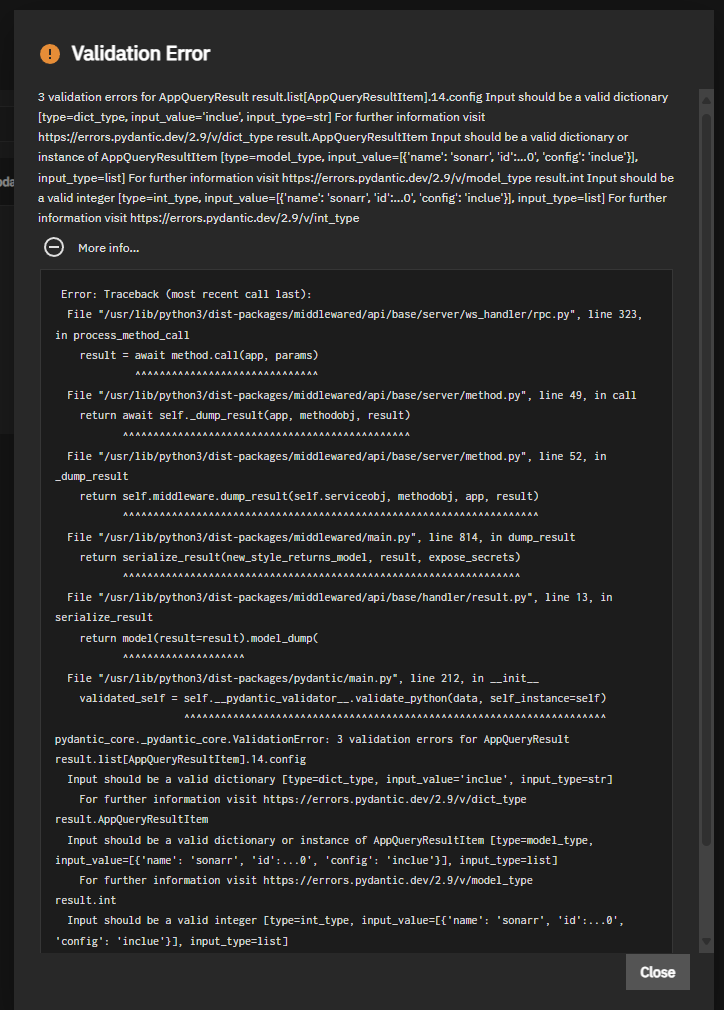
Ok I got rid of the directory and it seemed to work now
Now I’ve got another question. If I were to delete my containers and redo them to compose files and map them to what they used to be at with all of the config files still in there, will the container just work like usual? or do I have to delete everything and start again
Perhaps they will.
2/3 packet loss is horrendous.
If it only happens if you ping outside your network then you likely have an issue with your router’s connection/your internet.
If it happens when pinging something on your network the cause is something else.
Well, the reason why I ask is cause I’m pinging 1.1.1.1 on my personal computer and it’s working fine. I’ve always had a problem with the network settings in TrueNAS. A lot of mixing around the DNS nameservers and trying out with nothing at all. This may be why sometimes I get errors of TrueNAS not syncing with the app catalog. Thats why I’ve been screwing with the name servers in the first place
You might want to start a new thread for diagnosing network / DNS problems since this thread is marked with Solution.
Please describe your network setup and post a screenshot of your entire Network page. It will allow others to see your current settings and ask more detailed questions.
Network setup should describe all items on your network and how everthing is attached. Cable modem attached netgear model 123 wifi router. PC and TrueNAS connected using Cat 5e cables, etc.