
Problem/Justification
Whenever I create a Virtual Machine I add a CD-ROM device so I can mount the ISO and boot of it, I then setup the OS.
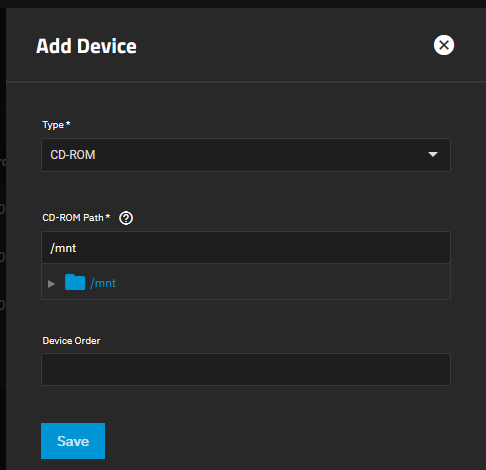
- Once the OS is setup, I have to immediately shut the OS down and then remove the
CD-ROMdevice from the Virtual Machine to prevent booting of that ISO again. - Adding and removing a
CD-ROMdevice to have the presence of aCD-ROMor not is not user friendly.
My solution would be to add the following features
- Allow ejecting the CD/ISO and keep the
CD-ROMdevice present like a normal PC. In the device the mount will be removed and a checkbox ticked sayingEjected/Empty - Disable the
CD-ROMdevice in the KVM configuration, but not remove. This would prevent a lot of lost time. - Ability to change the ISO of the
CD-ROMdevice while the Virtual Machine is on (I have not tested if this is possible already), obviously this would generate anejectcommand to a Virtual Machine if it is running. - An option in the
CD-ROMdevice to load a blank ISO if ejecting or disabling is not possible. The blank ISO would be part of TrueNAS rather than user uploaded, for convenience and security.
Impact
- End users could use their Virtual Machines easier by not having to worrying about constantly removing a
CD-ROMdevice just to boot a freshly installed OS. - Users tend to user Virtual Machines for installing and testing and this can involve using may different ISOs and currently many adding and removing of
CD-ROMdevices which can be time consuming.
User Story
A more friendly user experience when making Virtual Machines making it more likely that a user will come back and use this feature again.
This is one of the most annoying issues in TrueNAS  and it would nice to get these additional feature(s) added.
Additional
Original posted here over 2 years ago, and nothing was done.