
Is it possible to run Unifi Network virtualized in TrueNAS instead of buying their router hardware?
How would you approach the implementation? Is the Unifi Controller right for this purpose ?
Unifi Network/Unifi Controller are not firewalls or routers. They’ll control various Unifi network devices (access points, switches, etc.), but they themselves don’t route anything. You’d use those apps to, e.g., set up your Unifi WiFi network while using a different router.
AFAIK, all of the Unifi routers include the Network controller software.
Are there any other good alternatives then? OpenSense on Proxmox ?
I’m not a fan of virtualizing your router (because if/when you have to reboot your hypervisor, your whole network goes down), but I’ve been very happy with OPNsense.
Unifi is a closed source system and generally all of the work is done by physical devices (networking is done in hardware gateways, etc). All the Unifi controller app does is let you control and provision your devices. It is a great platform, but you need the hardware.
As @dan mentioned, virtualizing your firewall is not a great idea, especially if you are a beginner and have no clear idea how to make sure intruders can’t jump to the rest of your truenas.
As far as open source goes, OPNSense is good (but I find it temperamental and changing too often) and PFSense are good open source firewalls that can be virtualized easily.
…and many people feel pfSense updates far too slowly. But more of that discussion can go over here:
I really don’t know of a lot of other options for a F/OSS GUI-based firewall. OpenWRT and its various flavors would be on the list, of course. Other than that?
Tp-Link and omada controller are a good alternative
But in that case, aren’t you just swapping “need to run Unifi firewall on Unifi hardware” for “need to run TP-Link firewall on TP-Link hardware”? Or does TP-Link publish F/OSS firewall software I’m not aware of?
Yes, but the Tp-Link hardware is substantially cheaper then the unify stuff, at least in Europe and can even be used without the omada controller
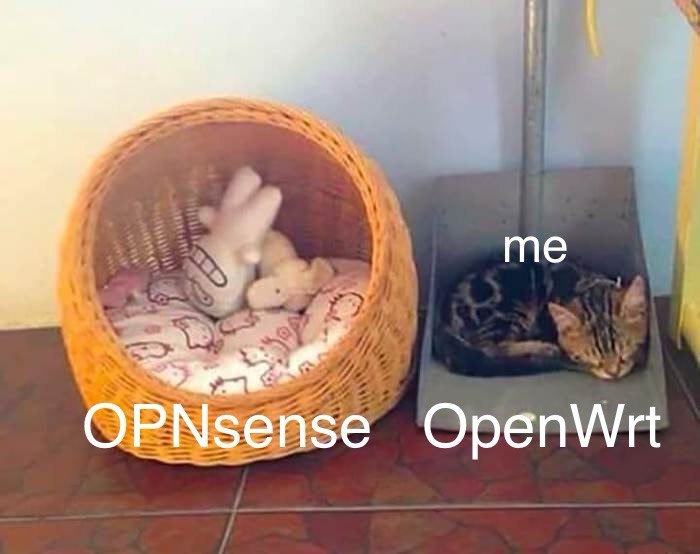
You can also consider openwrt. I’ve tested opnsense for a week and then ditched it for various reasons. The main reason is that I was already familiar with openwrt  .
.
While opnsense is considered a more robust enterprise solution, openwrt has its pros:
- Better SQM. I didn’t test it; just saw the claims.
- Better fancy VPN support (SS, VLESS, etc.).
- DNS-driven routing. Well, at least there are working guides for openwrt. OTOH on the opnsense forum there are explanations why it is not possible. Probably they are technically right for the general case, but nevertheless.
- Lighter on required resources (doesn’t really matter for me). 1G ram / 1G disk can be considered huge.
- If your AP runs openwrt as well, you would have the same GUI for both. Thus, learning less. I assume it is one of the reasons why unifi (and mikrotik?) hardware is so popular.
Also, opnsense has a better GUI overall for sure. But in the case of firewall config, I personally like the openwrt (LuCI) page more. Perhaps it is a matter of habit, though.
Nope. You need their hardware.
It’s a curious piece of software, really. Way back in the 2000’s Apple base stations could easily hand you off from one AP to the next without the need for a central network controller. Ruckus does this today for SOHO levels of complexity. But Ubiquiti needs a central controller for anything but the most basic network. Just weird.
Unifi offers some slick stuff with the AR enhancements, etc. but for me, gateways and switches from Mikrotik offer better performance at a lower cost. I am not happy with the lifespan of U6 series of Ubiquiti APs but they offer a much lower pricepoint than Ruckus…
I would never, ever dream of housing the firewall / gateway on the same platform as my NAS. Just too many opportunities for stuff to go wrong and your NAS data to go bye-bye. Instead, I suggest finding a good gateway hardware / software platform and going from there.
You can run the controller in a VM on TrueNAS. But that is just the necessary management infrastructure for your Unifi devices, not a firewall.