
No. It just writes a larger block of data and then compares the larger block of data. This actually speeds things up a little bit, however each data bit it checked so it still performs the same function. If a single failure occurs, it will have less granularity but you are only looking for a pass or fail.
3 Likes
I prefer to use HD Sentinel under windows (you don’t need to have a product key for this short test) to test the drives
I have had a couple of weird drives over the years one that really sticks is -
Drive passes all test but it had seriously slow <10MB/s vs 120MB/S for the middle 80 which the graph showed
Now you can sorta pick this up by how long each drive takes - unless there is a way to long this that I’ve missed - but all you’ll pick up is that a drive took a long time, not especially useful
1 Like
Hello all, thank you again for helping me with all this.
Badblocks has been running the past 6 days or so. Looks like one error came up on one of the drives, should I be worried? The full badblocks test isn’t done yet, but I think it will be in another day or two.
Errors:
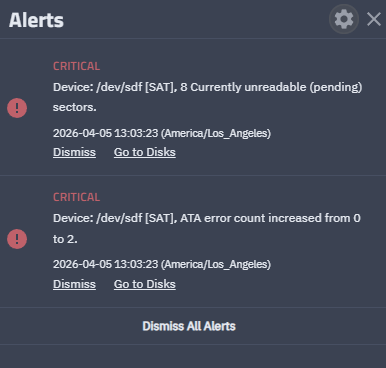

Immediate RMA in my opinion - you’ve found a damaged drive
1 Like
Yup. Let it run through to the end, and the final long SMART test to see the errors. And then you should have the ground to claim a RMA.
3 Likes
Thanks guys, glad I took your advice and ran the badblocks.
Hopefully RMAing with ServerPartDeals won’t be too hard.
The drive that has that bad block is the 6th drive I bought from Amazon, same make and model, just from the ServerPartDeals store on Amazon. Hopefully the return process is the same.
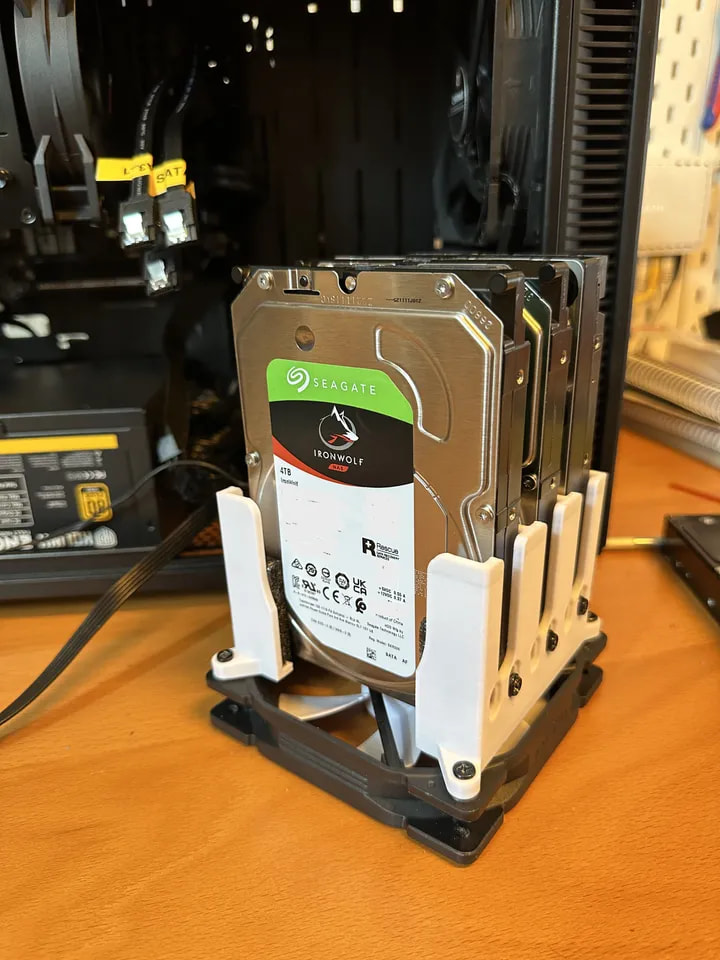
(Also, that drive was the one that’s mounted vertically on the floor of the case (standing up, with a 120mm fan under it). This mount to give a visual representation.
Hopefully it didn’t contribute to the bad block error.
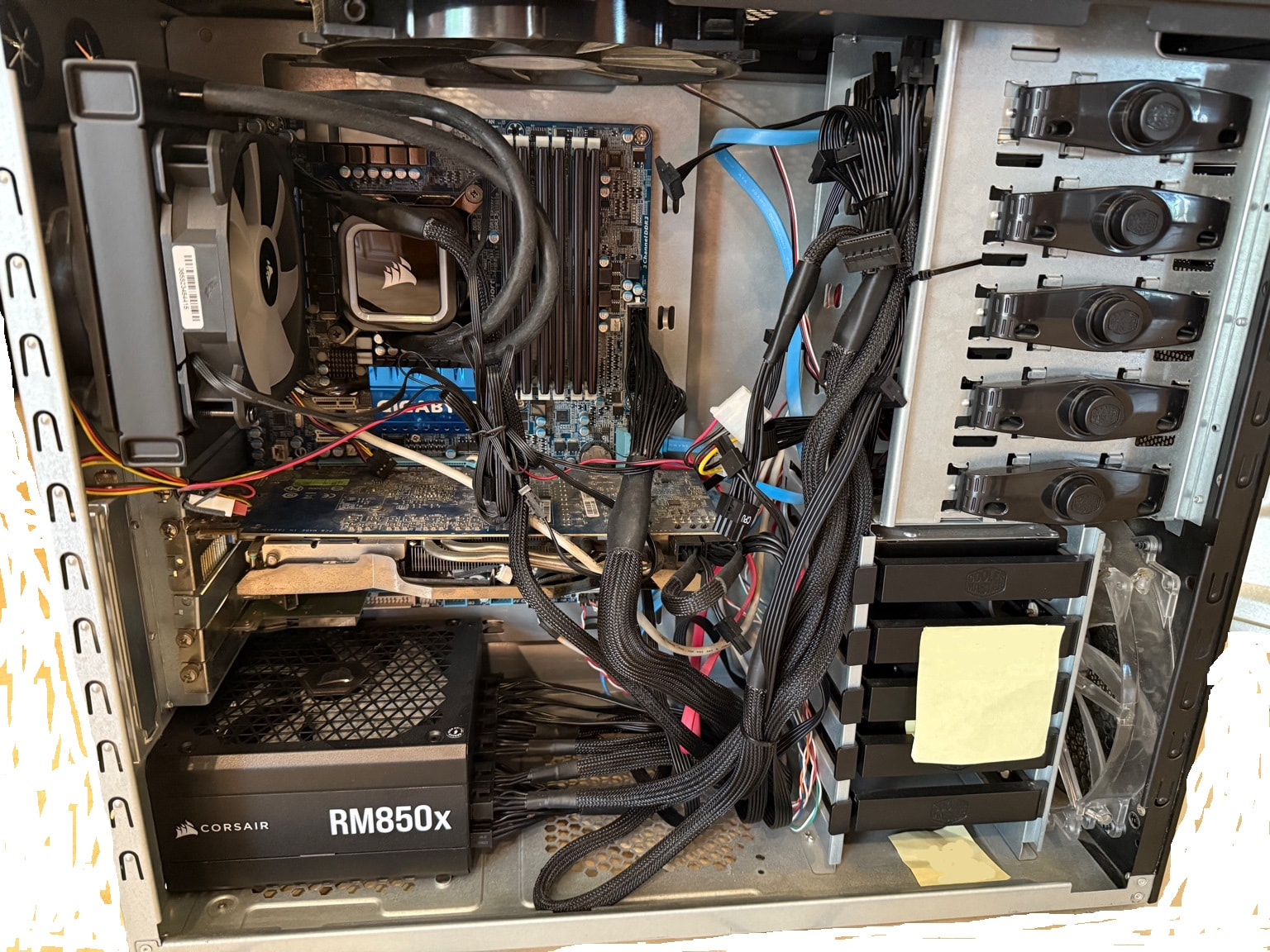
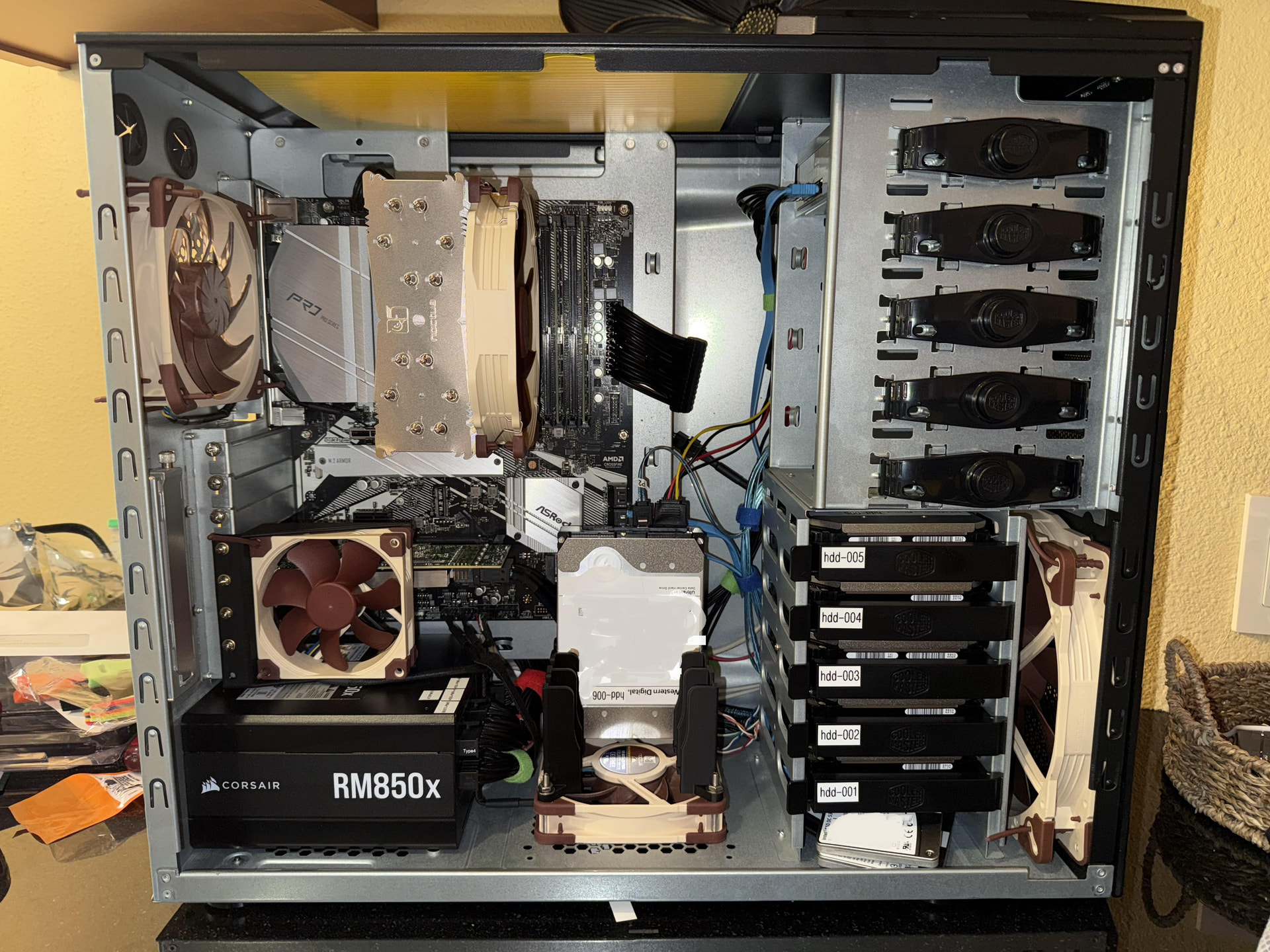
And a before and after of my nas build if anyone is interested:
1 Like
Btw, two questions:
- if they don’t have that same HDD available, is that pretty bad for my NAS? (To use another brands 24tb HDD or another solution)
- I put a sticker on that failing hard drive (“hdd-006”)… I should take it off before sending back yes? Or does ServerPartDeals not really care? Hopefully I could do it without damaging the surface.
I would just leave the sticker as long as you are not covering important info like Model number, serial number, etc.
As long as the replacement drive is CMR and the same size or larger, you shouldn’t have any problems with TrueNAS. I would stick to drive models meant for NAS use, though.
I just looked at your drive mount from Printables. I would not use that in a NAS. Drives are normally mounted to minimize vibration or are isolated. That mount looks to loosely hold the drives and is hard mounted directly to a fan. I would look at mounts that would fill in the space below your ‘CD drive’. You may even be able to get hot swap
1 Like
Thanks @SmallBarky
So with that mount, I screwed it in with two screws, so it’s physically mounted to the drive mount tightly (no moving around).
I also put in padding, so there is no “wiggle room”. It’s quite a snug fit with no movement or play.
Would that be an OK way to have it installed?
If you think it is fine, just keep an eye on drives in the mount and if you have troubles with those specific drives, think about changing the setup.
1 Like
Thanks, will do.
Will the issues that come up be badblocks errors, like the one I just had? Or would they show up in a different way?
Looks like one of my other drives needs an RMA as well?
This one passed badblocks with no errors, but the long SMART test shows:
Reallocated_Sector_Ct = 42
Reallocated_Event_Count = 42
Number of Reallocated Logical Sectors = 42
Is this OK or would I also need to RMA it?
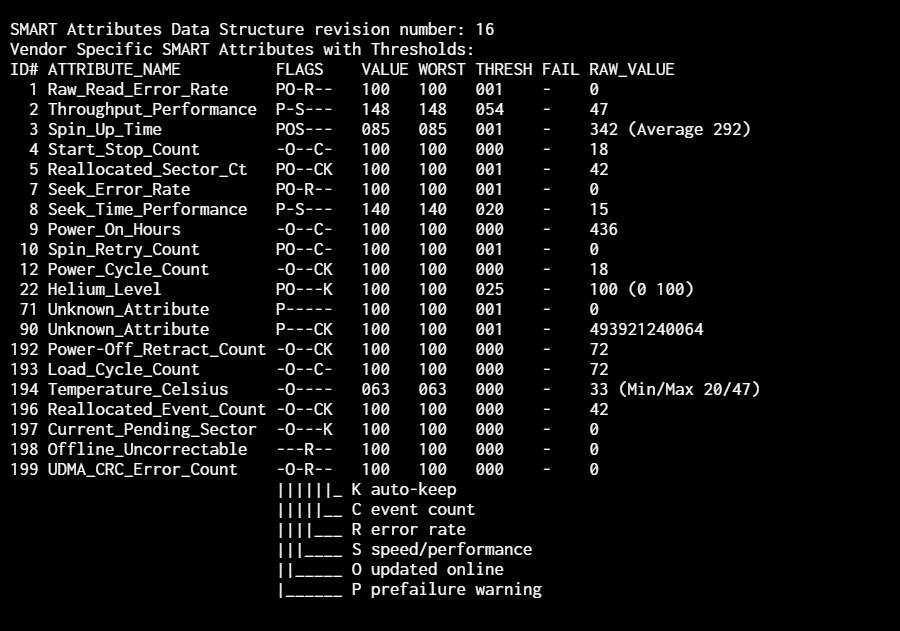
IMO, better to try now than wait until it puts your pool at risk.
Sometimes RMA is declined unless there is an outright smart failure, so who knows - you might be stuck for it either way
2 Likes
Great news, ServerPartDeals was kind enough to send me replacements for both 24TB HDDs, and they actually had them in stock, which I was surprised by 
So just installed the two replacement drives, TrueNAS is powered on, and I wanted to ask:
Should I run the short SMART test + long SMART test + destructive 4 pass badblocks + long SMART again only on the two new drives?
Or should I do it for all 6 drives simultaneously?
(Or just the SMART tests on all drives, and full the badblocks portion on just the new drives?)
(Note: This NAS computer was powered off for a month while I took it apart, sent in the drives, then got them back, etc. All drives are still empty, I haven’t created a pool or used them for data at all)
If you’ve run this on the other four drives already without any failures, I wouldn’t feel the need to do it again on them.
2 Likes
Holy crap…. it looks like I RMA’d the wrong drive, since I sent it back based on the `sdd` designator… somehow it changed during boot, and I had labeled the drives hdd-001 hdd-002 etc, mapped to the sda sdb etc, not knowing those sda designators can get automatically remapped… 
Because I ran `for d in sda sdb sdc sdd sde sdf; doecho “=== /dev/$d ===”smartctl -a /dev/$d | grep -E “Reallocated|Pending|Uncorrectable|CRC|Power_On_Hours|Raw_Read_Error” done`
And those 42 blocks are still there… I can’t believe I just did that.
Now I’m just hoping the other drive I pulled was the actual bad one for badblocks… I have no idea how the sda sdb etc names just changed like that.
This is how I was keeping track of my drives:

Here’s the badblocks errors I have saved for reference:
Trying to check if I actually pulled the right drive for badblocks now, trying to figure out how to do so. Because somehow my sda.log, sdb.log, etc, all those files are just empty.
1 Like
Yeah the ada/sdb/whatever can change randomly after a reboot… gotta mark down the sn#
1 Like
Should I admit my mistake? Or just open another RMA for the legit bad drive?
I’d be glad to take back the old one I accidently sent in, but I imagine they don’t have a process for that.
Your choice imo - if you choose to be honest at least offering to pay for shipping
1 Like
Btw, how bad is 109 RRA (Read Recovery Attempts), over 436 power on hours?
(One of the issues that surfaced on another long SMART test. I don’t know if it’s a big issue or not really?)