
Upper case matches what I showed for my screenshots, also.
yep, it’s uppercase on my Fangtooth box and that works fine. So, not sure what the problem is.
Thanks for your help on this. I’ll keep digging around seeing if I can get the gui method working.
Success!
It was a permissions issue.
I went into Credentials > Users and noted that root did not have ‘Truenas Access’ selected, nor was root part of the builtin_administrators group.
So, by setting root credentials to this:

I can now invoke a cron shutdown using the GUI like this:
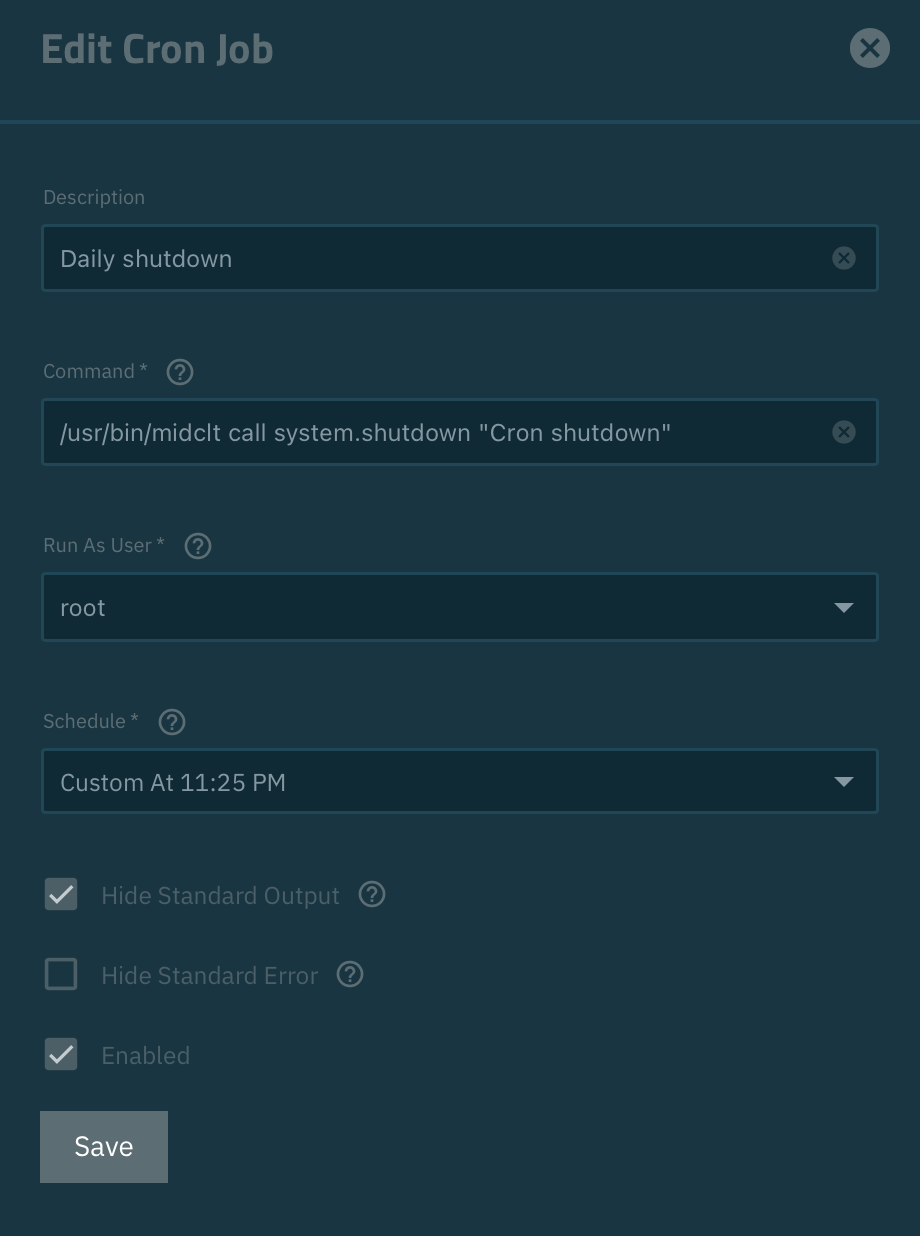
No more bodging it by manually editing the crontab file - thanks for your help!
Thanks! Has worked for me aswell 
@substeeze & @Roland_Riedl What is the history of your TrueNAS system? What was the original installed version and what version upgrades have you gone through? I think mine was a clean install of TrueNAS 25.10. Guessing something didn’t happen during upgrades to match new install settings.
@HoneyBadger Do you know what the settings are supposed to look like and if this was a possible issue during upgrades?
This is a very bare bones ‘backup’ server.
It’s my second TrueNAS box, I put a fresh Goldeneye 25.10.1 install on it and configured a replication ‘pull’ from my main TrueNAS server. I haven’t really fiddled much with the settings, but I might have followed a ‘harden your truenas’ guide at some point - can’t remember  .
.
It spends most of the time powered off.
My main TrueNAS has a cron job that sends a WakeOnLAN packet to it at 1pm, the replication run is scheduled for 1:15pm, then I have the cron job to shut it down at 1:35pm.
That’s all it does.
So, this was not really a bug, but it was failing silently - making troubleshooting a bit of a trial-and-error process.
Glad it’s worked for @Roland_Riedl too  .
.
Hm, seems like I was being too optimistic here. The solution did work, but most likely only because I’ve tested it with shutdown schedules not more than 1hr into the future and there might have been an active session. For my desired schedule: Wake at 11:45 PM, start jobs from 11:50 PM, shutdown at 01:00 AM it just doesn’t seem to work. Every morning I am finding my NAS running. I’ve set everything up exactly like @substeeze
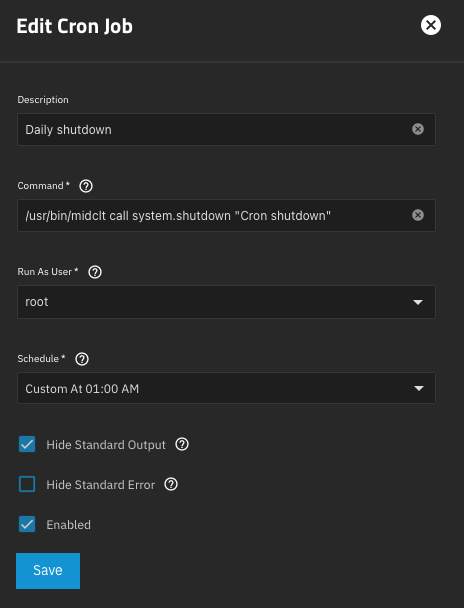
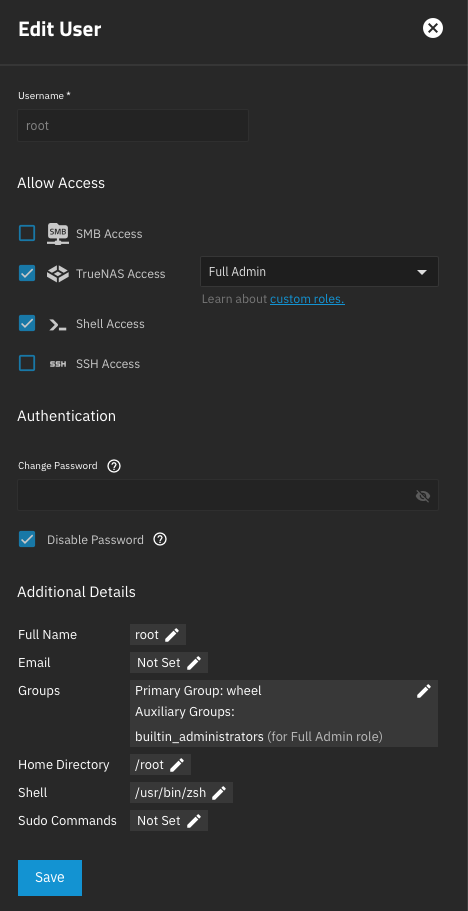

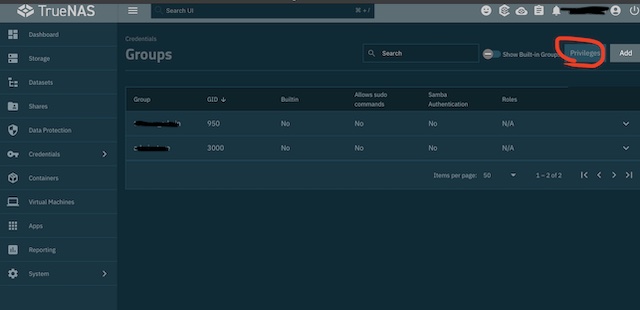
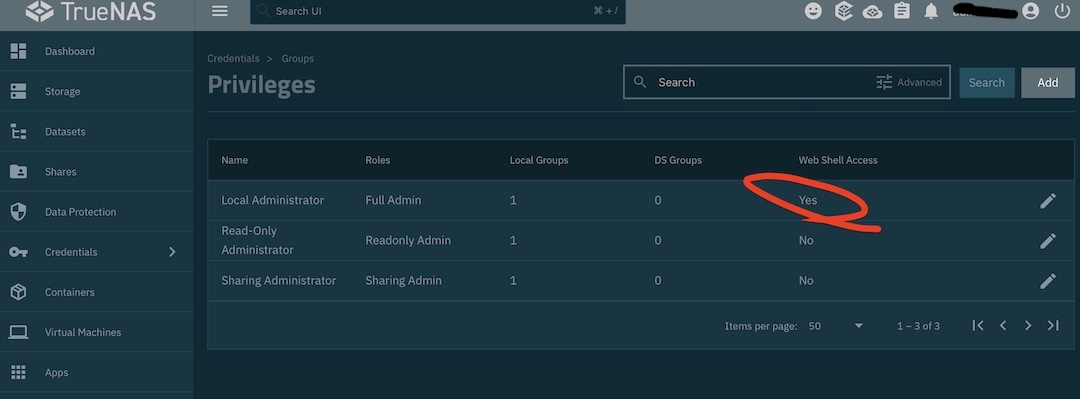
Thanks @substeeze both are verified.

There seems to be another issue! The NAS is shutting down indeed, I was able to observe the behavior: TrueNAS is shutting down, but the device is restarting immediately. Gonna check BIOS settings maybe.
Edit: I found BIOS time to be 2h early. So my planned RTC boot at 11:45 PM might have happend at 01:45 AM and therefore restarting the NAS shortly after shutting down. Gonna observe again.
Edit2: Again, did shut down but start up again immediately.