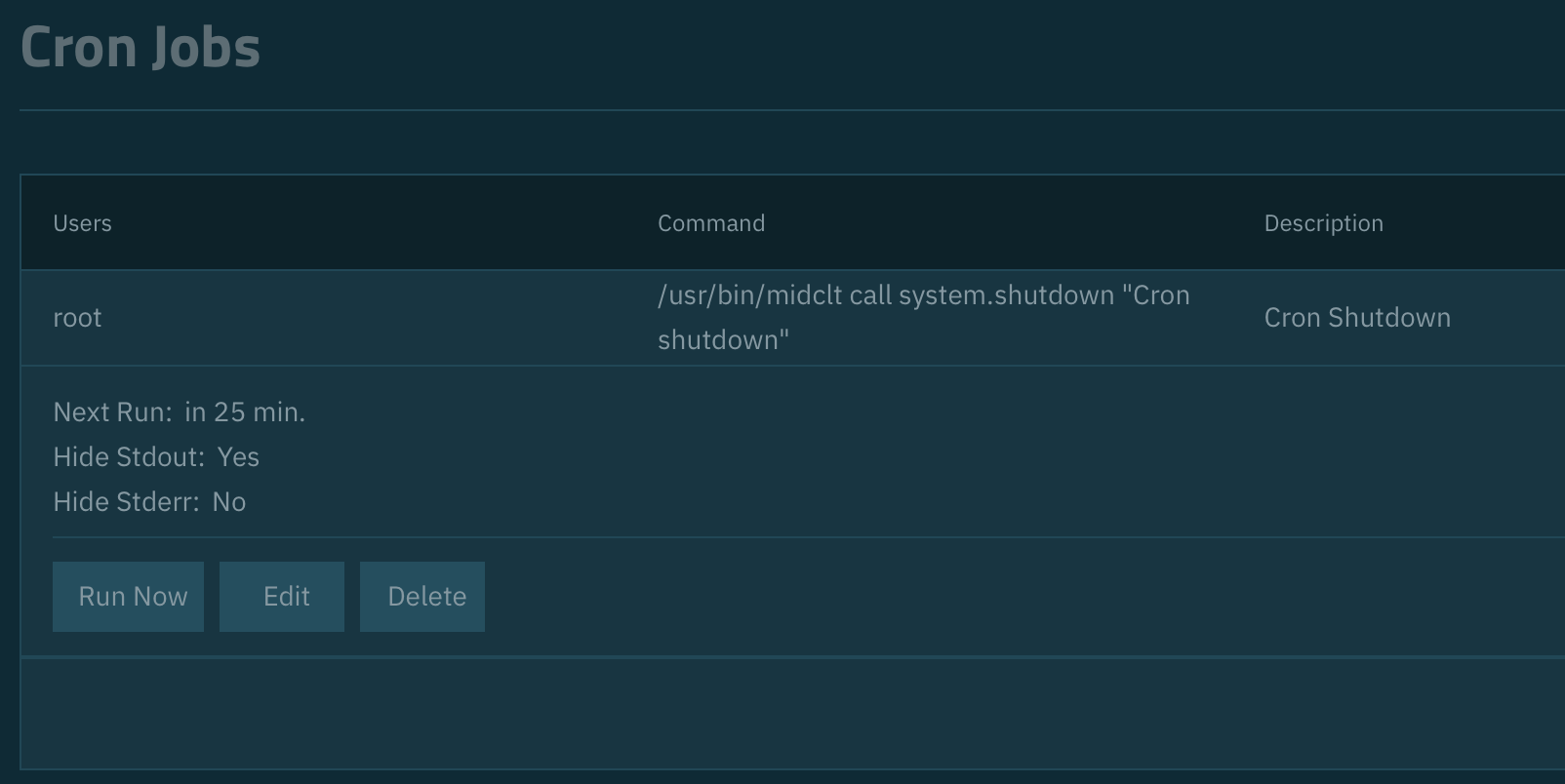
i am failing for quite some moons to get a Cron Job setup that would shutdown my TrueNAS device every morning at 01:00.
I‘ve tried poweroff as well as midclt call system.shutdown and both are working as long as there is an active session it seems. I can execute them manually and even time them for the next minute and it will work.
But timing it for the night fails everytime. I‘ve tried with different users, root, admin etc. but it just doesn‘t work.
Are you root in the cron job?
If yes, then you may need to run the command in a shell (sh) using &&. I’m on travel right now so i can’t lookup the specific command but I have to use it for Multi-Report due to security enhancements. And then I’d use the poweroff command.
I tried (and failed) to get my TrueNAS box to shutdown on a schedule using the GUI cron job interface. For some reason, I just couldn’t get it to work. It would proclaim it had completed successfully in the logs, but that was not true at all!
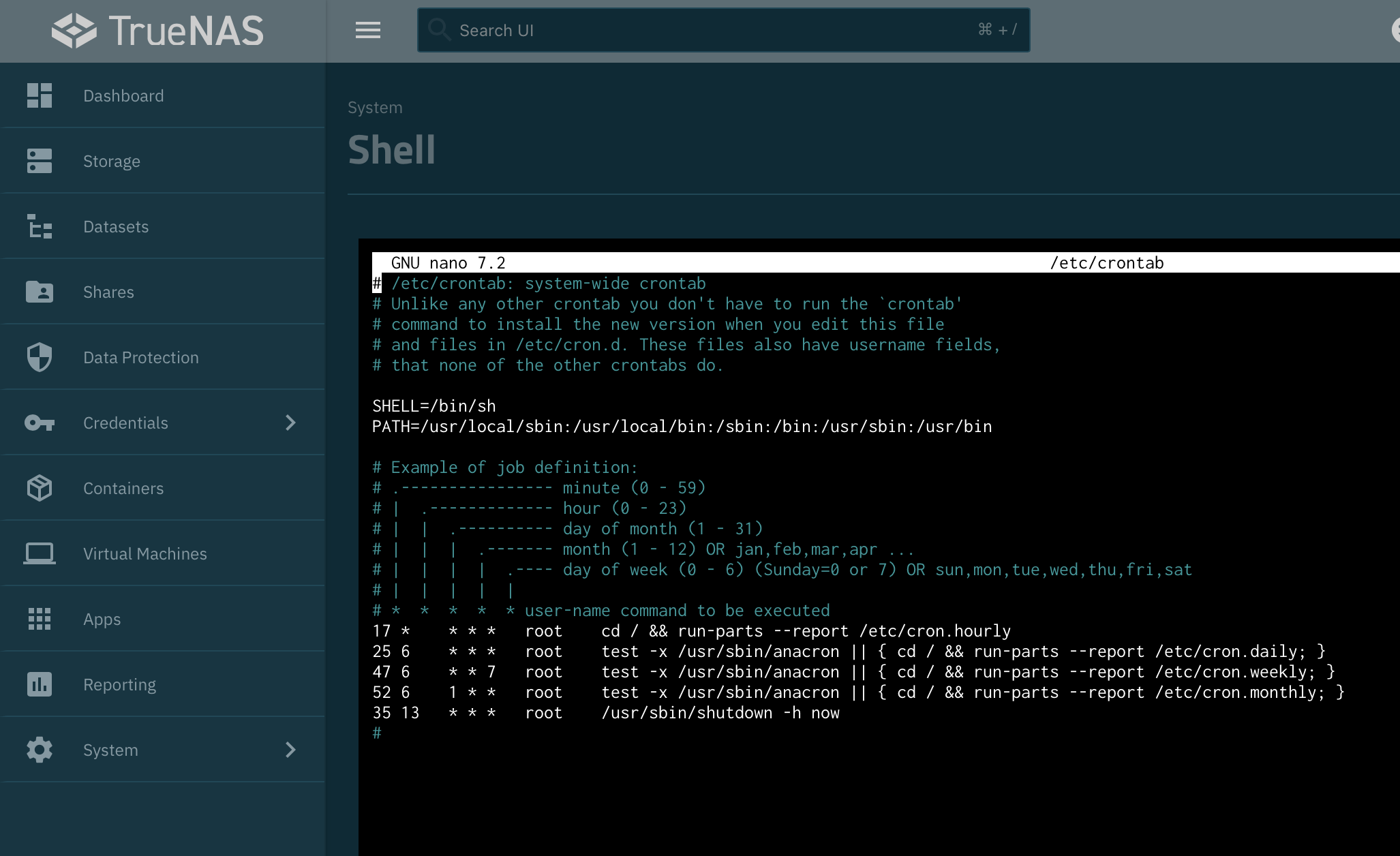
I solved the problem by manually adding a shutdown command to the crontab file using the system shell.
sudo nano /etc/crontab
Then add the following the the bottom of the file:
That’s probably going to work, but it won’t be persistent. I was asking for a screenshot of how you actually set it up because your post didn’t go into any detail making it difficult to pinpoint the cause.
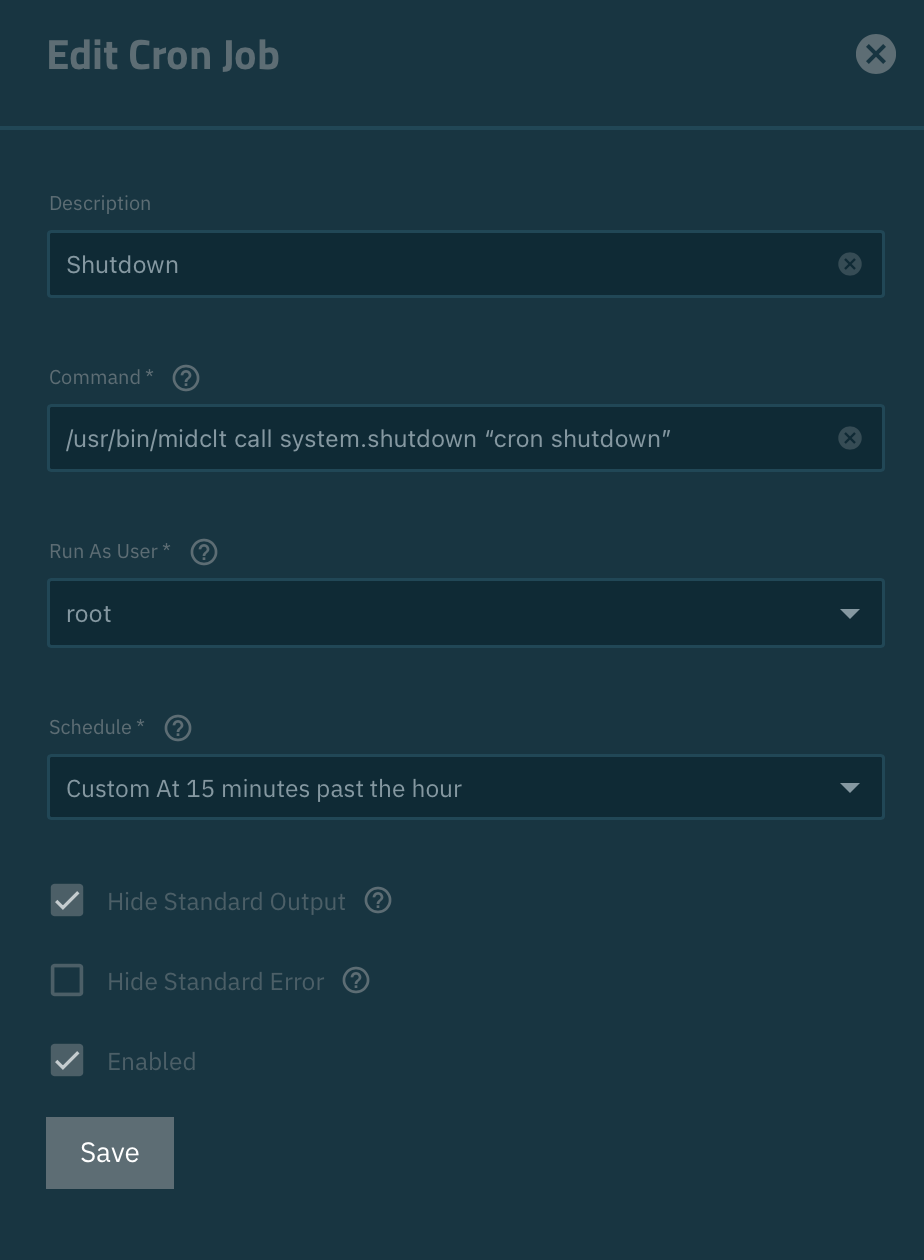
A cron job defined in the GUI like this ought to do the job:
A difference from running the command in an active shell is that your shell has the path setup, so you don’t need the absolute path when you do it manually. I also added a shutdown reason in quotation marks because I think the command still requires that.
It persists between reboots, but it probably won’t persist between os updates. If there’s a solution that uses the GUI cron job that would be much better. Have you tried that?
Same experience here. The GUI version just doesn’t work.
Adding to the crontab file via shell has worked, but strangely my NAS has rebooted instantly instead of staying off
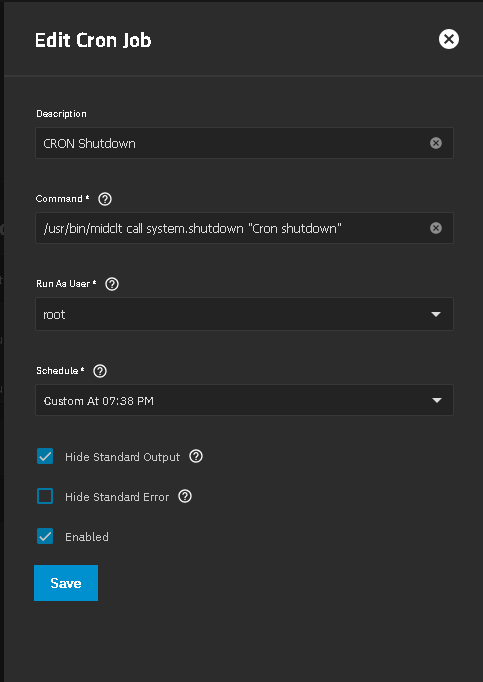
AI said I should try -p instead of -h, so I’m gonna try 00 01 * * * root /usr/sbin/shutdown -p now @neofusion my GUI-Setup for the cron job was exactly as substeeze has screenshotted above.
Yes, there’s a difference between -h (halt) and -p (poweroff). On my (very old Dell system) the -h does power it off completely, but maybe on newer hardware the -p is needed to totally shutdown.
I’m also on 25.10.1 and just tried the GUI Cron again with your change of quotes, but still doesn’t work.
If I click the ‘run it now’ play arrow, yes, it will shutdown. But it will not shutdown on the schedule I set. Very strange.
I use systemctl poweroff. Don’t ask me why. This was setup over a year ago.
In my case, the system (sometimes) reboots and doesn’t power off. I suspect that’s because of my motherboard and UPS’ USB cable waking up the system and I’ve just been too lazy to go investigate.
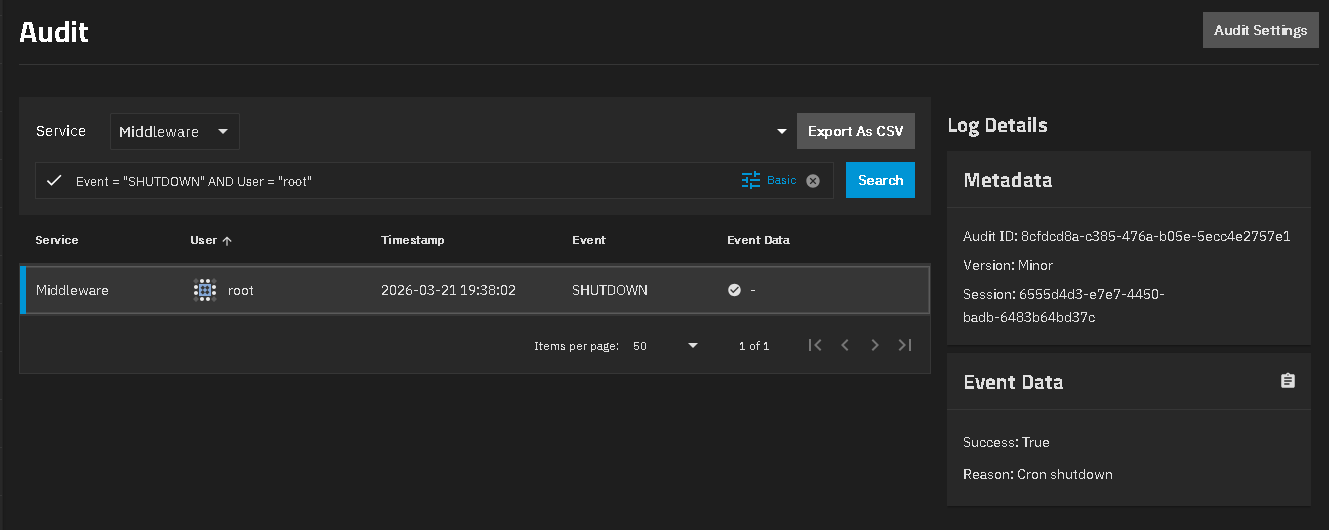
I show two entries. One in Middleware and two? in System around the shutdown time. I was logged out of TrueNAS when mine did the Cron shutdown at 19:38 time
Ok, so I set it for 16:23. All I see in the logs is a System entry for CRON. I am assuming this means the cron daemon has triggered on the schedule ok. But there’s nothing in the Middleware logs, so it seems the command has failed. This could be a permissions issue with user ‘root’ perhaps? I’m going to try poking around with the user credentials and see if I can solve this.
Having no luck with this. I can get it to work if I run it manually, but on the GUI cron, no joy.
One thing that is puzzling me, is in the audit logs, the path to the cron command is in upper case, rather than lower case - could this be the issue? Is it a bug?