
Hello, I am new to the truenas platform and am looking to access my apps, but have been running into the attached error message. Would appreciate any help fixing this issue Thank you!
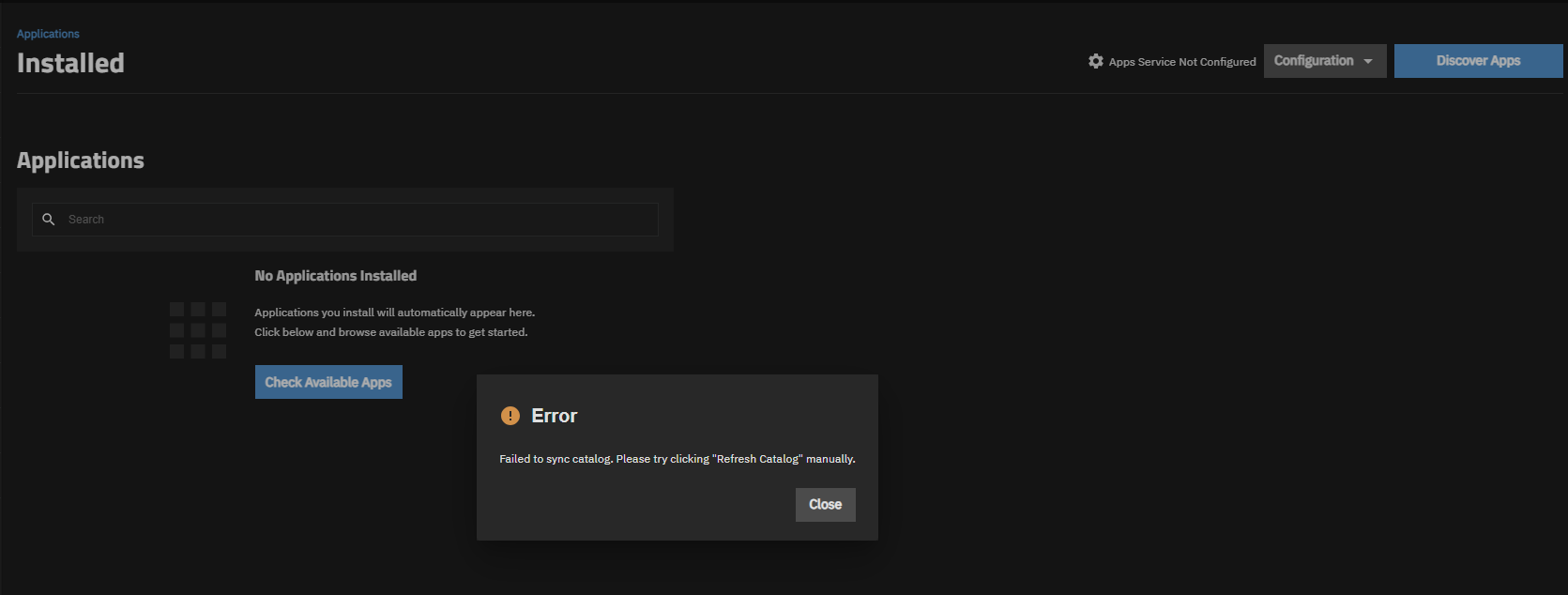
Did you manually refresh the apps catalogue as the error suggest?
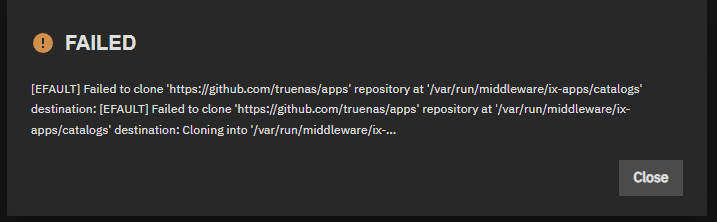
How is your network configured?
Is it set up via dhcp or static ip?
If you changed from dhcp to static ip, did you set nameservers and your default route (your routers ip)
1 Like
A full screenshot of your entire Network-page would be helpful.
Static ip. To be honest I may be in over my head a little with all of this. I have just been watching videos and setting it up to the best of my abilities. I am more than willing and capable of learning if you are willing to teach. I believe there is an issue somewhere with the network configuration though as I am getting terribly slow transfer speeds of 15 to 20mb/sec from my old nas.
Ok so if you changed to static ip you have to manually configure DNS nameservers and your static route (your routers ip). It should look something like this

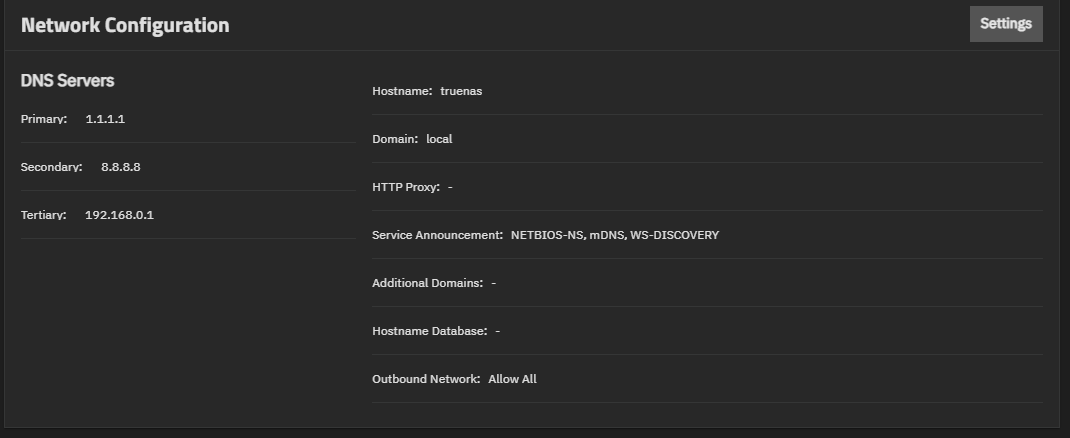
That looks correct, assuming that 192.168.0.1 is your routers ip.
The last thing you should check is if your time is set correctly. If your time is too much out of sync github refuses the connection.
Is your bios time set to UTC and then your local time set through the truenas gui?
Could you walk me through how to check this?
If you’re using consumer hardware you need a monitor and keyboard. connect both to your nas, restart and press the button that gets you into the bios (most of the time its either f1 or delete). Then you have to find the bios time setting and set that to utc. Save the changes and wait for the nas to boot back into truenas.
After the nas is booted login to the truenas webui and go to settings → general → localization and there set your timezone
This appears to be missing a Default Gateway/Route, or possibly you entered the Gateway as a Tertiary DNS server?
2 Likes
you’re absolutely right, curse you small smartphone screen. I only saw 3 inputs in the small picture and assumed the third was for the default route
Boom! Got it. Thank you all so much for your help!
1 Like