
Hi! I’m having issues getting into trunas I just downloaded it and need help. It’s giving me this error message. could someone help me? Any help would be greatly appreciated
I’m trying to post an image but it wont let me
It says; TrueNAS The web interface could not be accessed,when booting up system
It says;[The web interface could not be accessed],when booting up system
You got a private message when you joined this forum, inviting you to complete a tutorial. Find that message, and complete the tutorial.
In the meantime, how about some of the other things those guidelines ask for? Like your hardware (particularly your network interface), the version of TrueNAS, etc.?
1 Like
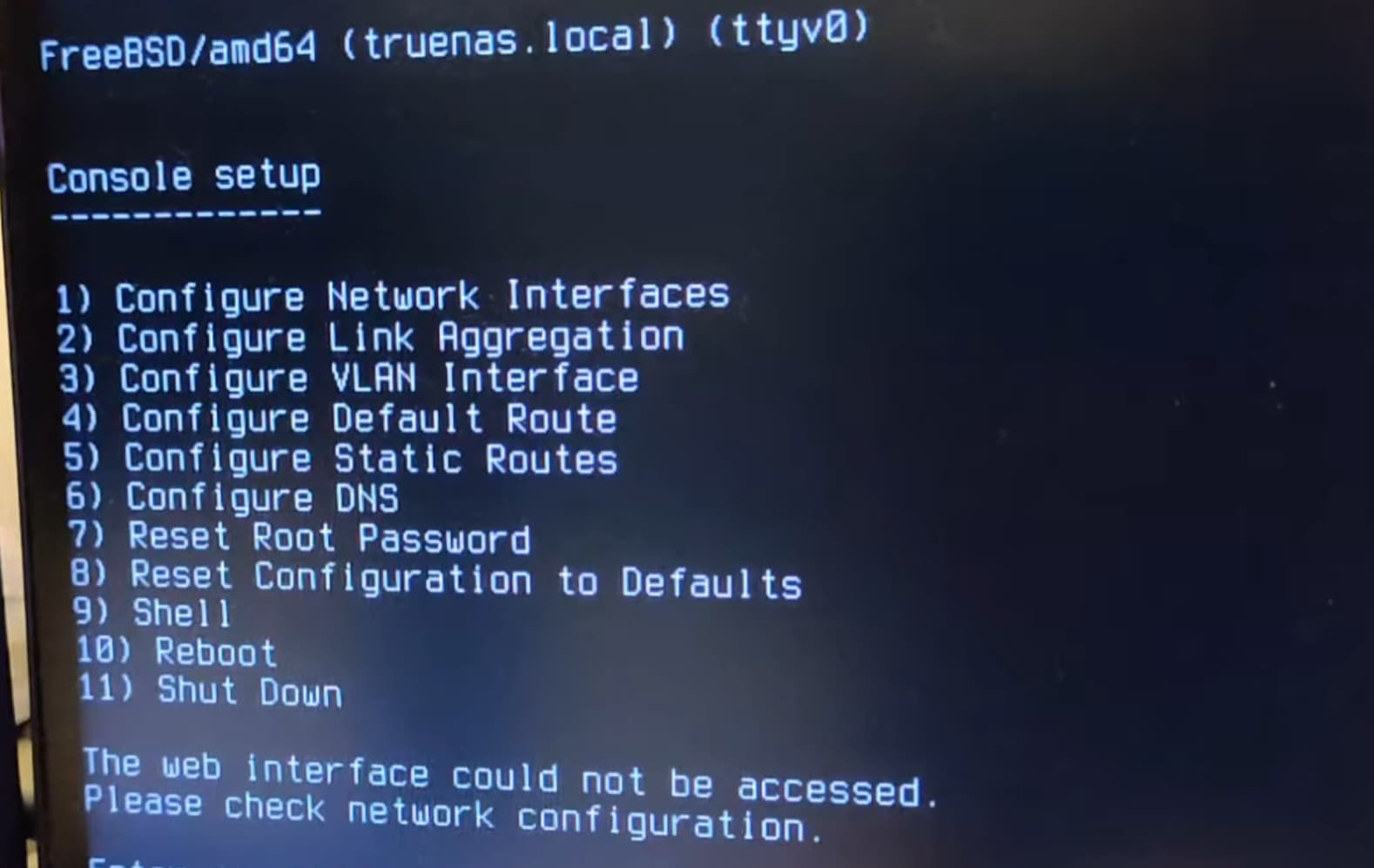
Heres what its showing
Six posts into this thread, all but one repeating exactly the same thing, and unable to answer some pretty straightforward questions. I think I’m out.
1 Like
TrueNas-SCALE-25.10.0iso. this is the version I believe. I have a supermicro server with X11DPH-T motherboard.
Sorry sir. I’m new to the forum. and new to nas systems
I’m trying to figure out what you mean when you ask about whats the network interface?
Press ‘1’ then ‘enter’ - this’ll get you into the spot to configure your network interfaces (how the NAS connects to your network). You’ll see your ethernet ports there, pick one, set it up to connect to your LAN.
Edit: After setting up the network interface, make sure you’ve physically connected the CAT cable to the correct port on the NAS & to however it gets to the rest of your network.
Thank you! I appreciate the help. I will try that.
I’ve never configured a network interface. Any help with the step by step process would be appreciated
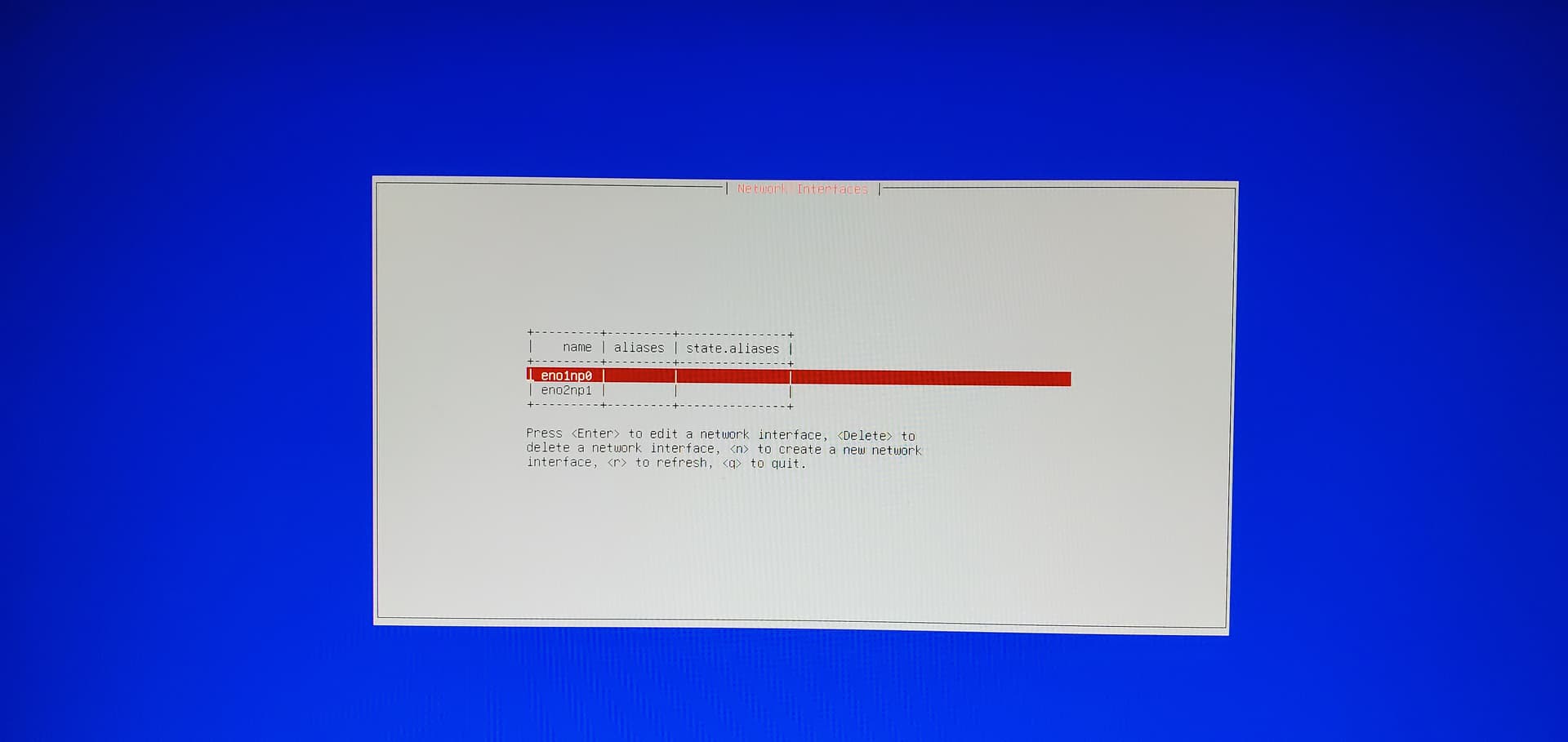
Alright, hit enter on an interface & it should give you options to configure the ip, or for an easier setup, enable dhcp (this’d let your router fill in all the ip info) - make sure you got an ethernet wire connected to the interface you selected that connects you to your LAN.
Thanks! Believe that fixed it.
1 Like