OK, done! value=enabled
I went back through the Storage>Pools menu options and didn’t notice any changes. Still can’t find a Remove option
OK, done! value=enabled
I went back through the Storage>Pools menu options and didn’t notice any changes. Still can’t find a Remove option
Maybe you need to restart the middlewared service or reboot for the change to be reflected in the GUI?
Rebooting would be the simpler method.
I did reboot after I did the zpool upgrade
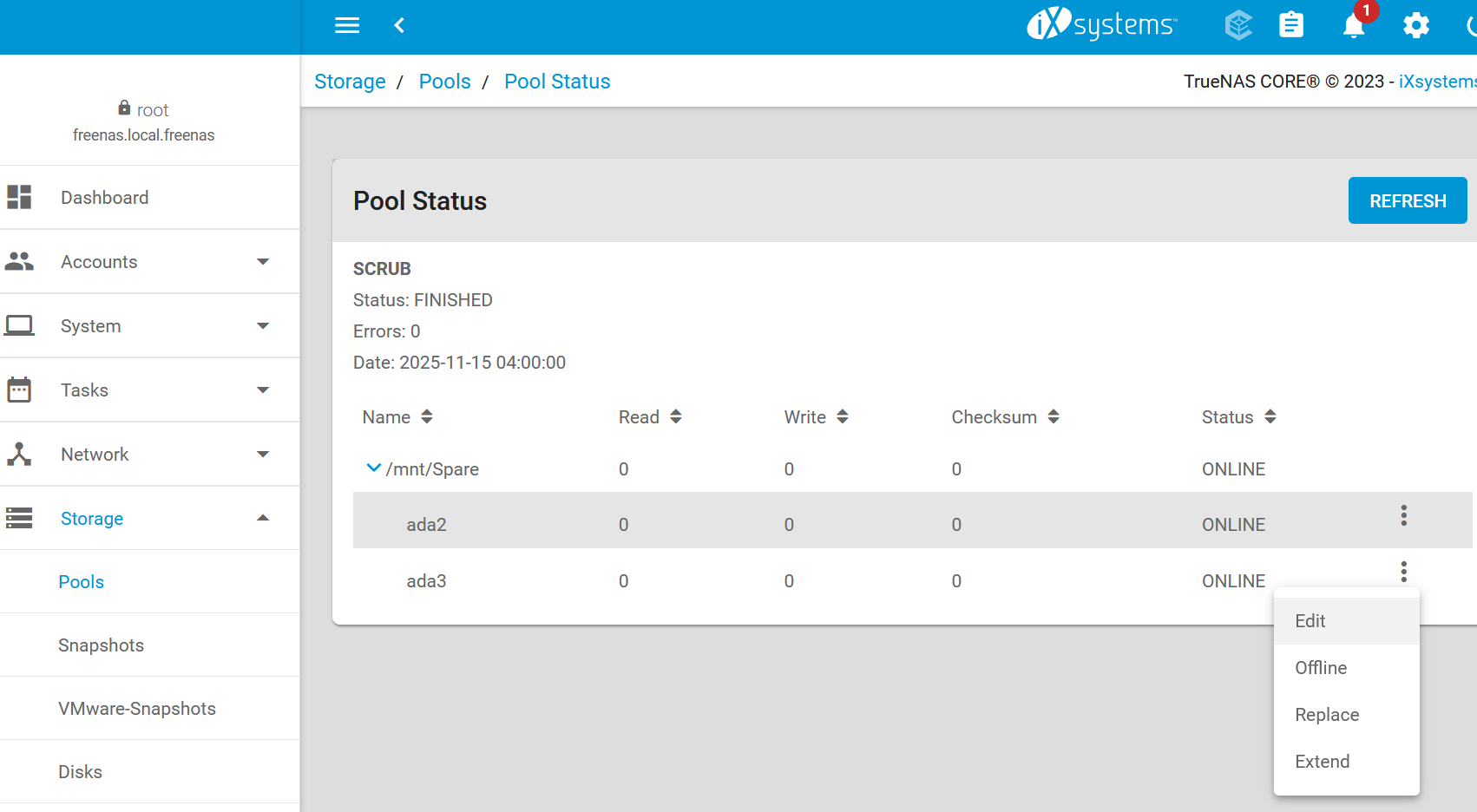
Storage → Pools → Spare → cogwheel icon → Status
For the device fa2eb3b1-98b2-11e8-90f1-0cc47a7558b5, you don’t see a “Remove” option?
No. Still just: Edit, Offline, Replace, Extend
Maybe I need to Offline it first? I clicked on Offline and did not get a nasty warning, but didn’t click further.
Can you take a screenshot? It’s not clear what you’re clicking on.
A last resort is to use the command-line, if nothing else works.
EDIT: This is meant to be a vdev-level operation, not at the disk level. You’re removing an entire vdev, even though the vdev only contains a single disk.
Be careful anyways.
I’m getting a forum error when I try to paste or upload the screen shot. Is there a trick to this?
An error occurred: Sorry, you can’t embed media items in a post.
Might be too new - did you get a DM from a bot asking you to complete a tutorial? Should allow you to post images/links once that is out of the way.
@truenas-bot start tutorial
Is the command to initiate the process yourself (obviously without the ` ` marks)
Edit: oh no - I’m sorry, I’ve unleashed the BOT  seems the @ goes through ` `
Hi! To find out what I can do, say @truenas-bot display help.
thanks! not clear on where exactly I should run this command?
gotchya. i found the dm and did reply with that line (no quotes). it responded by sending the same dm message. no tutorial, per se
Maybe they never implemented device removal in the GUI for single-disk stripes?
If you’re willing to use the command-line, I would make sure your backup is up-to-date to be safe.
Sign out of the GUI and close the page. You’ll only be using SSH for this part. It won’t take too long, since you don’t have that much data that needs evacuation.
zpool remove -n Spare gptid/fa2eb3b1-98b2-11e8-90f1-0cc47a7558b5
It should output a dry-run. Any errors?
If you feel confident, remove the -n flag to commit to the removal.
While it is removing, you can check its progress with zpool status -v Spare
When it’s done, you can sign back into the GUI and then “Extend” the remaining single disk into a 2-way mirror with the now freed disk.
ok, so without the gui Shell, I’ll need putty to do that? it’s been a minute since i used putty
Putty works. So does Windows PowerShell.
I forgot to ask. What model drives are these?
Evacuation of /dev/gptid/fa2eb3b1-98b2-11e8-90f1-0cc47a7558b5 in progress ….. 5.97% done, 0h14m to go
seagate drives. don’t have the exact specs handy
This reminds me of that one time on the toilet after eating a Thanksgiving dinner… never mind.