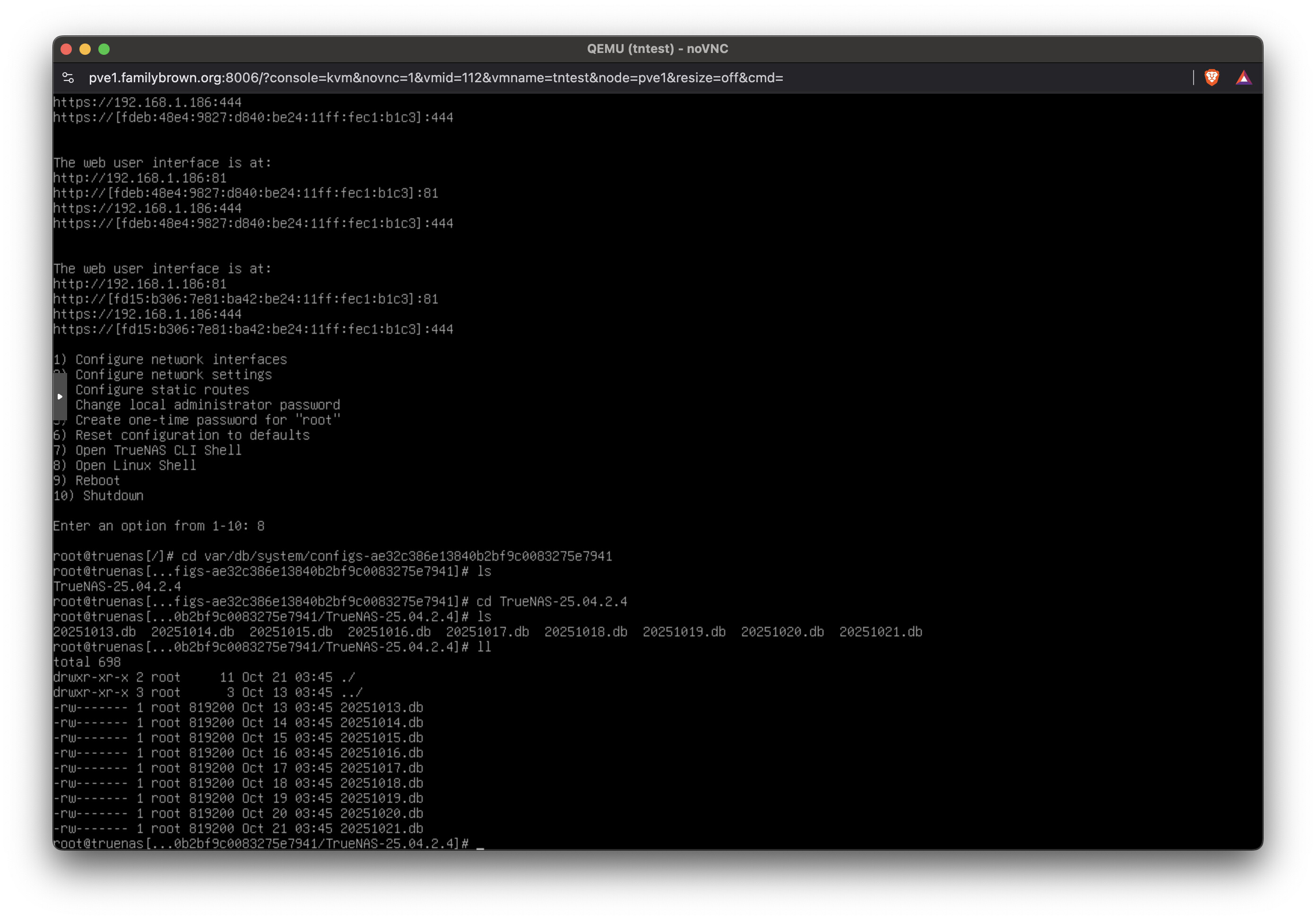
Hello, all. I’m a bit new. Great to see such a pleasant and helpful forum.
From the TrueNAS CORE 13.0 docs, the config database is backed up nightly to the system dataset.
TrueNAS automatically backs up the configuration database to the system dataset every morning at 3:45 (relative to system time settings).
From the TrueNAS 25.04 docs, the config database is not backed up nightly to the system dataset and users need TrueCommand instead:
TrueNAS does not automatically back up the system configuration file to the system dataset. Users who want to schedule an automatic backup of the system configuration file should 1. Set up TrueCommand.
Is there a reason this was removed in TruenNAS SCALE / Community Edition? Or are these two different configurations? Or perhaps the system config auto-backup to the system dataset no longer necessary in SCALE / Community Edition?
Did some digging on this and that line was last updated in 23.10 when a user asked if there was a way to configure an automatic backup of the config file, like to another location. That isn’t possible in the TrueNAS UI, hence the suggestion of TrueCommand as an option.
But it also looks like wires some wires got crossed in communicating this. So the answer is yes, TrueNAS does write the config to the system dataset nightly, but there is no way to configure an (additional) automated backup of this file using the UI.
The other problem is that the file’s there, but TrueNAS won’t do anything with it. It should–import a pool with a .system dataset and config files on it, and TrueNAS should offer to restore the latest of those. This would be especially helpful where users haven’t been keeping regular backups, and have a failed boot device. But nope, no recognition of that config file.