E3C246D4U2-2T won't boot with "Re-Size BAR Support" enabled

Hello folks,

I need help because my system won’t start when I activate the “Re-Size BAR Support” option on my “ASRockRack E3C246D4U2-2T”.

Server specs:

truenas scale 25.04
asrock rack e3c246d4u2-2t
intel xeon e-2236
2x 32gb mushkin proline ecc
sparkle arc a310 eco
be quiet! pure power 11 400w
intel ssd 530 120gb
samsung ssd 860 evo 1tb
samsung ssd 870 evo 1tb
4x toshiba cloud-scale capacity 20tb

And why would you need that setting enabled, which seems to be some feature improving gaming performance with some Nvidia cards?

1 Like

I have read, that it improves the transcoding performance of my “Sparkle ARC A310 ECO” in jellyfin.

Edit: This issue isn’t TrueNAS related. But I thought, maybe someone can give me a hint or something.

Resizeable BAR lets the CPU access the GPU more efficiently, something many GPU-workloads benefit from, not just gaming. It’s also not NVIDIA specific.

I wish I could help the OP but alas I don’t know why it doesn’t work on the motherboard in question. It’s a shame, since the ARC GPU is hamstrung without it.

1 Like

You mentioned it “won’t start” with it enabled, can you elaborate on that? What happens when you enable it and restart? Nothing? No activity at all? Any motherboard LEDs that show status codes? Any error message on the screen? How long have you waited (perhaps its redoing memory training)?.

1 Like

The monitor or BMC console remains black/ shows no signal. The server does not post. So far, I have only been able to fix the problem by clearing the CMOS. I have also contacted ASRock Rack support. I am curious to see if they can help me.

Okay, ReBAR appears to be very “new” in that BIOS, perhaps the implementation is just a buggy mess.

1 Like

ASRockRack answered to problem:

Could  you  please  try these  settings ?

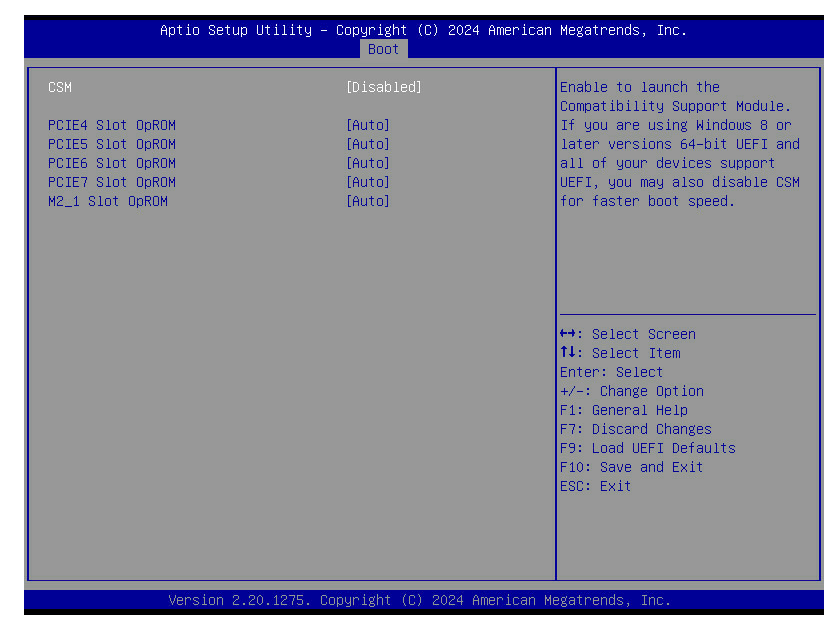
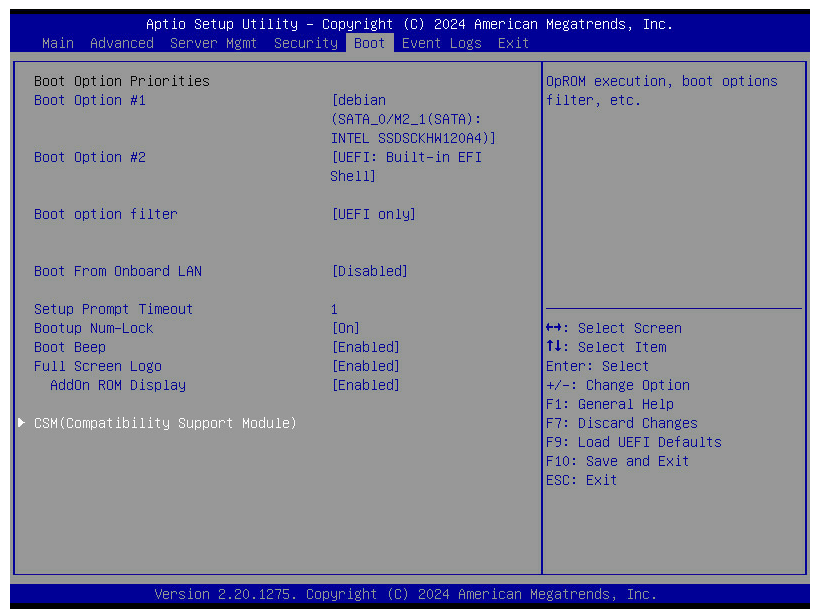
Please set CSM disabled, above 4G enabled, primary VGA force below 4G disabled for Re-size BAR support option.

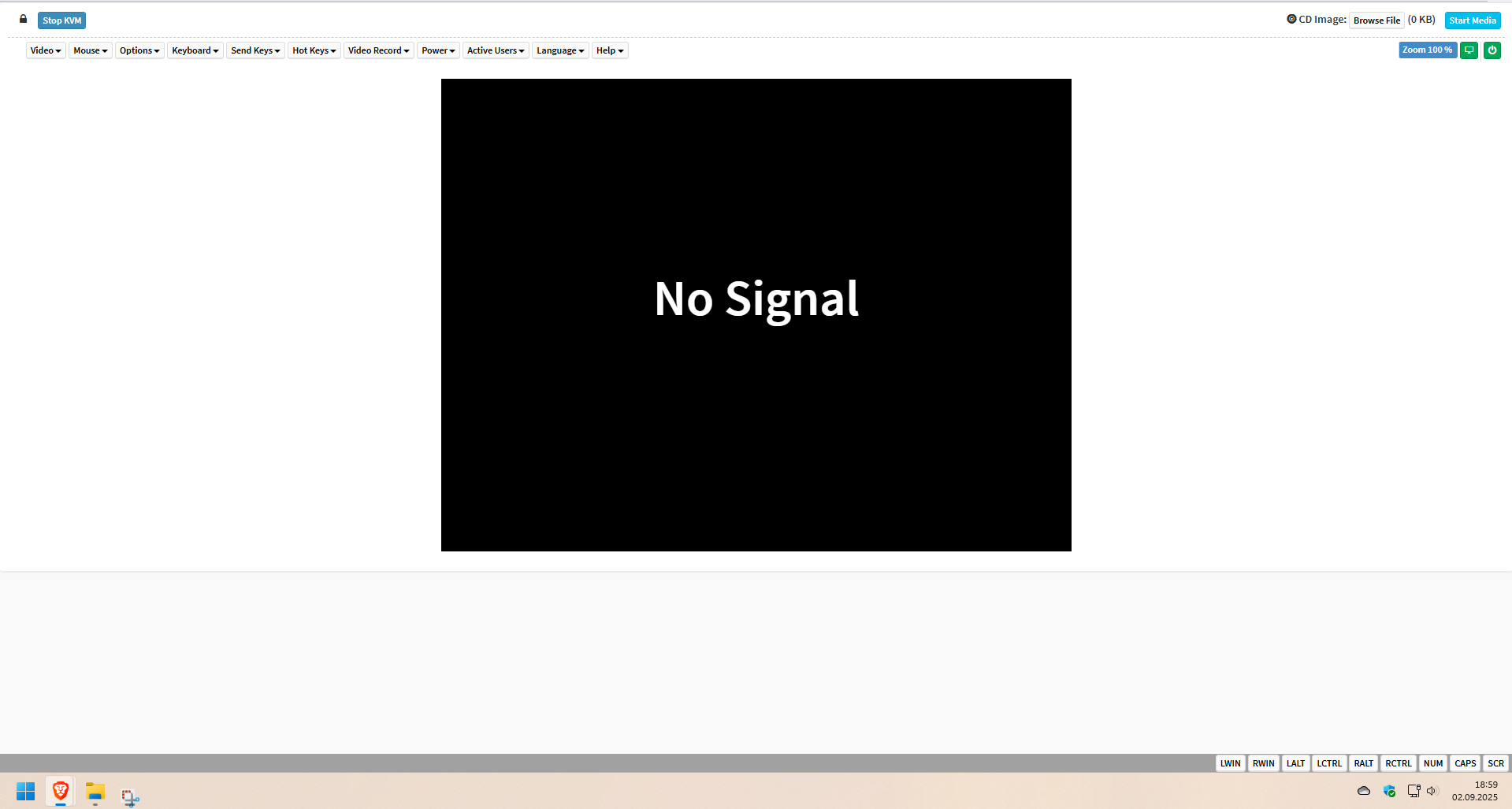
The new settings worked. Unfortunately, I can no longer use the KVM console (see the following image).

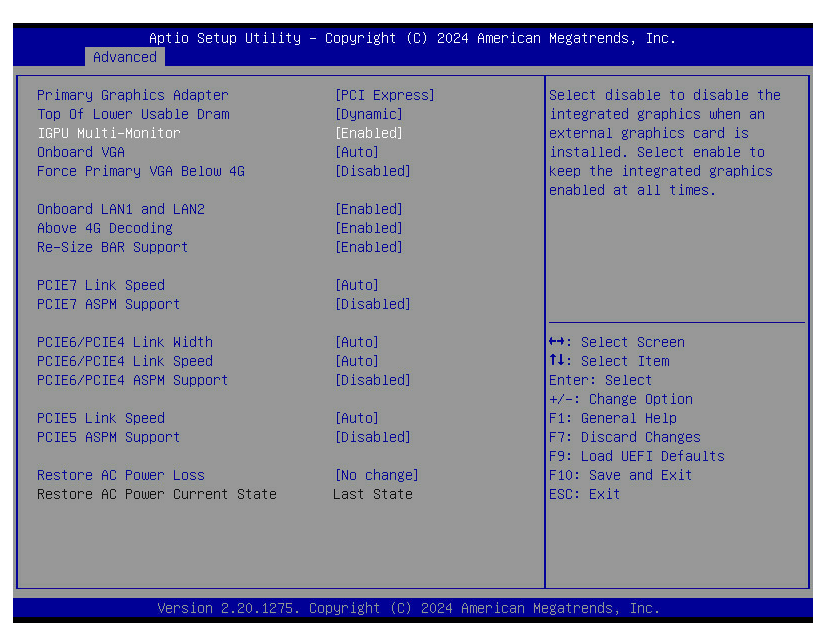
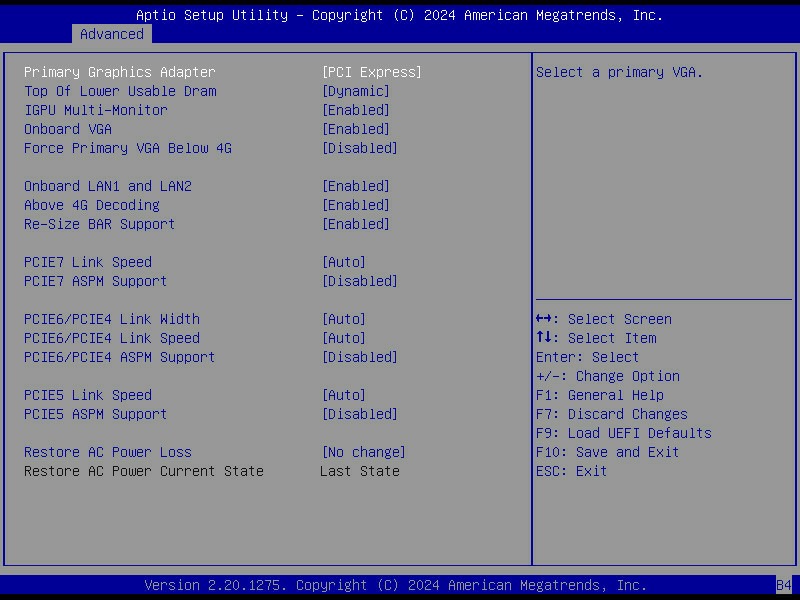
Here are my settings:


The option “Force Primary VGA Below 4G” appears only, if I set “Primary Graphics Adapter” to “PCI Express”. I think this breaks the kvm console. I already informed ASRockRack of the situation.

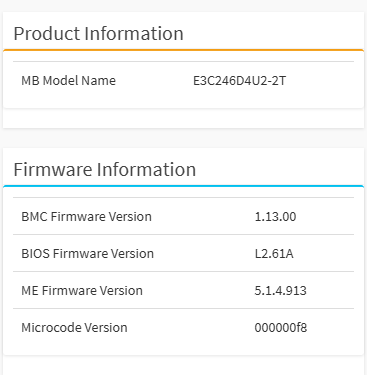
Support told me to set “Onboard VGA” from “Auto” to “Enabled”. That made my kvm console working again!

In order to successfully enable “Re-Size BAR Support”:
“Primary Graphics Adapter” = “PCI Express”
“Onboard VGA” = “Enable”
“Force Primary VGA Below 4G” = “Disable”
“Above 4G Decoding” = “Enable”
“CSM” = “Disable”

1 Like