
“File Browser” 1.3.41 app installation failed on 25.10.0
FAILED
[EFAULT] Failed to render compose templates: Traceback (most recent call last): File “/usr/bin/apps_render_app”, line 33, in sys.exit(load_entry_point(‘apps-validation==0.1’, ‘console_scripts’, ‘apps_render_app’)()) ^^^^^^^^^^^^^^^^^^^^^^^^^^^^^^^^^^^^^^^^^^^^^^^^^^^^^^^^^^^^^^^^^^^^^^^^^^^^^^^^ File “/usr/lib/python3/dist-packages/catalog_templating/scripts/render_compose.py”, line 48, in main render_templates_from_path(args.path, args.values) File “/usr/lib/python3/dist-packages/catalog_templating/scripts/render_compose.py”, line 19, in render_templates_from_path rendered_data = render_templates( ^^^^^^^^^^^^^^^^^ File “/usr/lib/python3/dist-packages/catalog_templating/render.py”, line 31, in render_templates rendered_templates[i.name] = env.get_template(i.name).render( ^^^^^^^^^^^^^^^^^^^^^^^^^^^^^^^^ File “/usr/lib/python3/dist-packages/jinja2/environment.py”, line 1301, in render self.environment.handle_exception() File “/usr/lib/python3/dist-packages/jinja2/environment.py”, line 936, in handle_exception raise rewrite_traceback_stack(source=source) File “/mnt/.ix-apps/app_configs/filebrowser/versions/1.3.41/templates/docker-compose.yaml”, line 5, in top-level template code {% do tpl.funcs.fail(“Expected at least 1 [storage.additional_storage] to be set”) %} ^^^^^^^^^^^^^^^^^^^^^^^^^ File “/mnt/.ix-apps/app_configs/filebrowser/versions/1.3.41/templates/library/base_v2_1_57/functions.py”, line 42, in _fail raise RenderError(message) base_v2_1_57.error.RenderError: Expected at least 1 [storage.additional_storage] to be set
It fails because you did not mount additional storage to it. Without an additional storage mapping filebrwoser is useless because it can’t access anything beside its own internal file system.
The install in now OK with an additional storage to it :-))
But now, when i start le browser it return to “Stopped” !
When push “Start” : Stopped–>Deploying–>Stopped !
have you checked the lifecycle log from shell if it shows anything unusual?
sudo cat /var/log/app_lifecycle.log
cat: /var/log/app_lifecycle.log: No such file or directory
that’s weird, it works fine for me 
Edit:
Try to cd into /var/log and see if there even is a app_lifecycle.log
There may be not one if filebrowser is your first ever app…
I just have one day on truenas experience ! …
No “app_lifecycle.log” file in /var/log
The running jobs list for File Browser” :
| app.start |
|---|
| 30/10/2025 20:59:30 | 30/10/2025 20:59:33 |
|---|
| undefined |
ID: 348
Arguments
[
  "filebrowser"
]
Log Path
N/A
Log Excerpt
No logs are available
Credentials
Created by: truenas_admin (Password Login)
Error
No errors
Hmmm the last thing that now comes to my mind would be a permission issue with the additional dataset. Did you add user “apps” to the ACL list of the dataset you’ve mounted as additional storage?
try sudo cat /var/log/app_lifecycle.log?
cat: /var/log/app_lifecycle.log: No such file or directory
no I didn’t add an application
Ok since it “successfully” installed it may not have logged anything, though I’d think the previous attempts would have.
I’d also lean towards the additional storage configuration being the issue. Either a permissions problem as suggested or an issue with which dataset(s) you’ve mounted. I remember File Browser being picky about mounting not mounting root level datasets.
Actually, what is the additional storage configuration for? Without really knowing what I’m doing, I added additional storage which is the same as the main storage…
It’s so that filebrowser can actually see your files and store them on your pool.
Edit:
Maybe this makes it clearer. By default the filebrowser app creates a config folder where as the name implies its config gets saved.That config folder doesn’t contain your already saved files on truenas and for Filebrowser to see those files you have to create a mapping from the host (your truenas) to the insde of the app.
For example: If you have a folder called documents you would map:
/mnt/Poolname/Data/Documents to /documents
this would allow you to access the files saved in Documents from the filebrowser webui.
Edit2:
Here’s a screenshot of how it shoult look
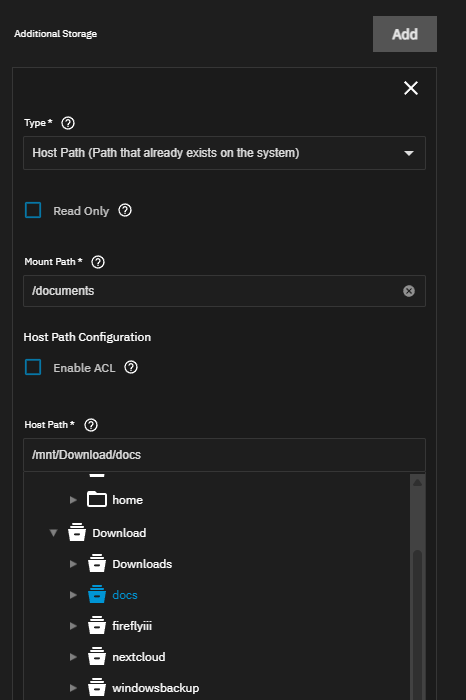
Thank you both! Thanks to your precise information, I finally managed to switch “filebrowser” to the “Running” state :-)) On the other hand, I cannot launch filebrowser via a web interface (for the moment in http) even if I try to assign it another port number in its configuration. FYI I use Firefox 140.4.0esr (64 bits) on Mageia 9.
Just did a absolute bare minimum test install… Config on iXVolume and just one additional storage mount. The app lauches just fine and i’m able to access the webui just fine.
Maybe post screenshots of your config and we may be able to spot the problem
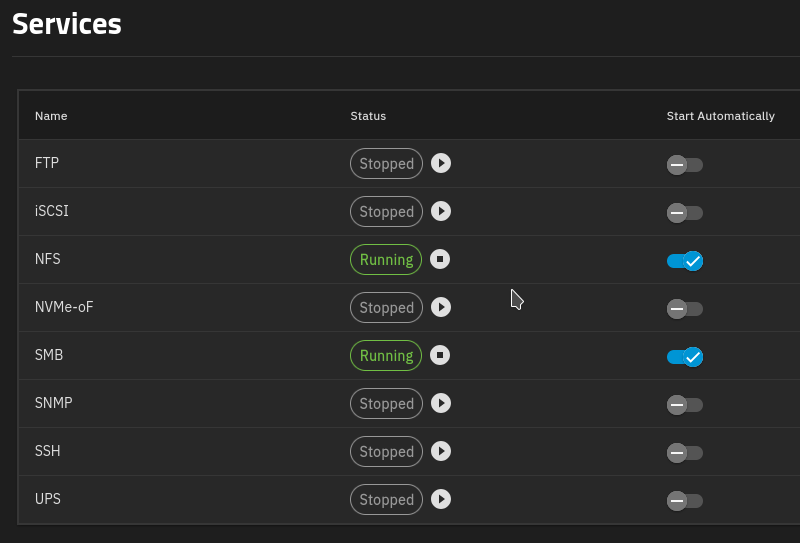
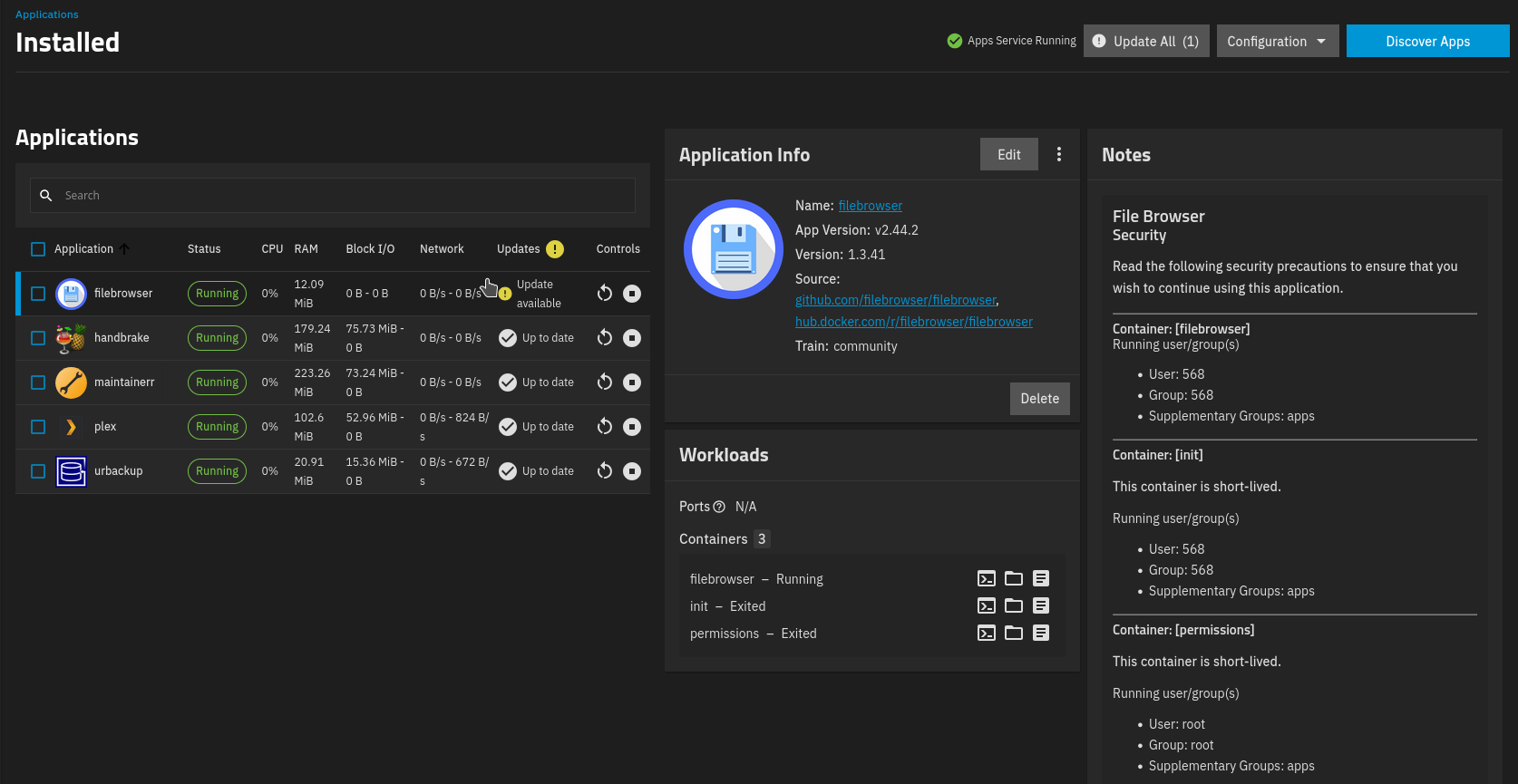
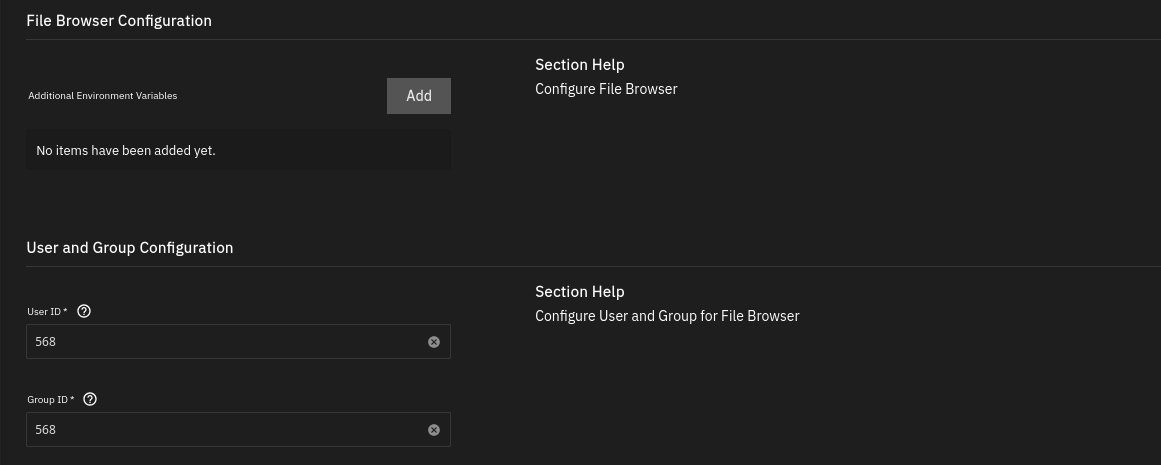
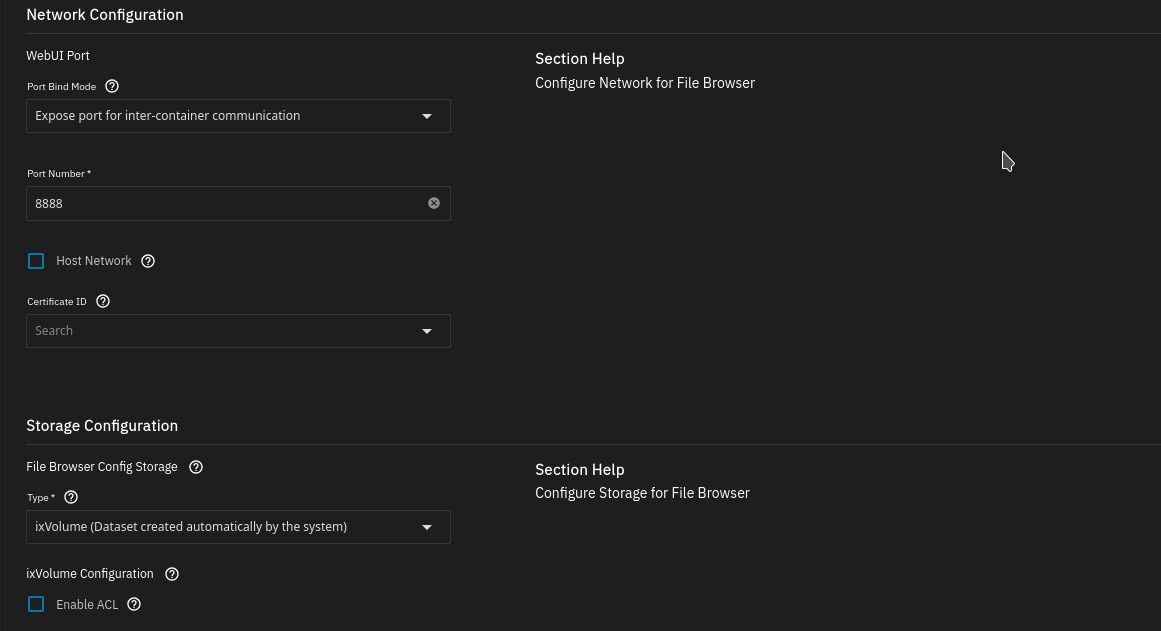
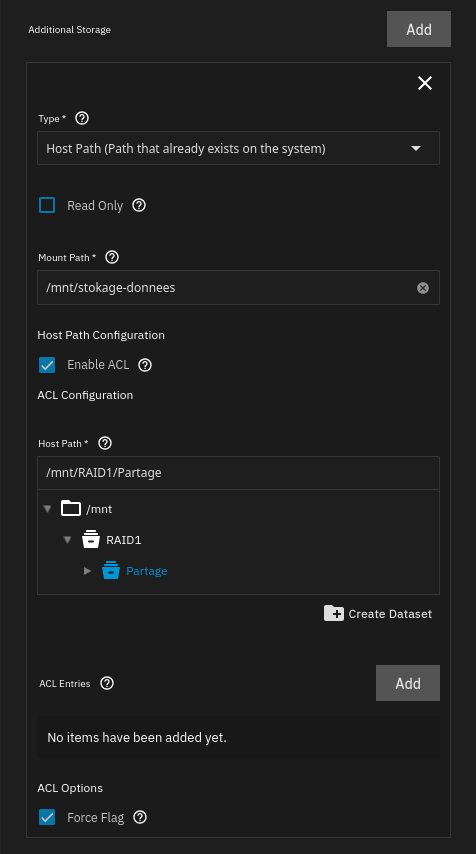
I see nothing out of place. You should be able to reach the filebrwoser gui at yourtruenasip:8888, but i would suggest going back to the default filebrowser port of 30051
You could try to switch the Webui port from expose for inter app communication to Publish port on the host for external access
The default username is admin, but the default password is no longer admin. Filebrowser now generates a random default password. You can find it by accessing the clicking on the icon with the three lines on the “workload” tile.