Hi, I hope someone can help me, as this issue has been driving me crazy.
Background:
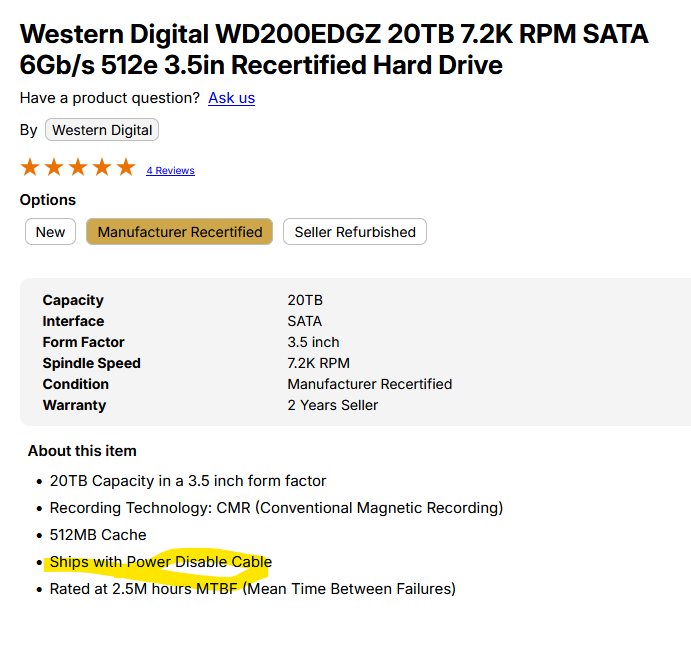
I first dipped my toe into truenas by repurposing an old desktop computer and putting two mirrored WD WD200EDGZ 20TB HDD drives in it. System has been working for months with no issues.
I have since decided to build a new system (specs below) as a dedicated box, mainly for use as a media server. That system has three 8TB drives in a RAIDZ1 configuration, and an unused 20TB drive. All disks have been recognized and working as expected.
My plan was to take the 2 20TB drives from my old machine and put them in the new machine along with the unused 20TB drive, to create another RAIDZ1 vdev.
Problem:
The two disks were exported and wiped on the old machine, and connected to the new one, where they are now not being recognized at all. I have tried connecting them to all of the different SATA ports on both the motherboard and the SATA expansion card with no success. I have also checked that the SATA cables used are working. All other drives are recognized without issue using the different ports as well as SATA and power supply cable combinations, so I am fairly confident that isn’t the issue.
When I connect the drives back to the old machine, they are recognized right away as new drives. The old machine also recognizes the drives from my new machine. However, for some reason, they do not show at all when they are connected to the new one. Any ideas of what I can do to get this working?
System Specs:
TrueNAS: Community edition 25.04.2.3
Motherboard: MSI PRO B760-P WIFI DDR4
Processor: Intel Core i5-12400 @ 2.5 GHz
RAM: 4x Corsair - Vengeance LPX 16GB DDR4 3200MHz C16 UDIMM
PSU: Thermaltake Toughpower GF A3 850W
OS boot drive: Crucial - P310 1TB Internal SSD PCIe Gen 4 x4 NVMe M.2
Storage Drives: 2x Seagate Barracuda 8TB SATA HDD, WD Red Plus 8TB HDD (RAIDZ1), Seagate Exos 20TB HDD (Unused)
Cache Drives: 2x PNY CS900 250GB SSD
Controller Card: Ziyituod SATA Card PCIe 3.0 753594509335
I first assumed that there was a problem with the card, since I know it probably isn’t the best solution, but the other drives work fine with it, and the two unrecognized drives don’t work either with it or when plugged straight into any of the motherboard’s four SATA ports.
In the BIOS, I see all four motherboard ports and drive details when the working drives are plugged in. When the unrecognized drives are plugged into these ports however, the ports all still show in the BIOS, but without any drive details.
How did you power the drives in the old system and how do you power them in the new one? Specifically, what kind of cable(s)?
PSU directly to SATA-power
PSU to MOLEX and then SATA-power
Something else?
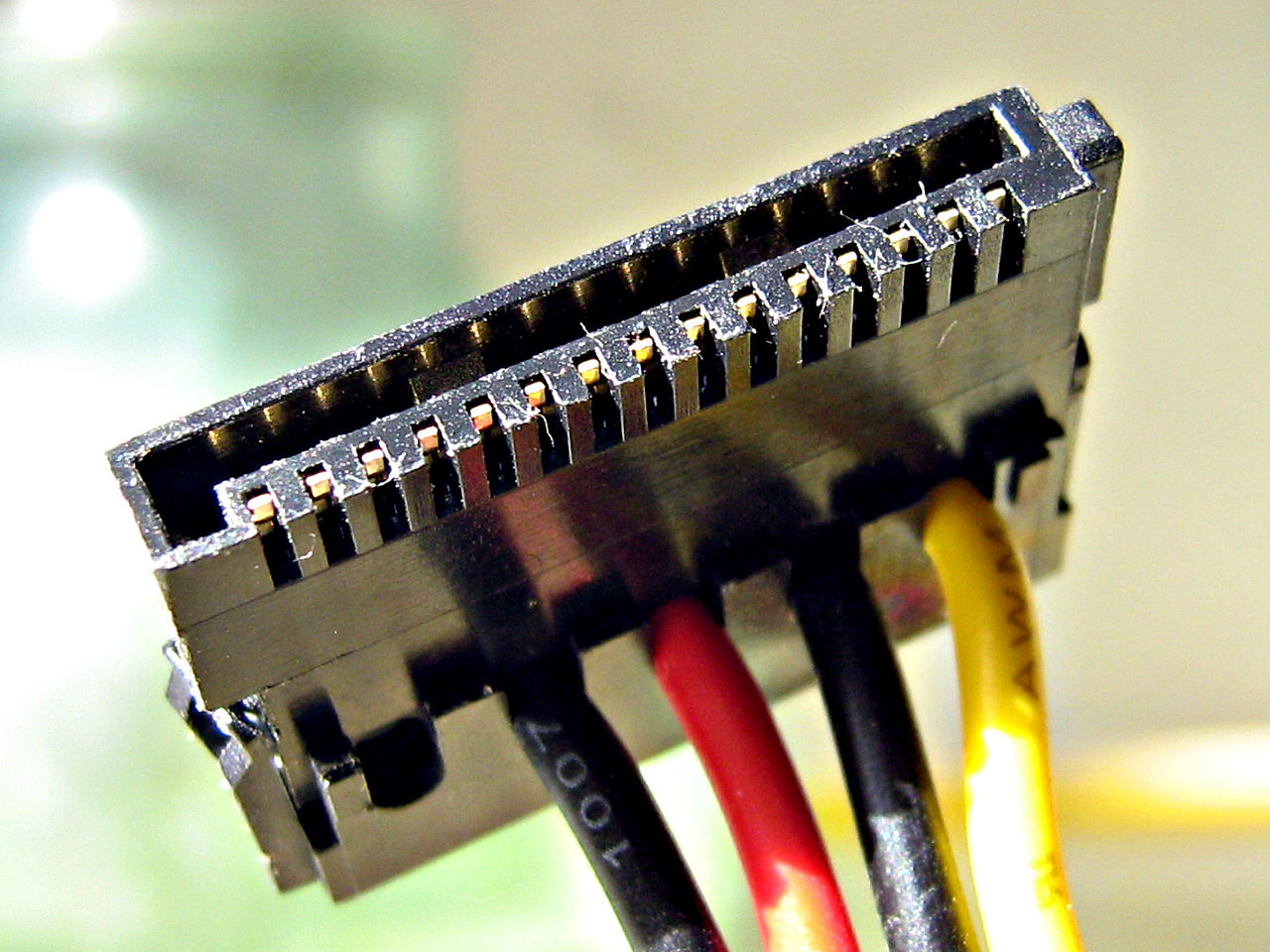
My gut feeling is that this is a 3.3V power disable issue. Molex in the power chain is one way to side-step the issue. Perhaps your old system happens to have that cabling.
It could be a molex to SATA-power adapter, or more likely, an adapter from female 5-pin to male “4-pin” SATA, where the 3.3V is left empty, here’s an example of what the male end could look like:
Thank you! That was it. Luckily I still had the adapter cables from when I originally ordered the drives. I connected them, booted up, and the disks are all there!
Thanks so much again, I wasted about 12 hours on this yesterday!
Will do. Is there a specific card that you would recommend as a better replacement? My googling hasn’t turned up a solid answer, so I just went with what was cheap, and I haven’t had any complaints so far (famous last words).